Prime Elite Education · Quick guide프라임 엘리트 영어학원 · 간단 안내
Log in, points and the Rewards Mall로그인 · 포인트 · 리워드 몰
Just the essentials: log in, earn practice points, turn them into Rickey Points and spend them in the Rewards Mall. On your phone.꼭 필요한 것만: 로그인, 연습 포인트 모으기, 리키 포인트로 바꾸기, 리워드 몰에서 쓰기. 휴대폰으로 따라 해 보세요.Just the essentials: log in, earn practice points, turn them into Rickey Points and spend them in the Rewards Mall. On your computer.꼭 필요한 것만: 로그인, 연습 포인트 모으기, 리키 포인트로 바꾸기, 리워드 몰에서 쓰기. 컴퓨터로 따라 해 보세요.
Pick a part to jump straight to it. The screenshots show a made-up student, “Sample Student”; your screens show your own child. The yellow numbers on each picture match the numbered steps.보고 싶은 부분을 고르면 바로 이동해요. 화면의 학생은 예시로 만든 “Sample Student”이고, 실제 화면에는 자녀의 정보가 나옵니다. 사진의 노란 번호와 설명의 번호가 같아요.
1
Part 1 of 44개 중 1번째
Log in로그인
Use the username and password the academy gave you.학원에서 받은 아이디와 비밀번호로 로그인하세요.
Step 1/31/3단계Open the website웹사이트 열기
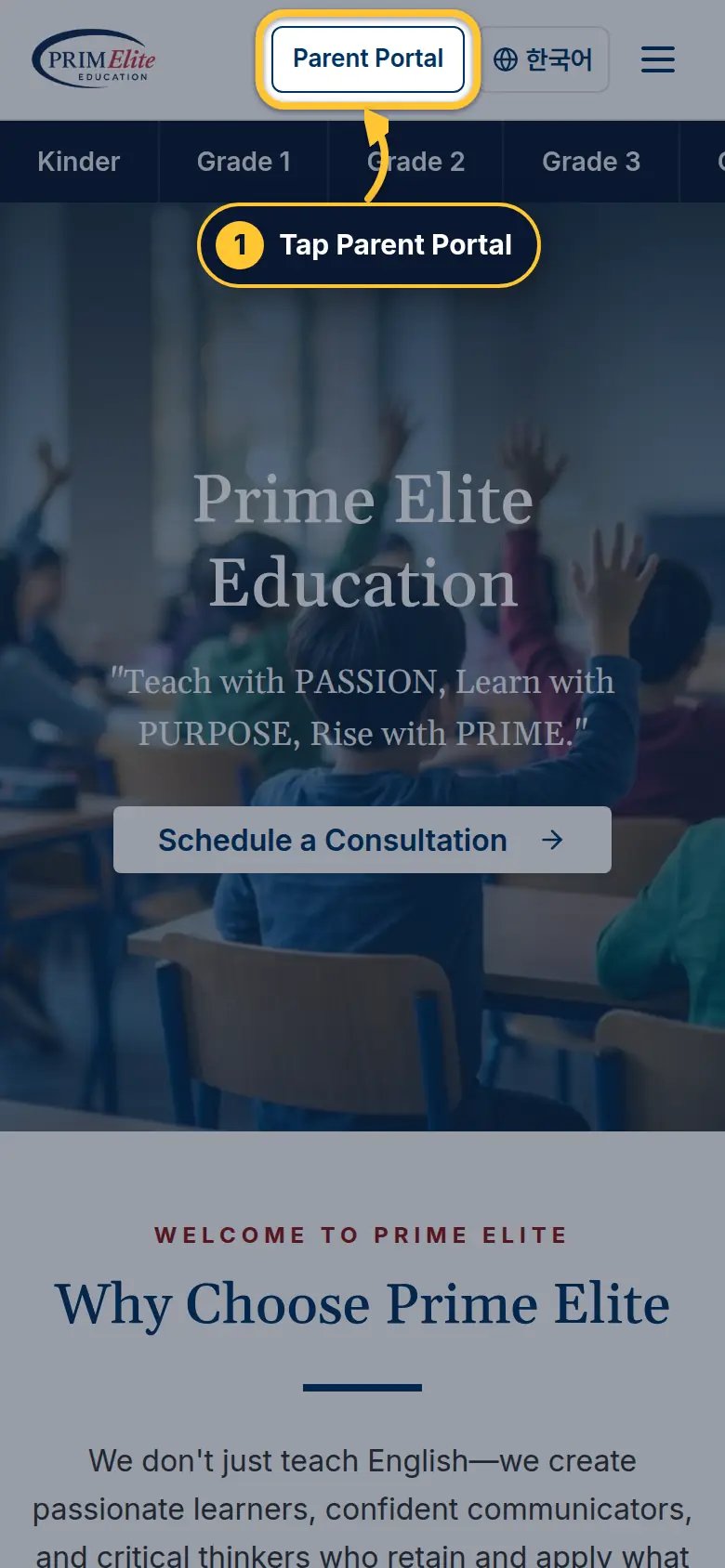
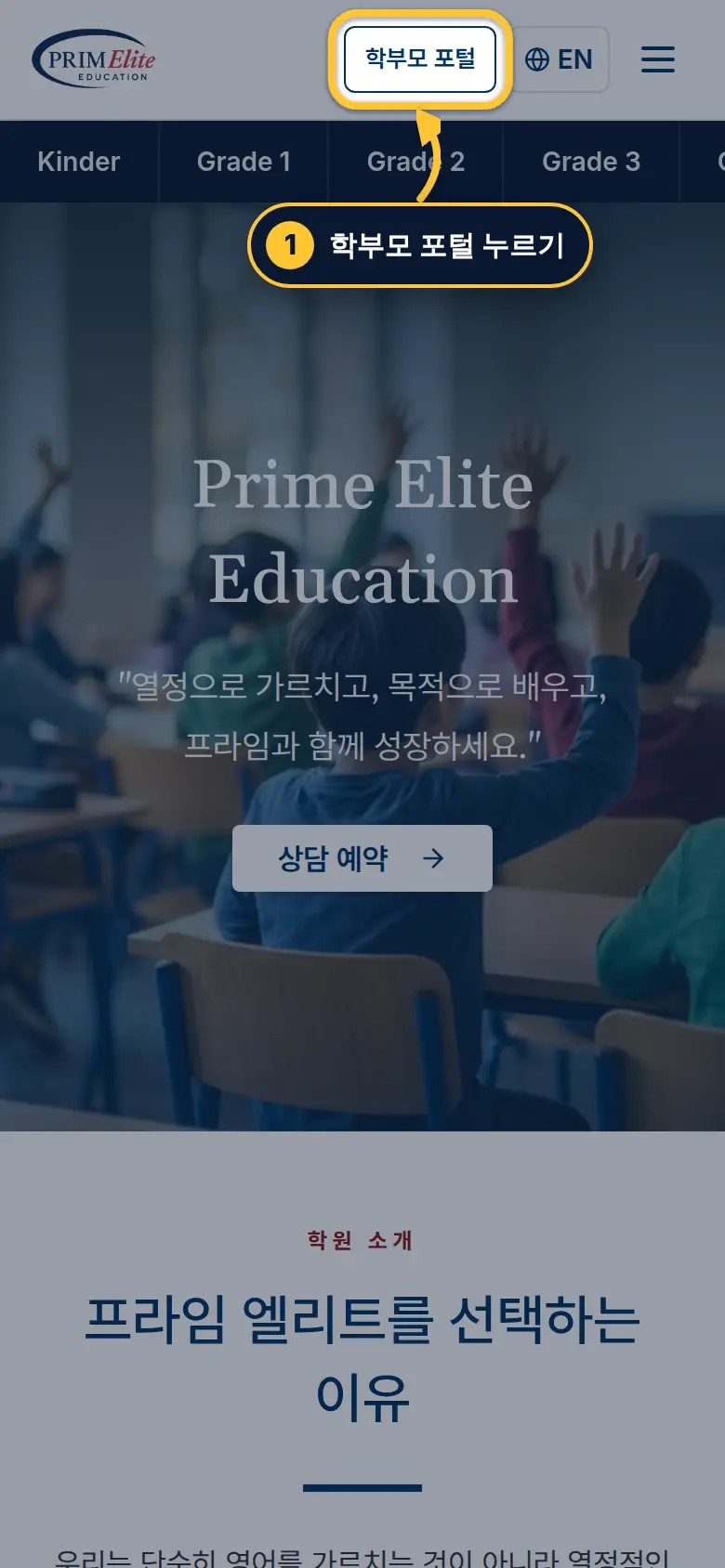
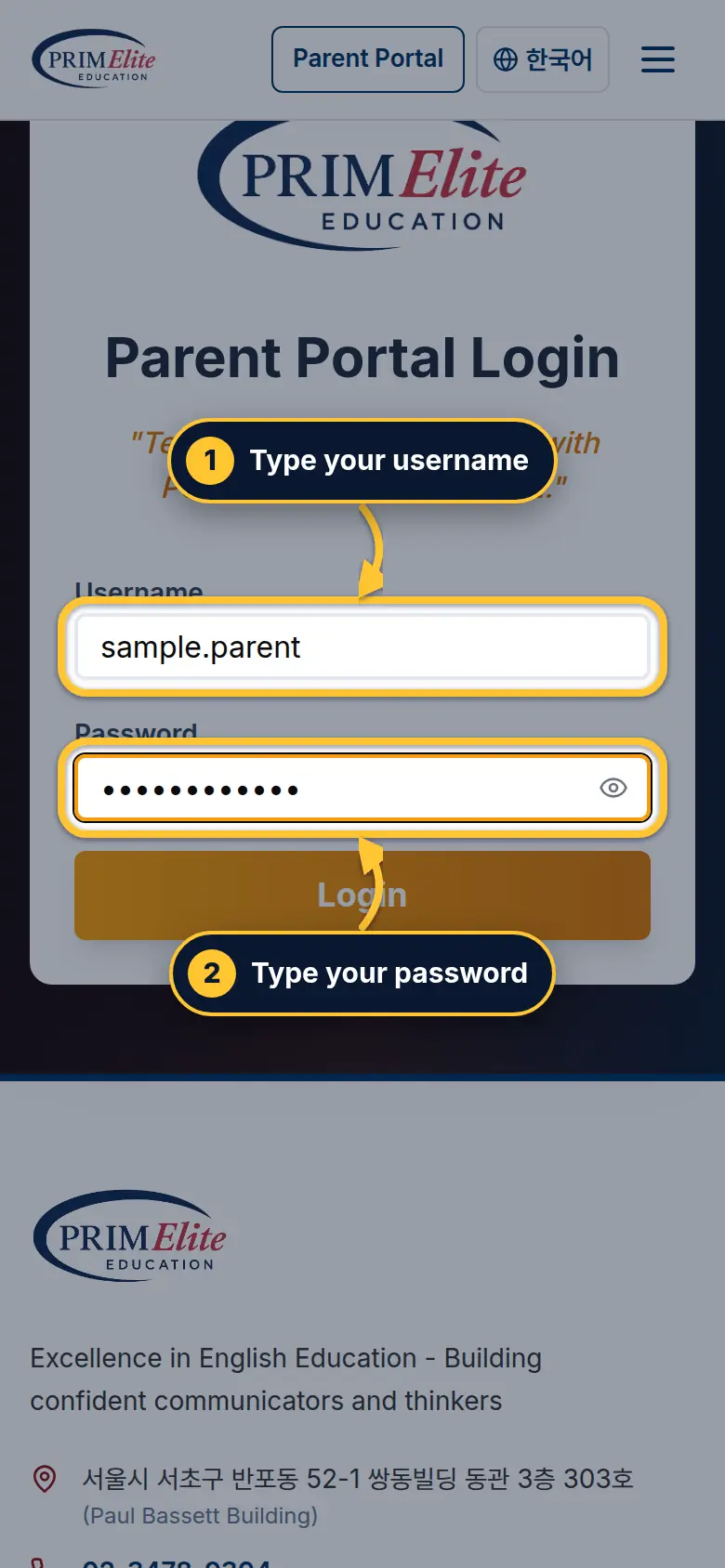
1 Go to primelite-english.com and tap Parent Portal at the top.
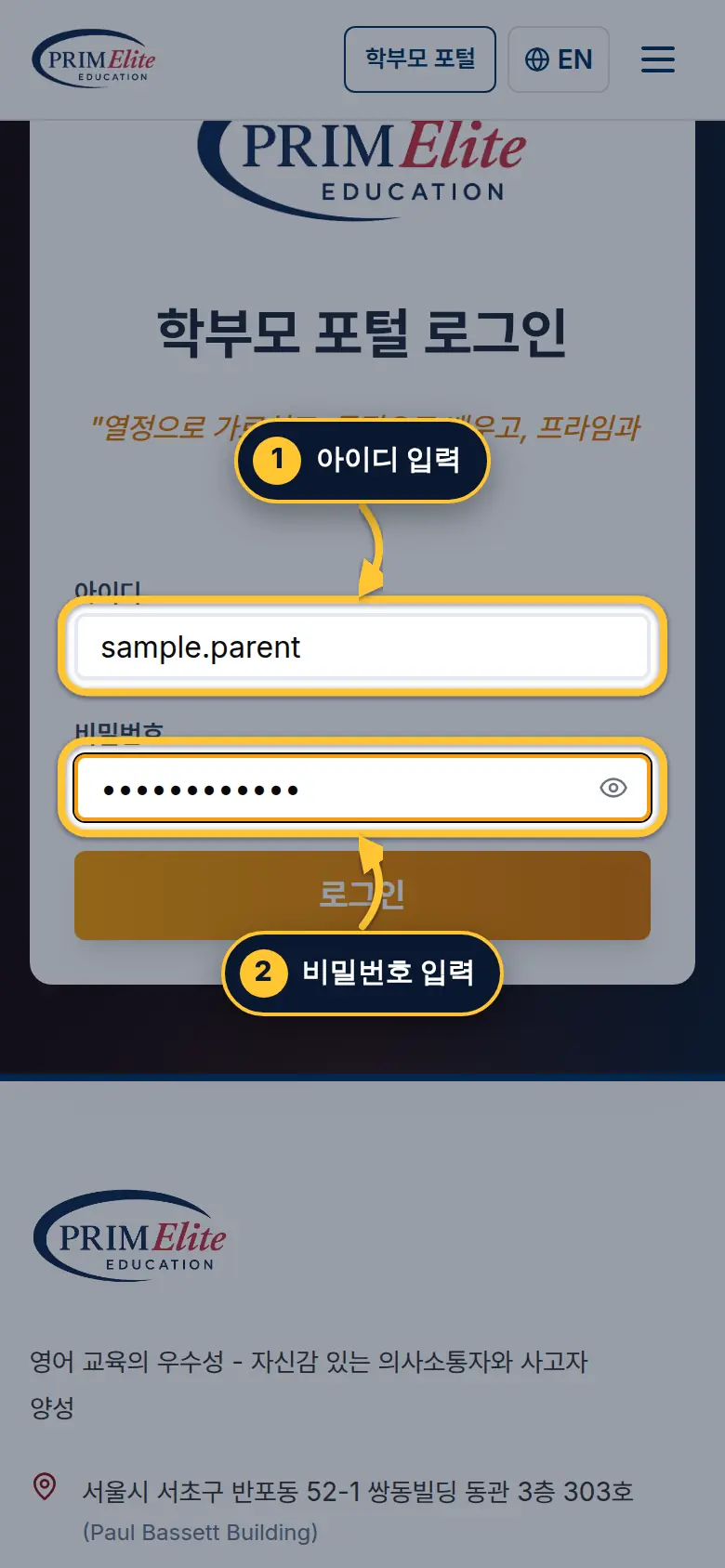
1primelite-english.com에 접속한 뒤 위쪽의 학부모 포털을 누르세요.
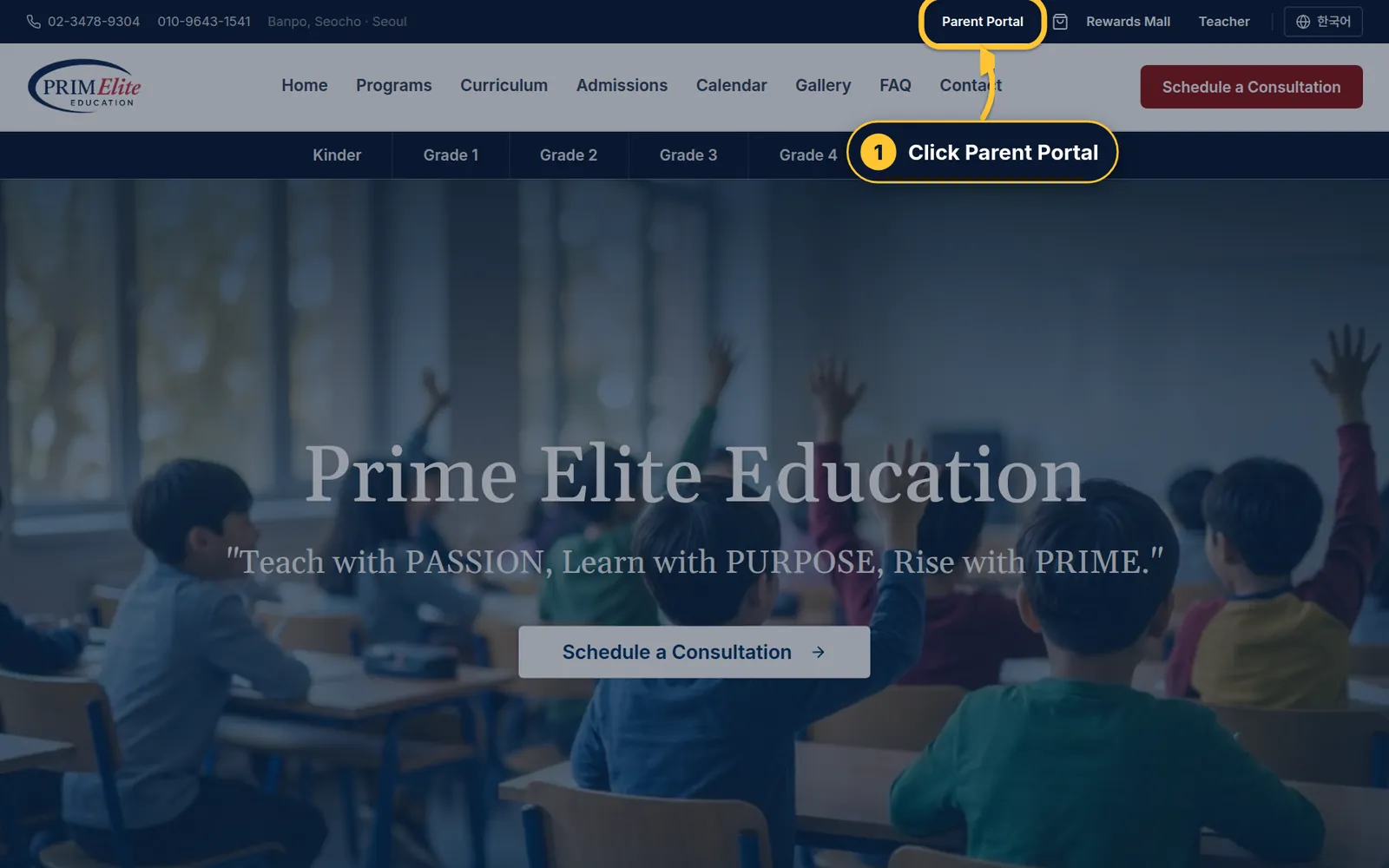
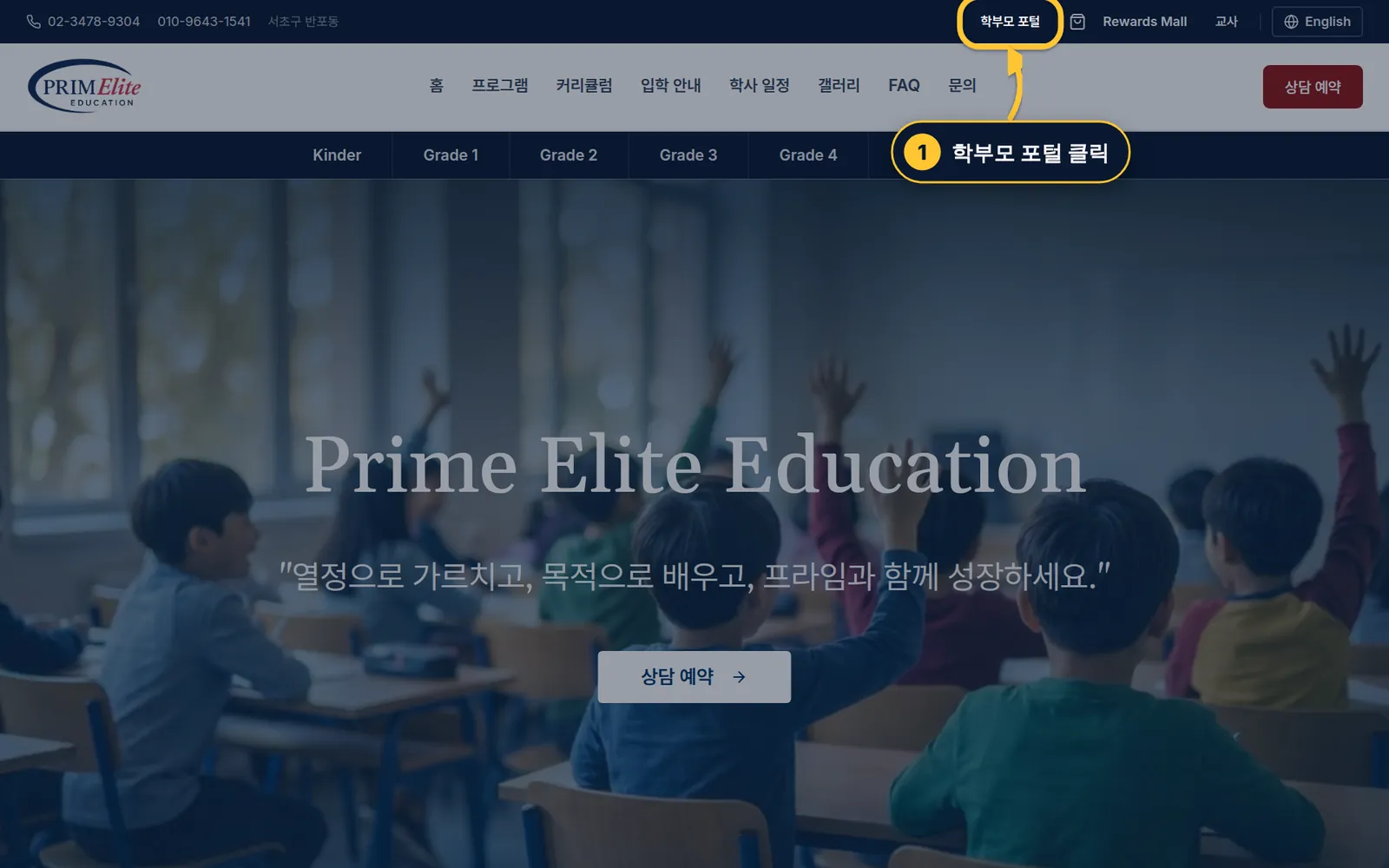
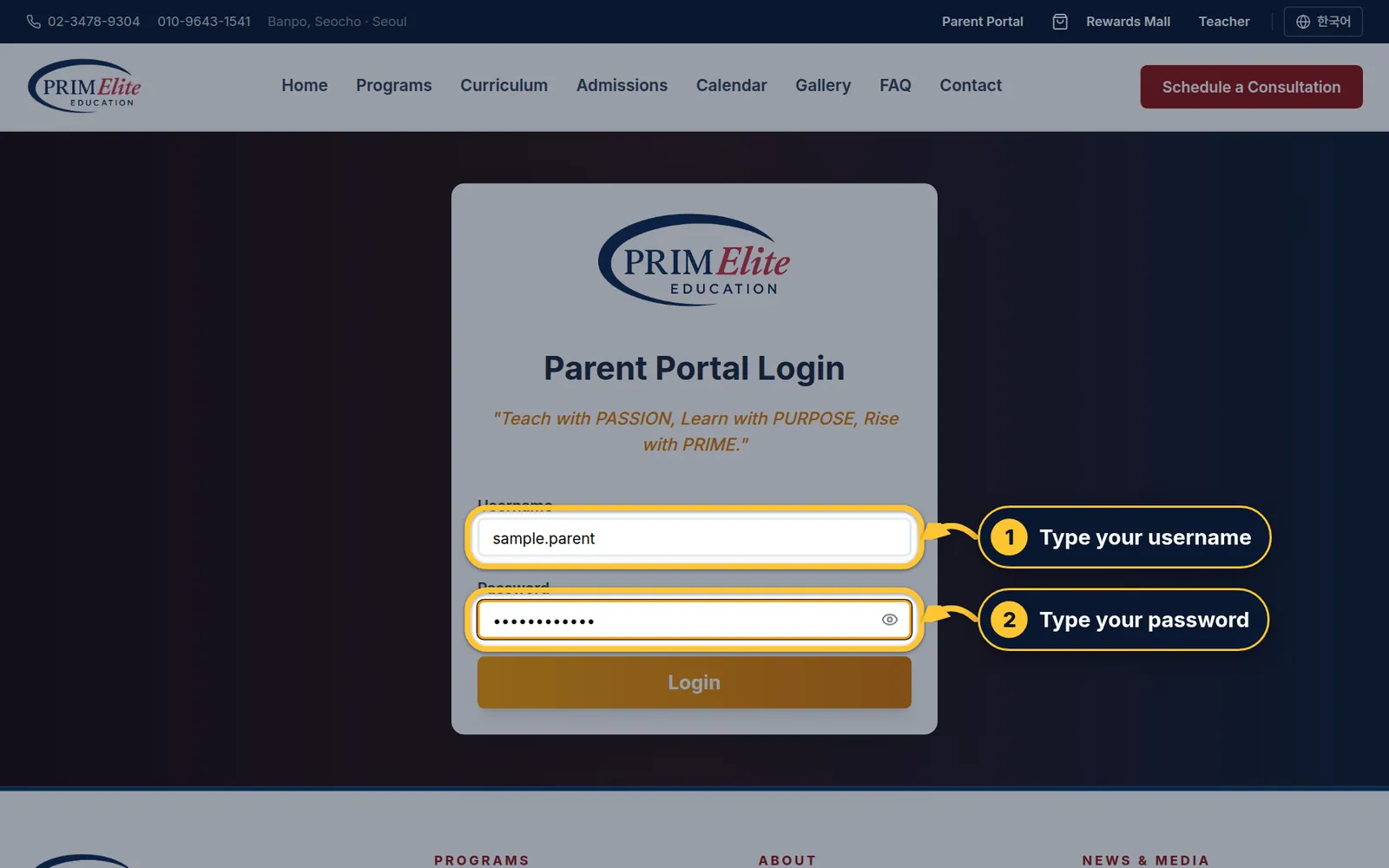
1 Go to primelite-english.com and click Parent Portal at the top right.
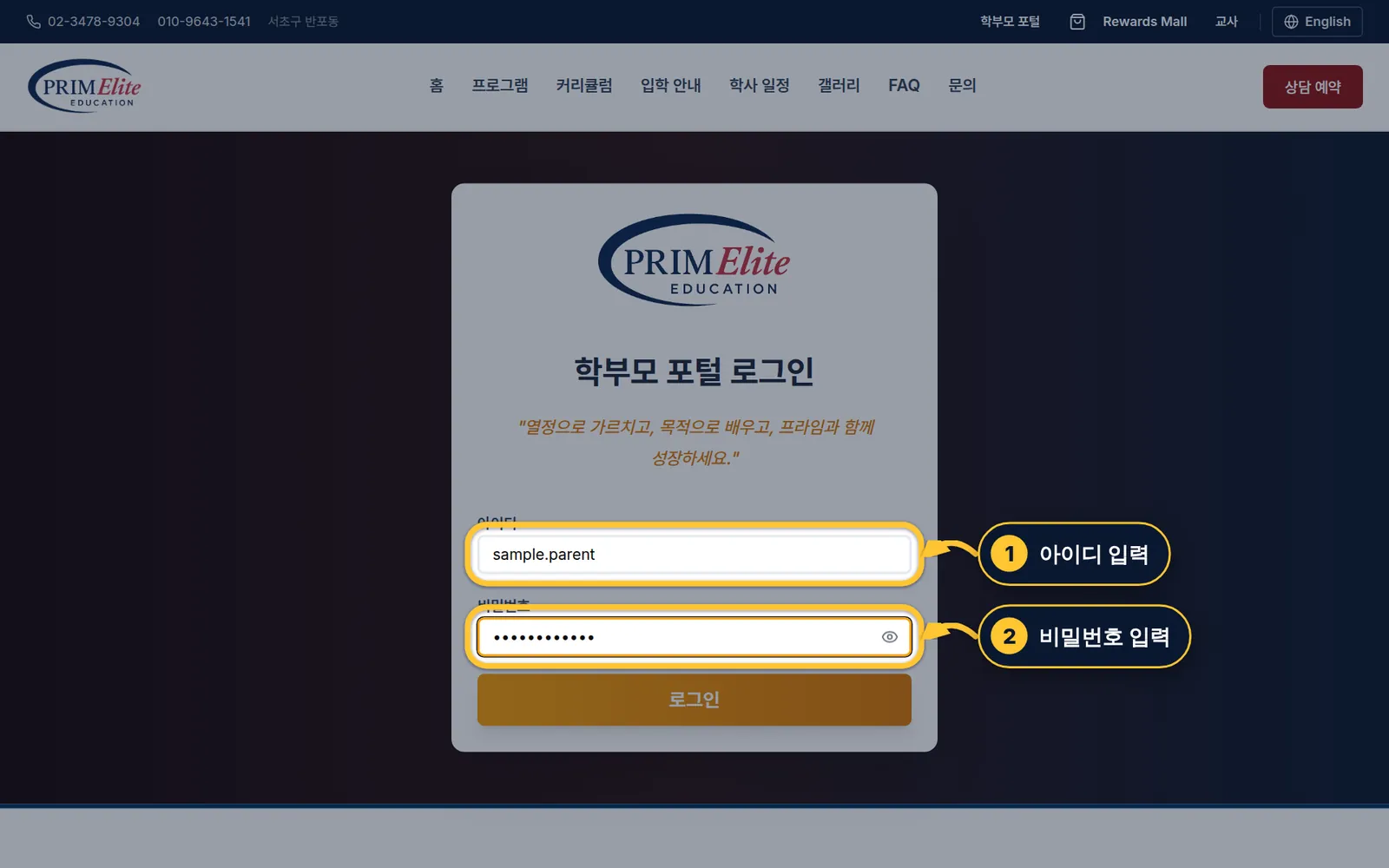
1primelite-english.com에 접속한 뒤 오른쪽 위의 학부모 포털을 클릭하세요.
Step 2/32/3단계Type your username and password아이디·비밀번호 입력
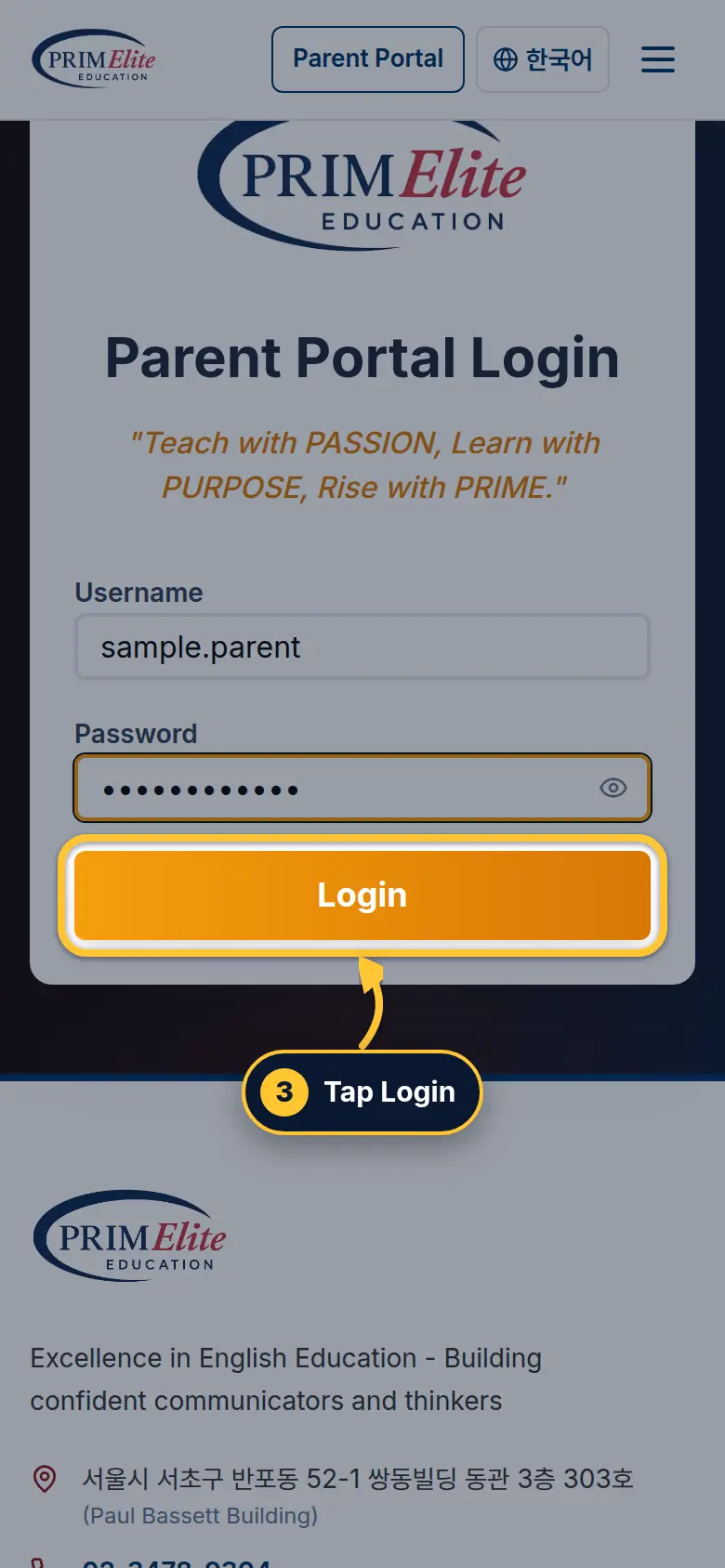
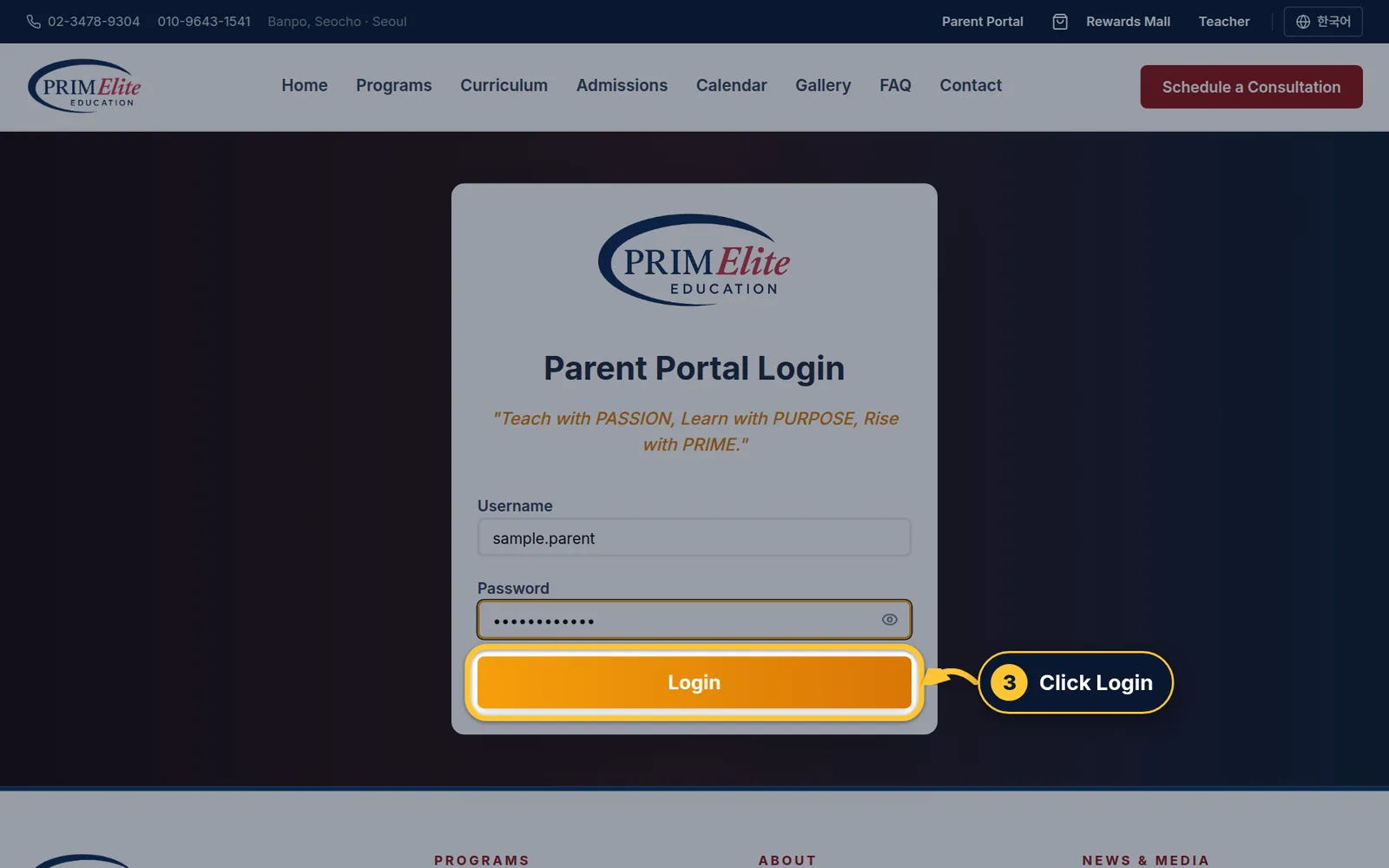
1 Type your username.
2 Type your password.
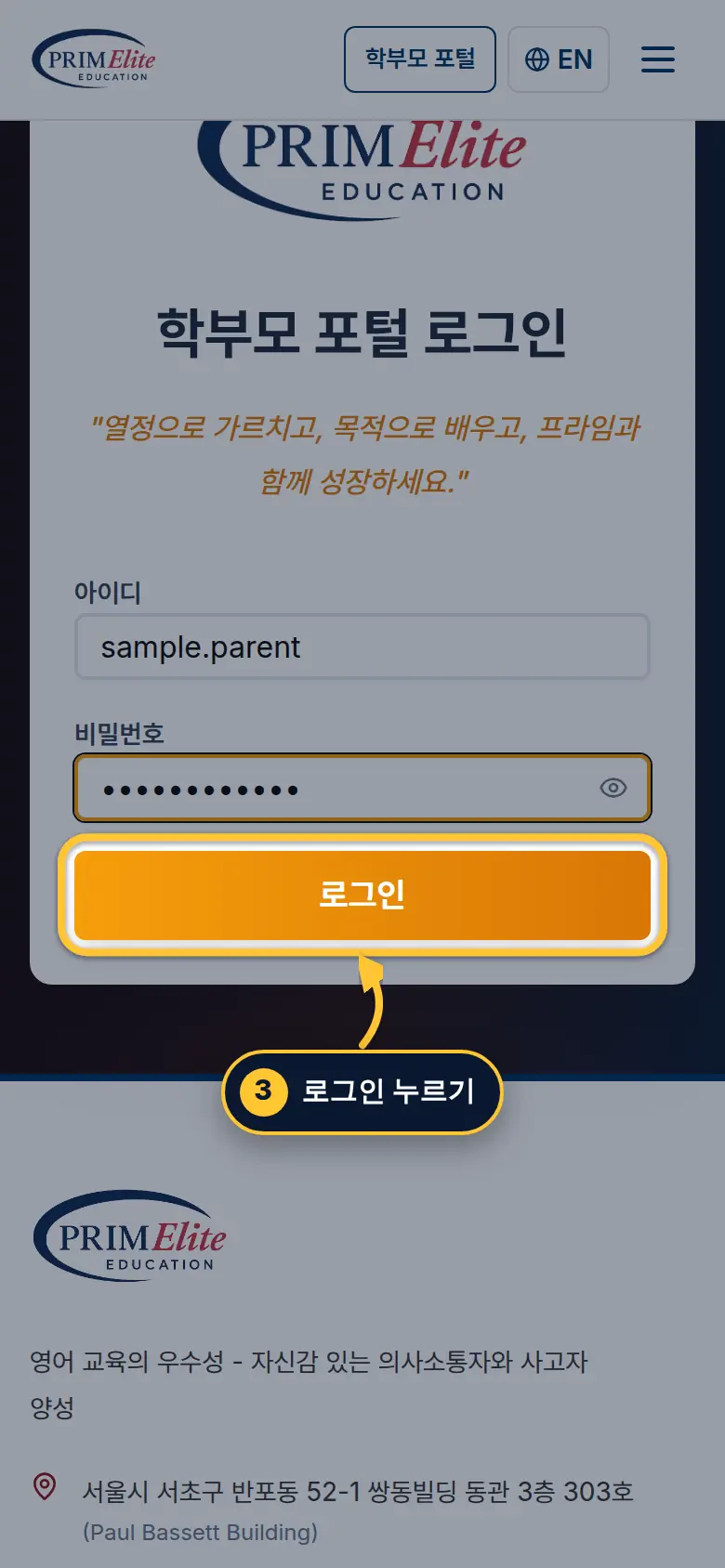
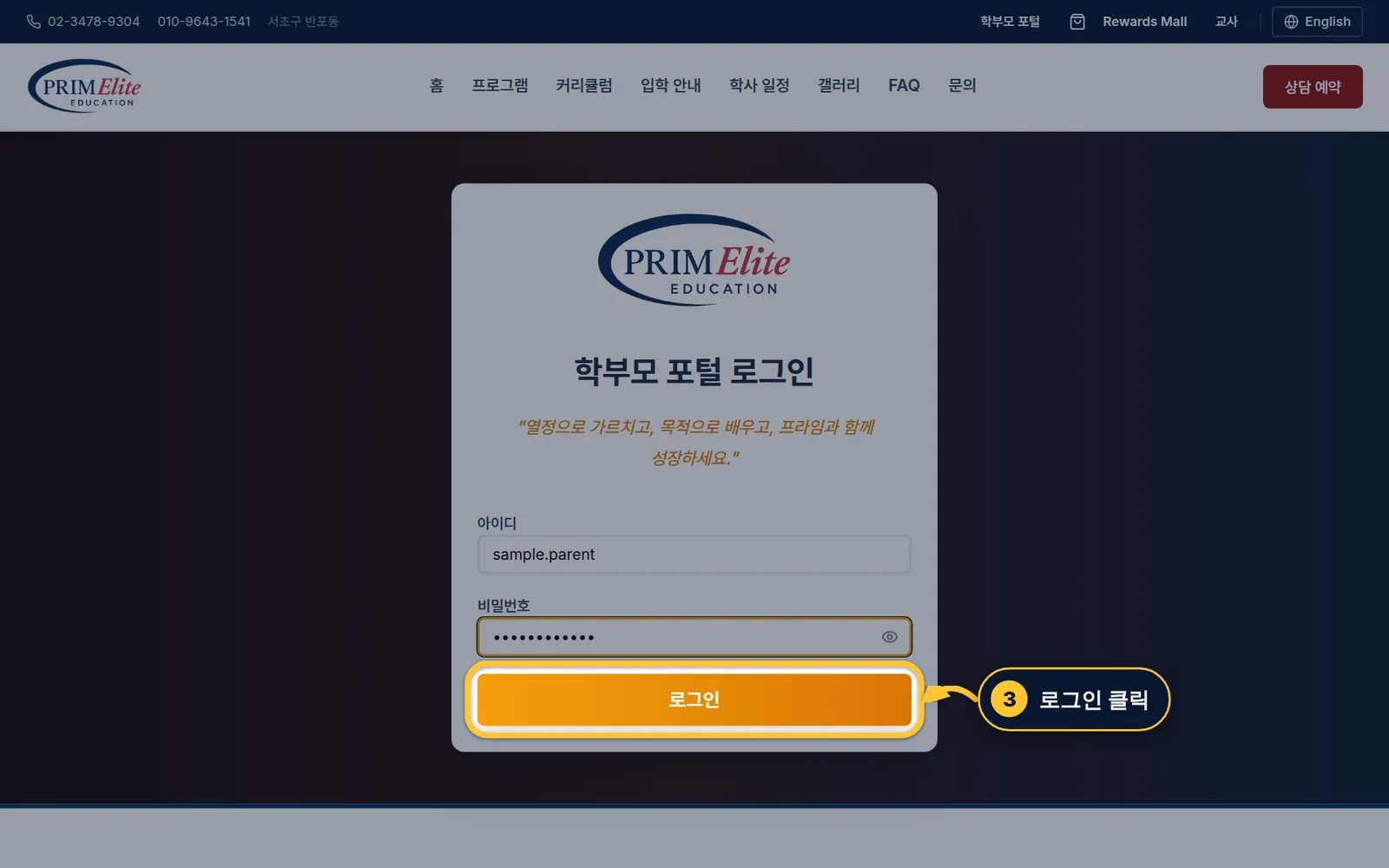
1아이디를 입력하세요.
2비밀번호를 입력하세요.
Step 3/33/3단계Log in로그인
3 Tap Login.
The first time you log in, you will be asked to make a new password.
3로그인을 누르세요.
처음 로그인하면 새 비밀번호를 만들라는 화면이 나옵니다.
3 Click Login.
The first time you log in, you will be asked to make a new password.
3로그인을 클릭하세요.
처음 로그인하면 새 비밀번호를 만들라는 화면이 나옵니다.
2
Part 2 of 44개 중 2번째
Earn practice points연습 포인트 모으기
Every game and speaking practice in the Student Zone earns practice points.학생 공간에서 게임과 말하기 연습을 할 때마다 연습 포인트가 쌓여요.
Step 1/21/2단계Open the Student Zone학생 공간 열기
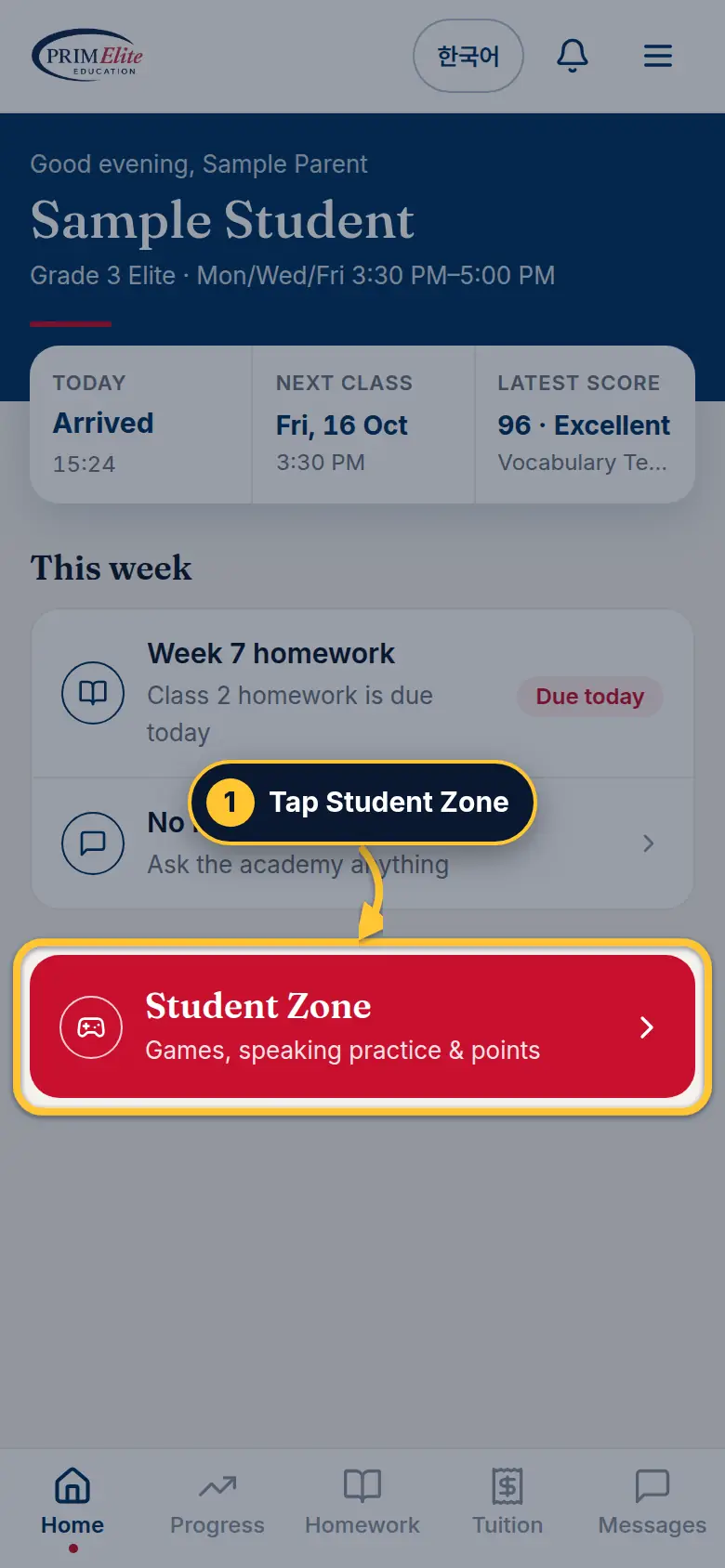
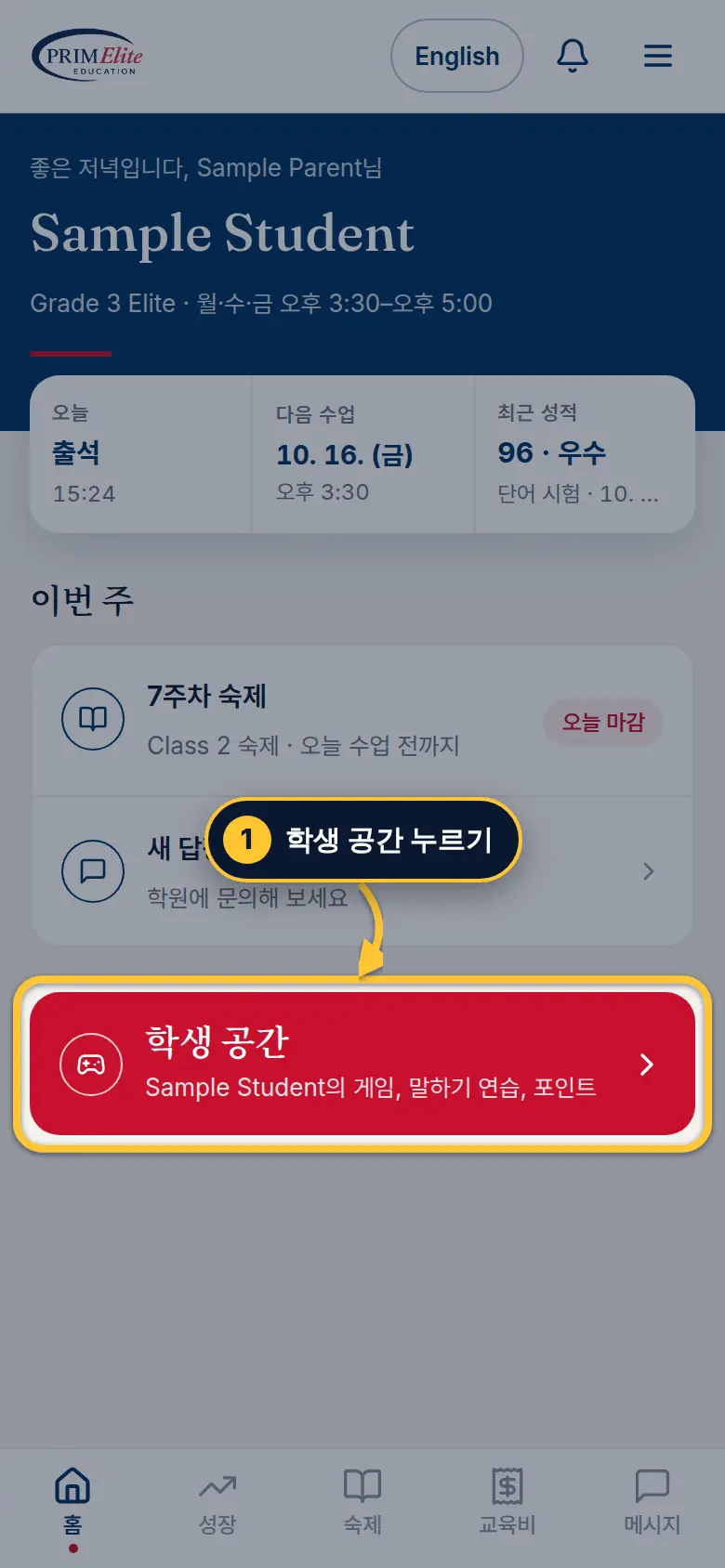
1 On Home, tap Student Zone.
1홈에서 학생 공간을 누르세요.
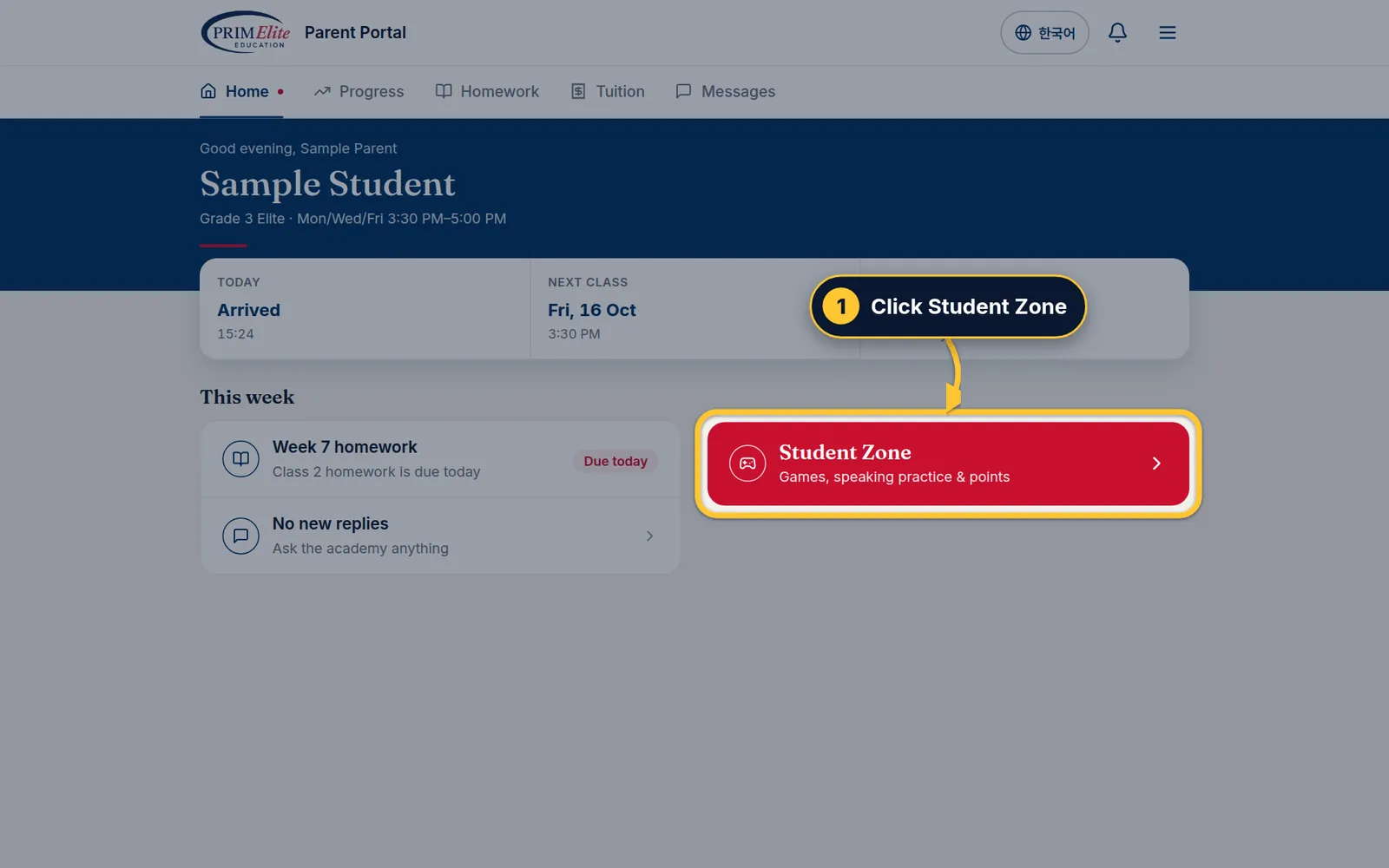
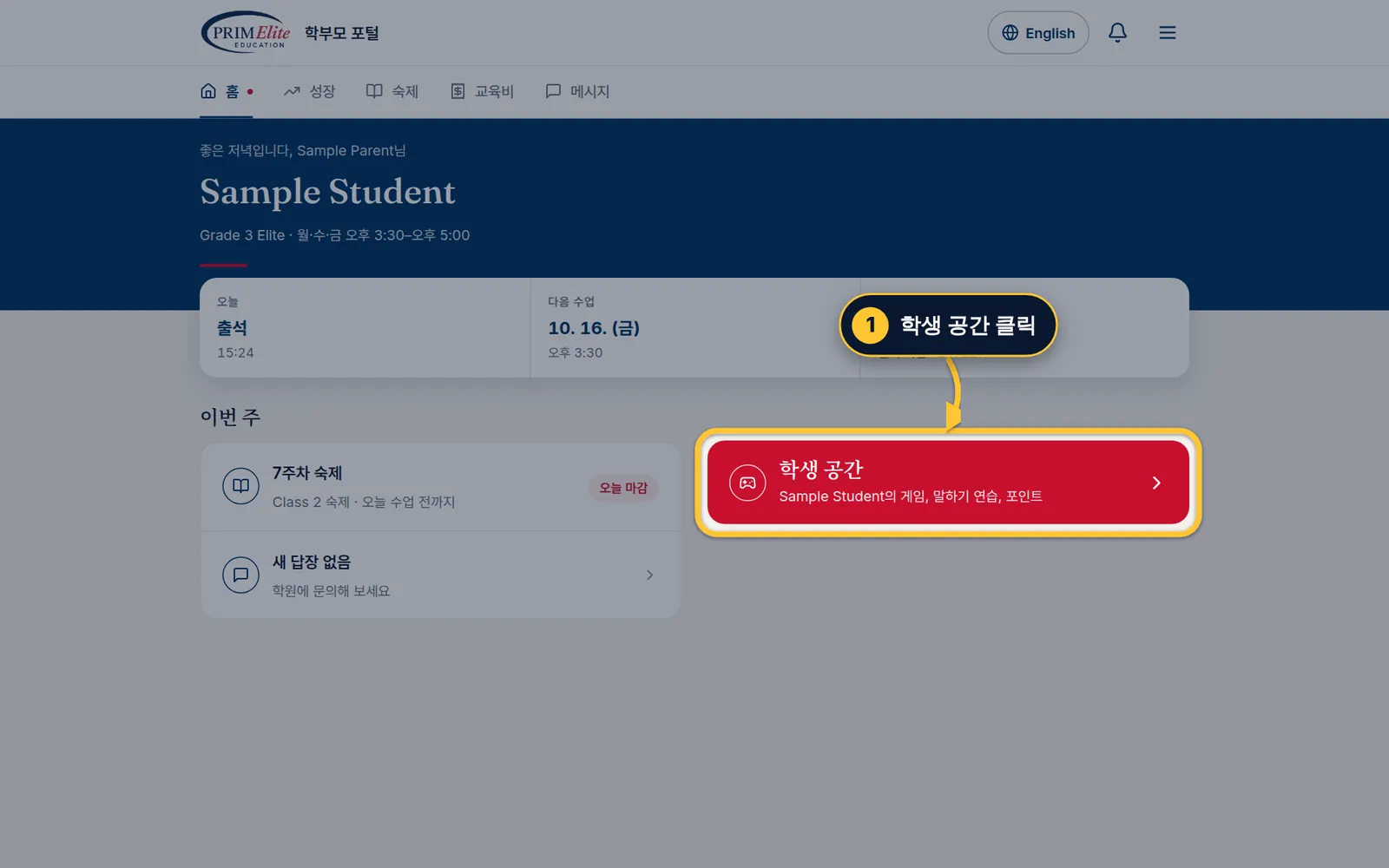
1 On Home, click Student Zone.
1홈에서 학생 공간을 클릭하세요.
Step 2/22/2단계Play to earn practice points게임하며 연습 포인트 모으기
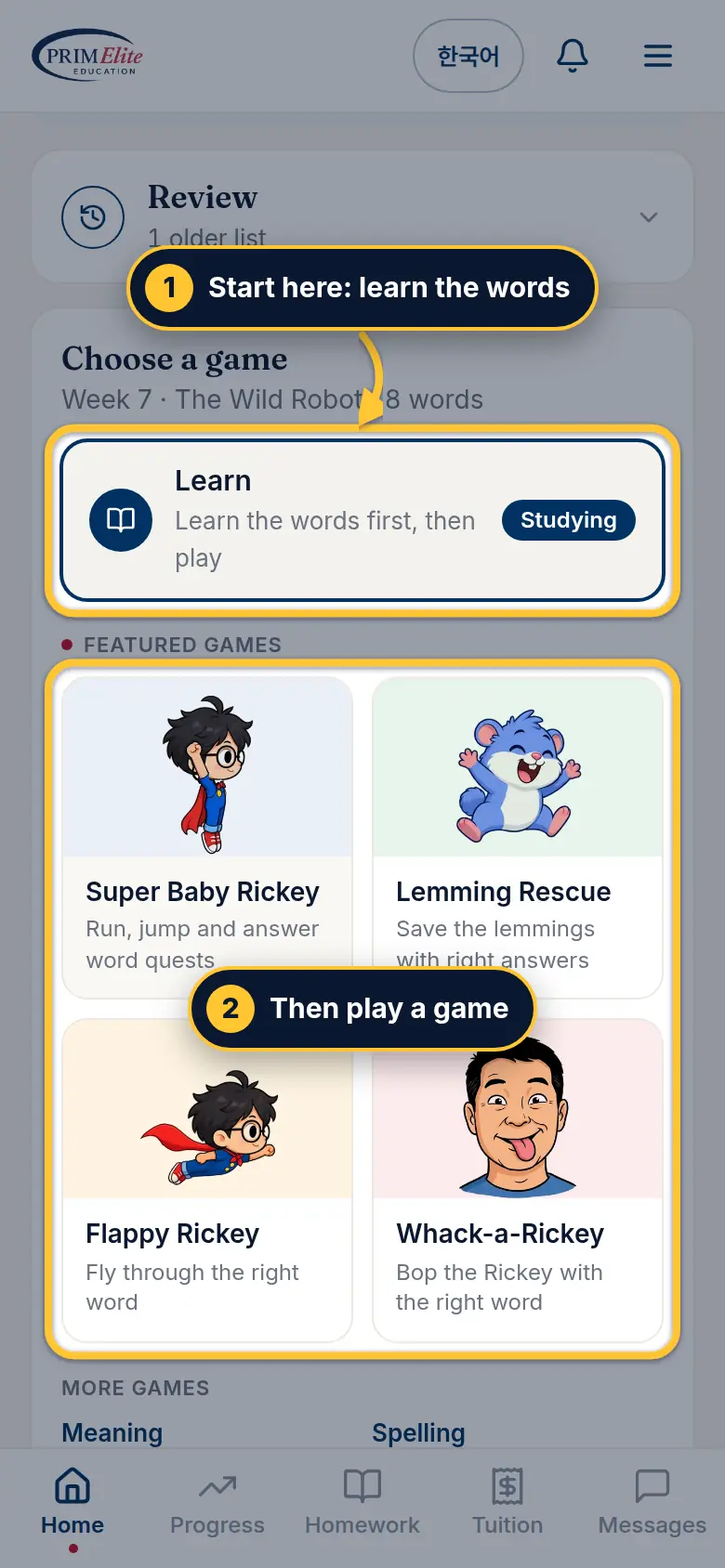
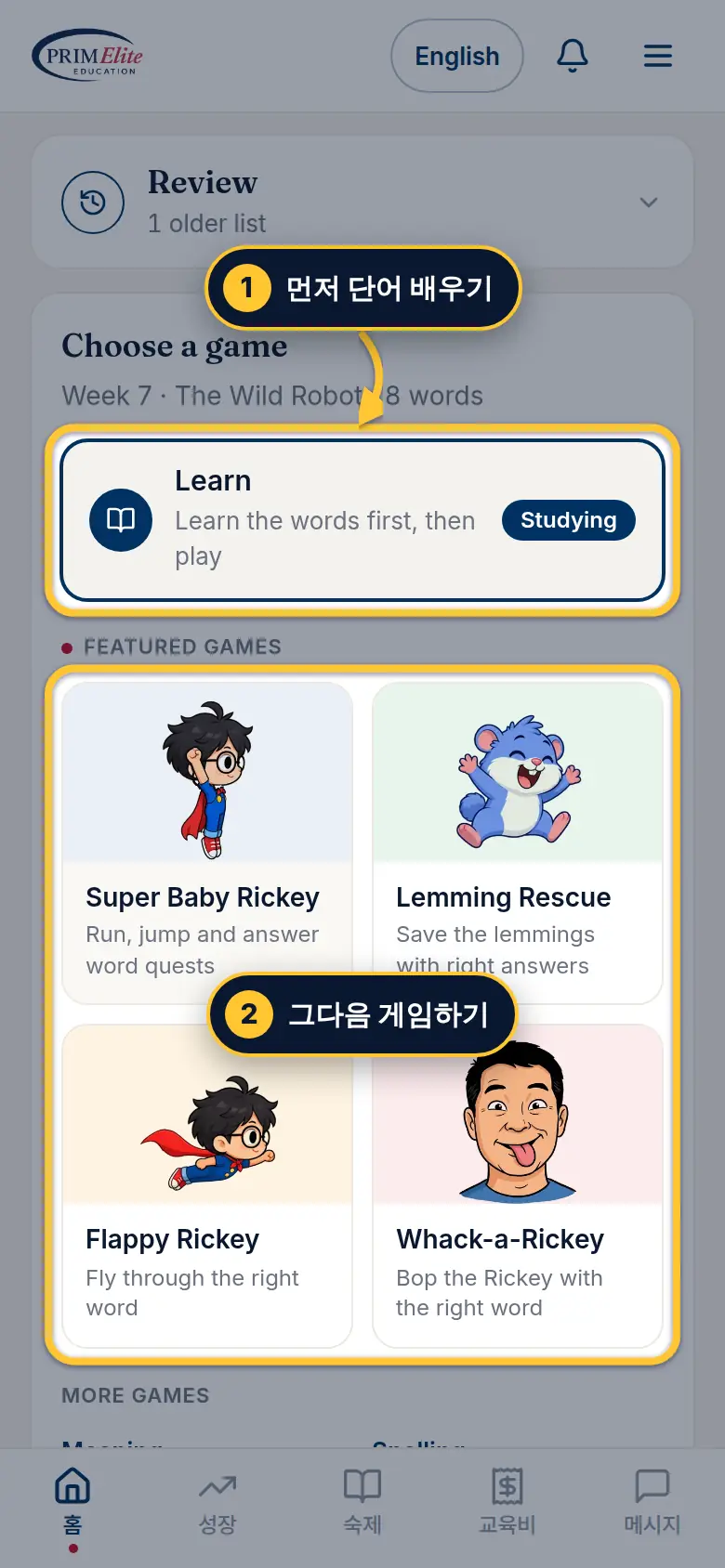
In the Student Zone, scroll down to Activities, tap Vocabulary, then this week's word list.
1 Start with Learn.
2 Then play any game. Every game, Grammar lesson and Speaking practice earns practice points.
학생 공간에서 아래로 내려 활동의 단어 게임을 누르고, 이번 주 단어장을 누르세요.
1 먼저 Learn으로 단어를 배워요.
2 그다음 원하는 게임을 해요. 게임, 문법 게임, 말하기 연습 모두 연습 포인트가 쌓여요.
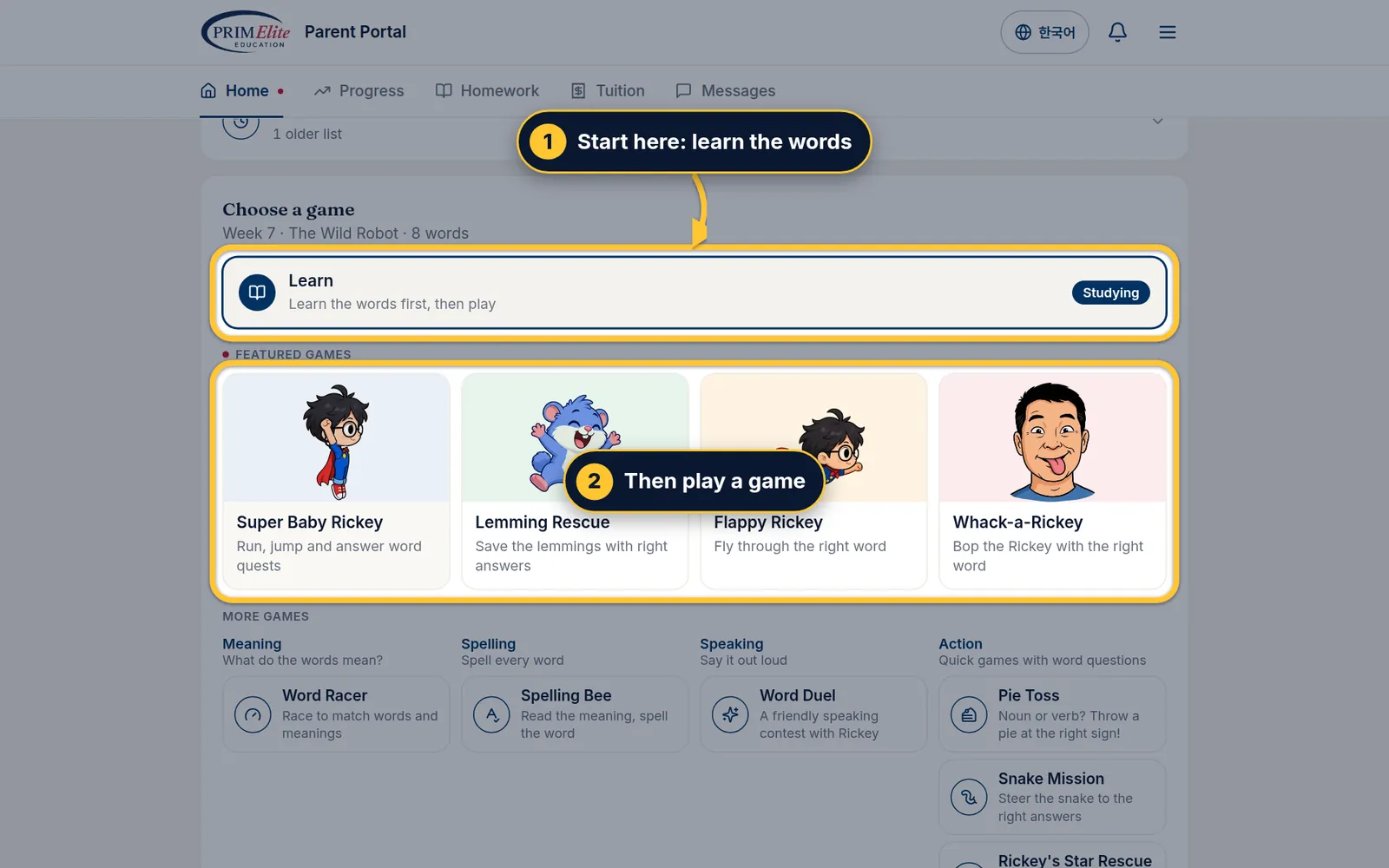
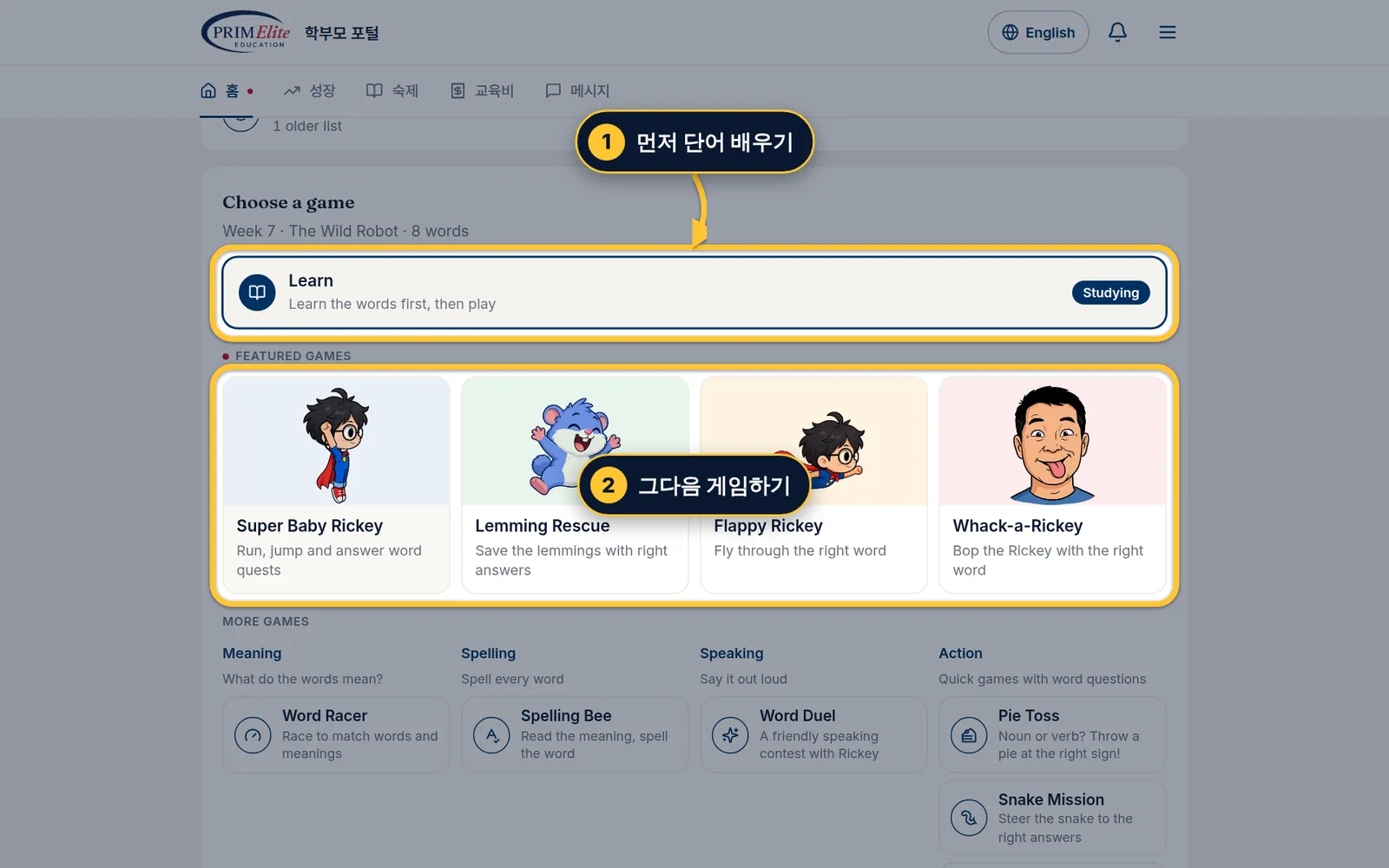
In the Student Zone, scroll down to Activities, click Vocabulary, then this week's word list.
1 Start with Learn.
2 Then play any game. Every game, Grammar lesson and Speaking practice earns practice points.
학생 공간에서 아래로 내려 활동의 단어 게임을 클릭하고, 이번 주 단어장을 클릭하세요.
1 먼저 Learn으로 단어를 배워요.
2 그다음 원하는 게임을 해요. 게임, 문법 게임, 말하기 연습 모두 연습 포인트가 쌓여요.
3
Part 3 of 44개 중 3번째
Find your points and turn them into Rickey Points포인트 확인하고 리키 포인트로 바꾸기
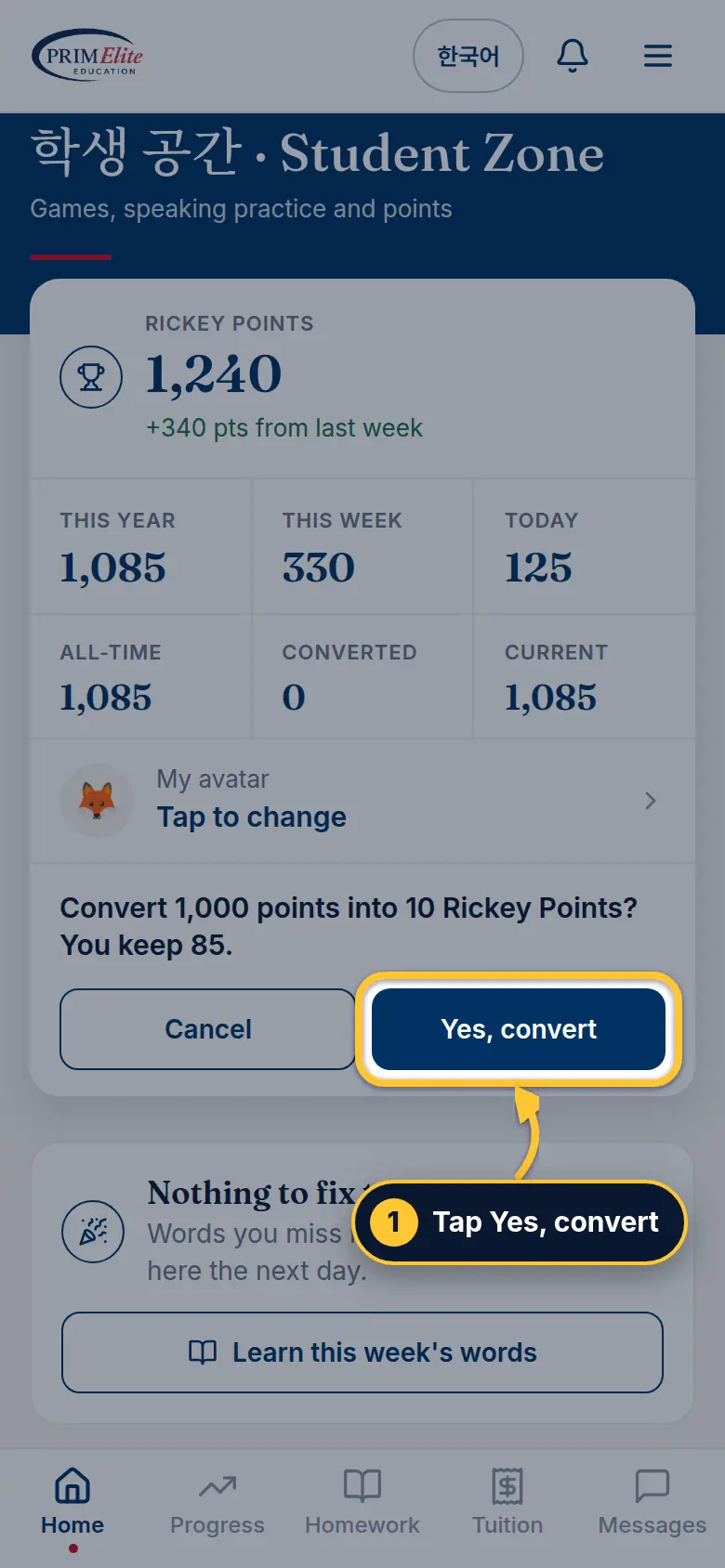
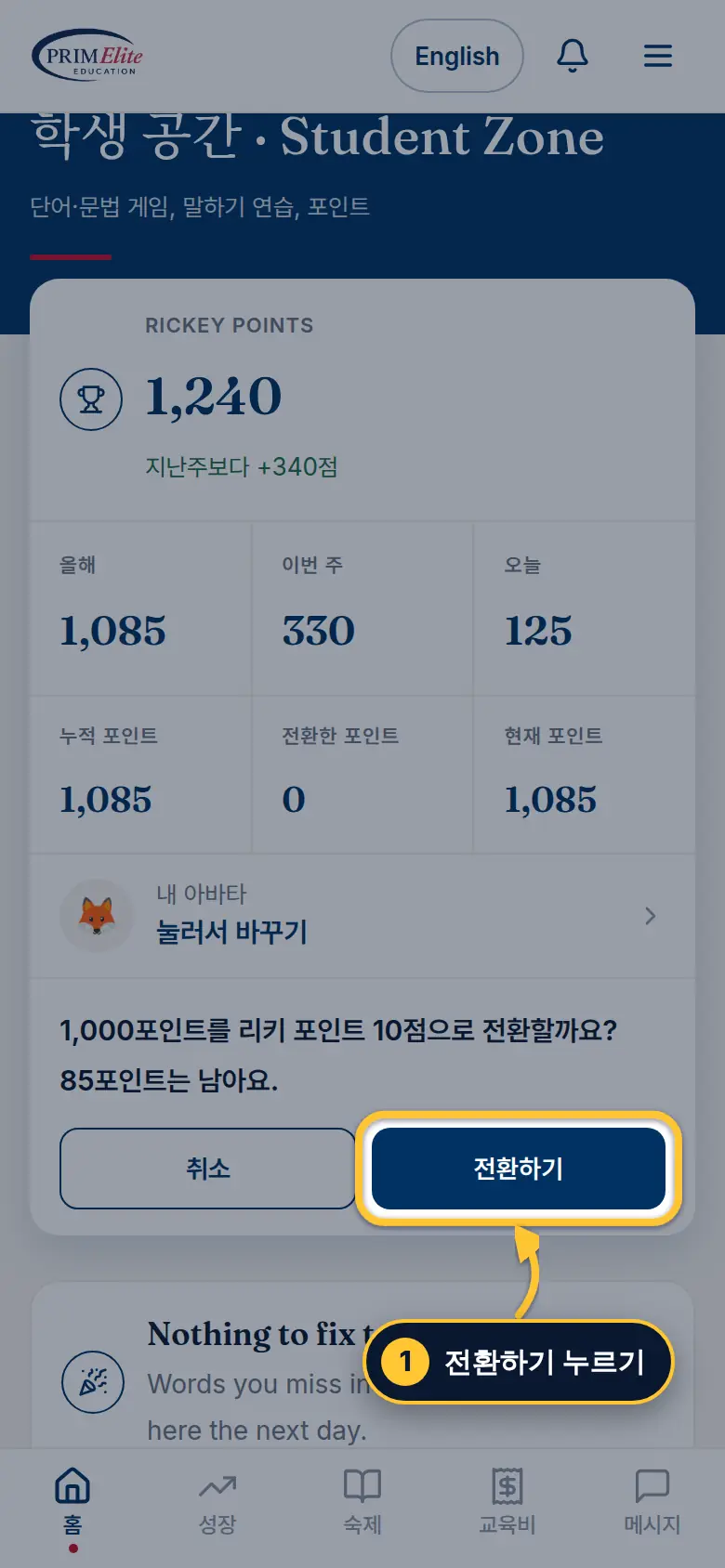
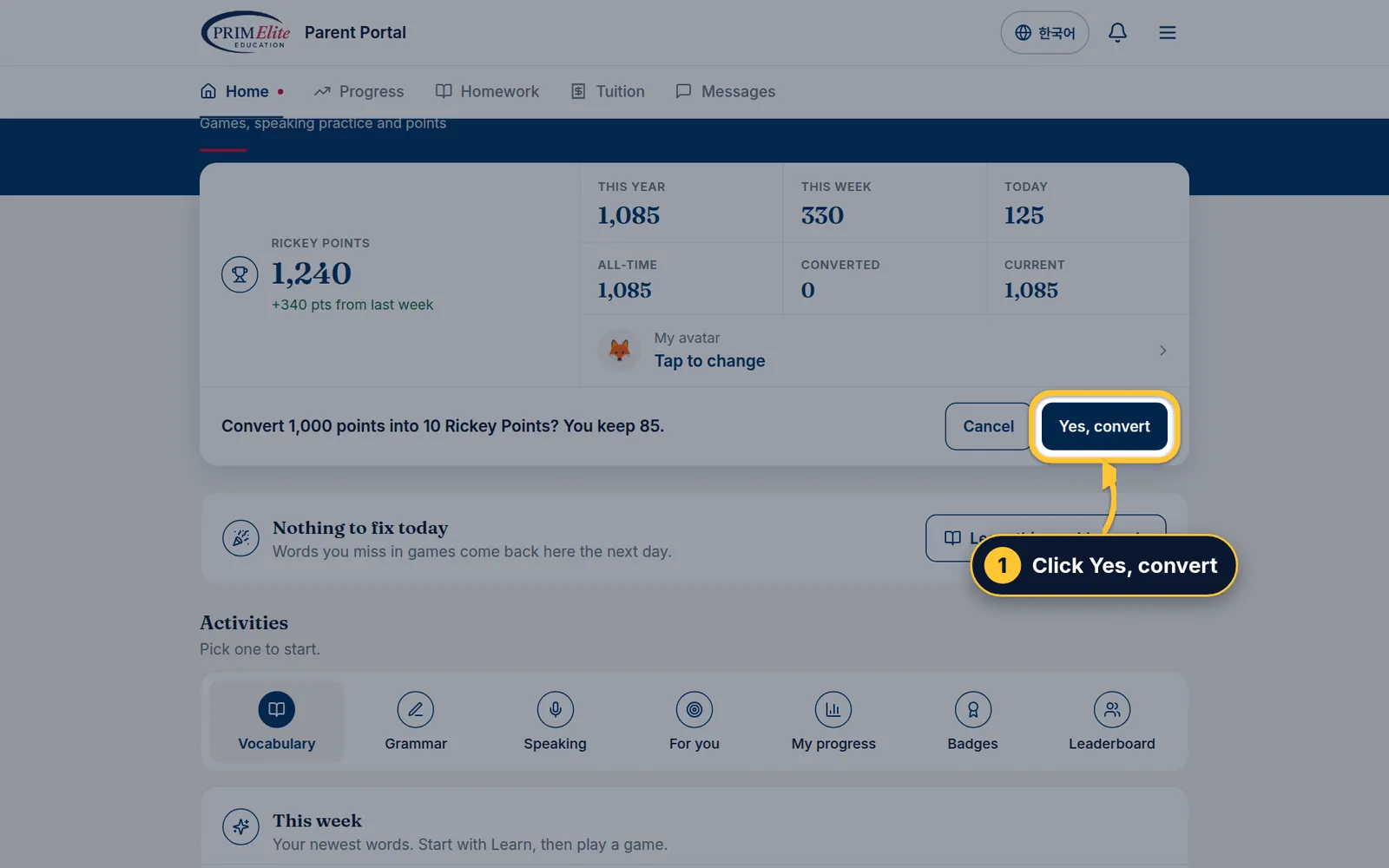
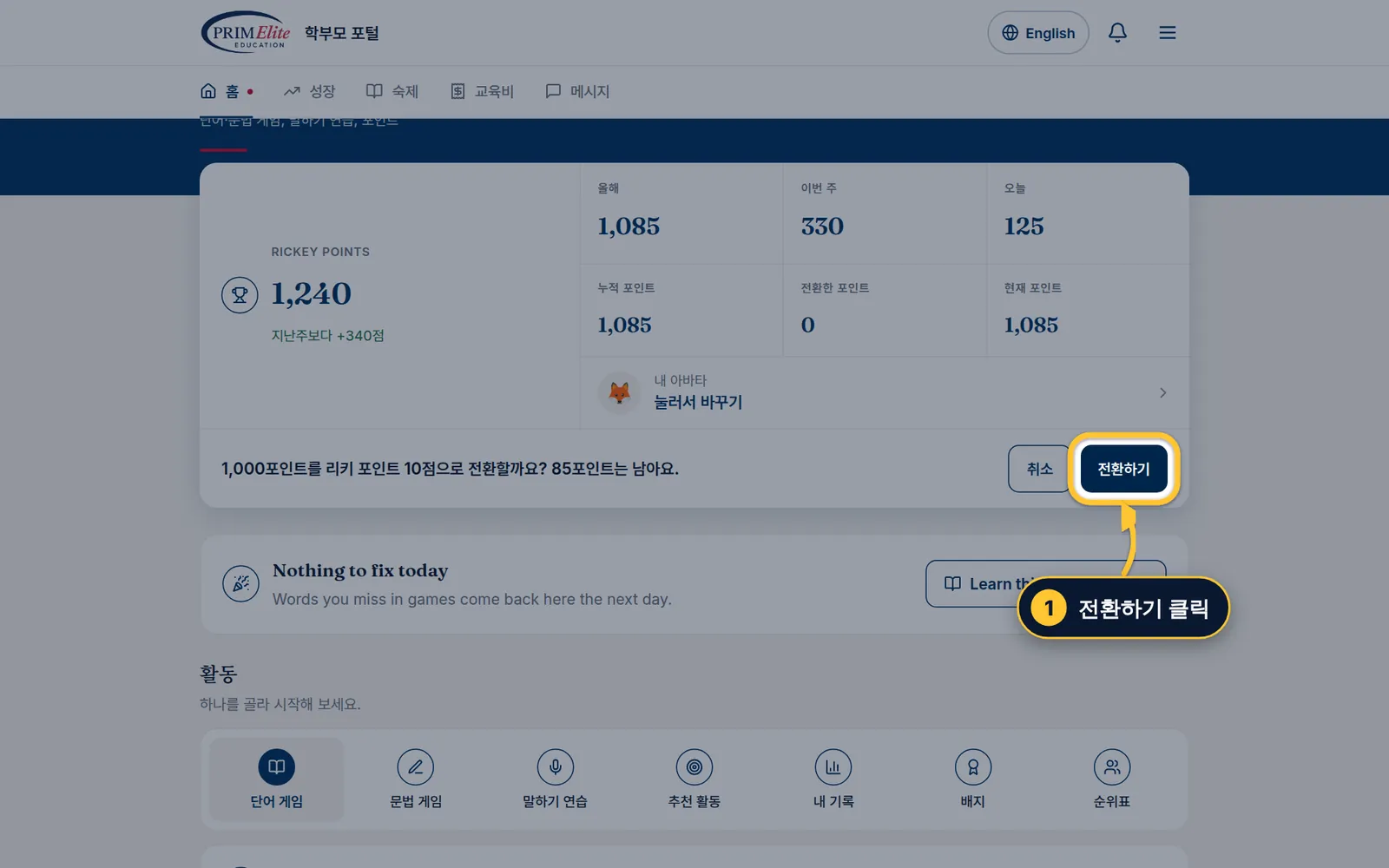
Rickey Points are what your child spends in the Rewards Mall. 100 practice points = 1 Rickey Point.리키 포인트는 리워드 몰에서 쓰는 포인트예요. 연습 포인트 100점 = 리키 포인트 1점.
Step 1/31/3단계Find your points내 포인트 확인
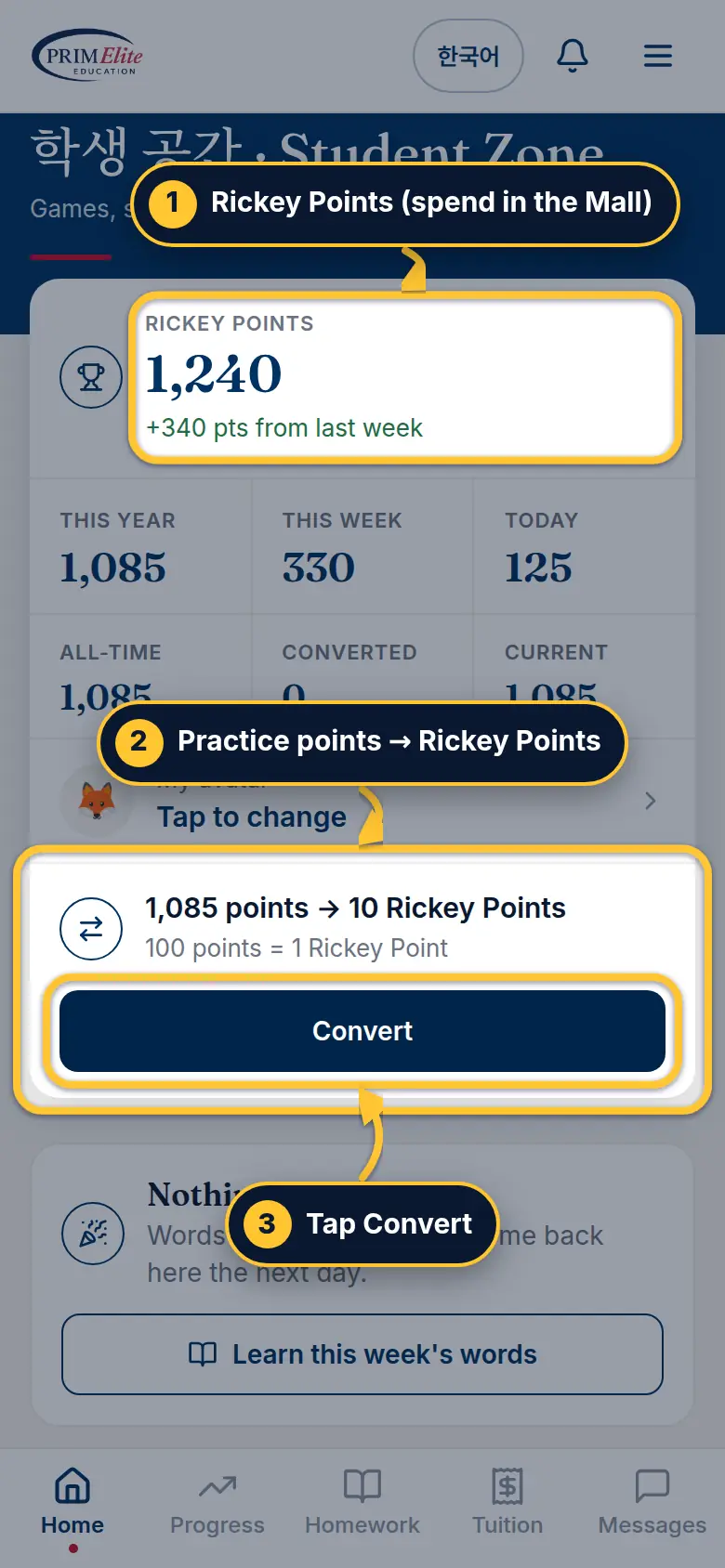
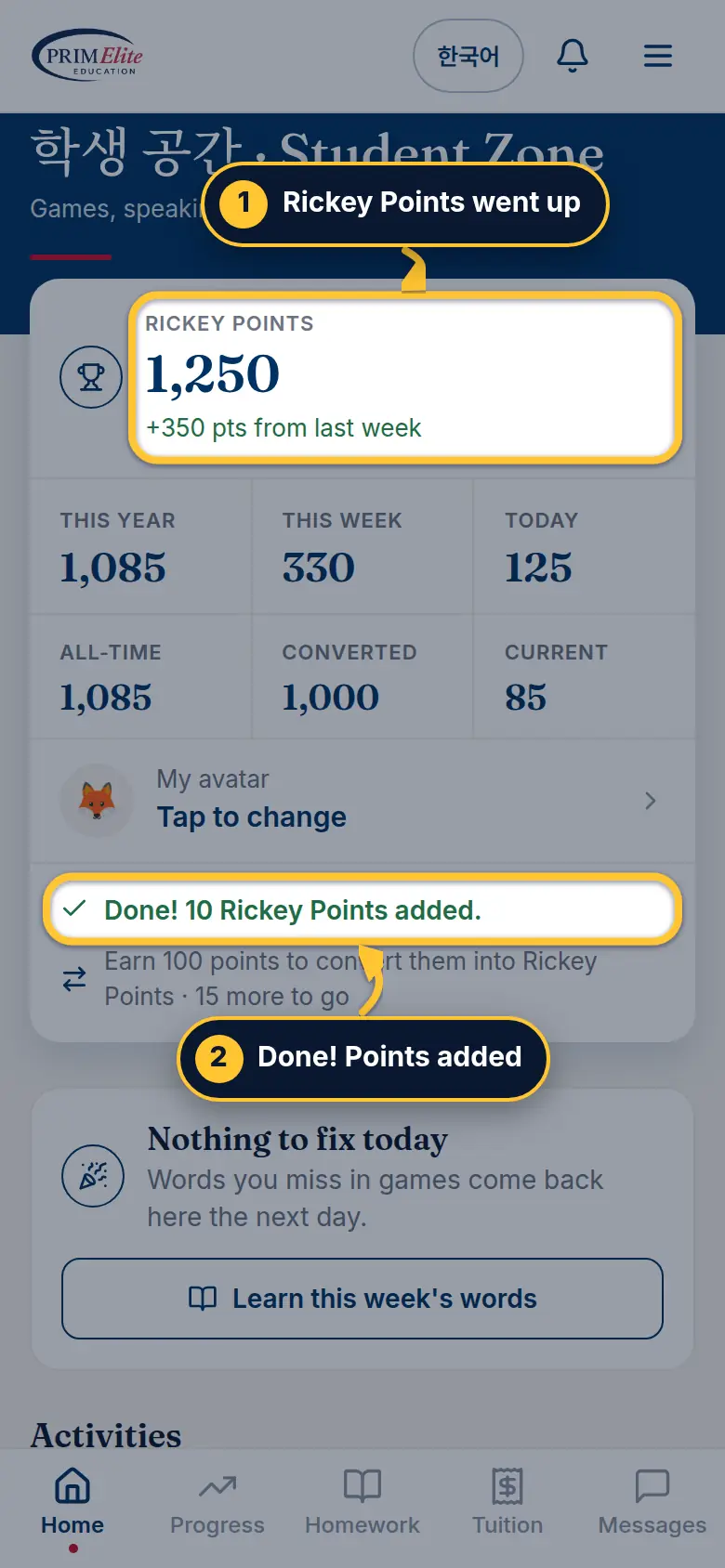
1Rickey Points: what your child can spend in the Mall.
2 Practice points from games and speaking turn into Rickey Points: 100 practice points = 1 Rickey Point.
3 Tap Convert. The button appears only while the Rewards Mall is open and there are at least 100 points.
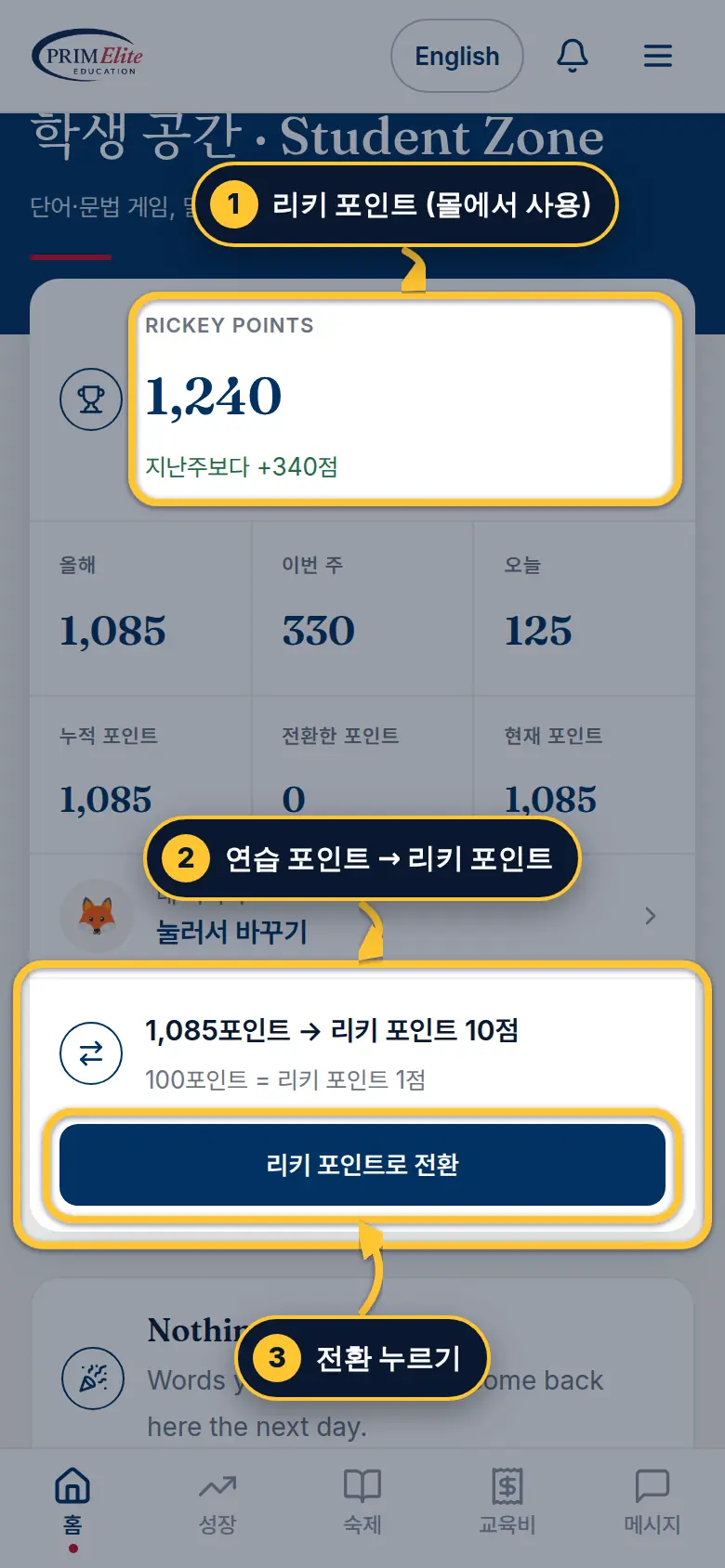
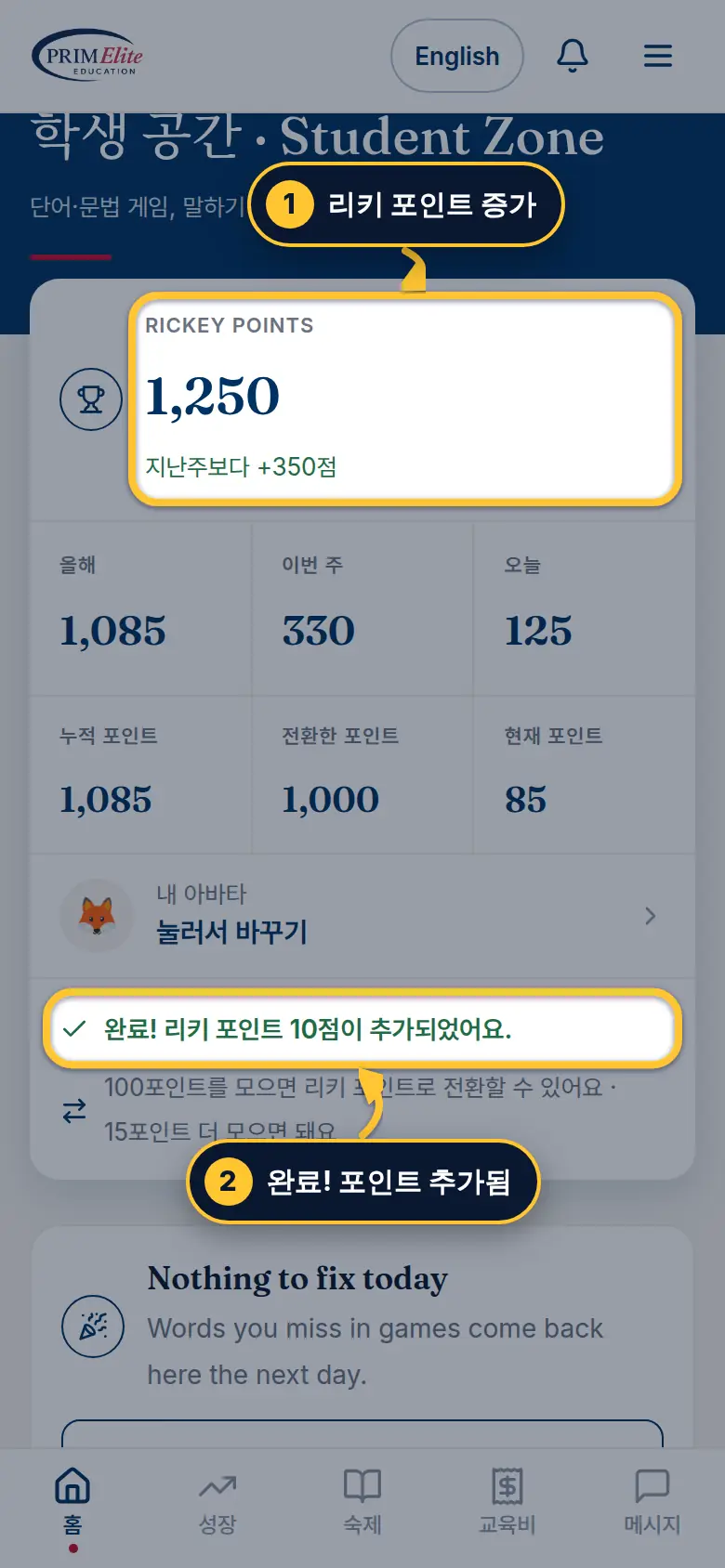
1리키 포인트: 리워드 몰에서 쓸 수 있는 포인트
2 게임과 말하기로 모은 연습 포인트를 바꿀 수 있어요: 연습 포인트 100점 = 리키 포인트 1점
3리키 포인트로 전환을 누르세요. 리워드 몰이 열려 있고 100점 이상일 때만 버튼이 보여요.
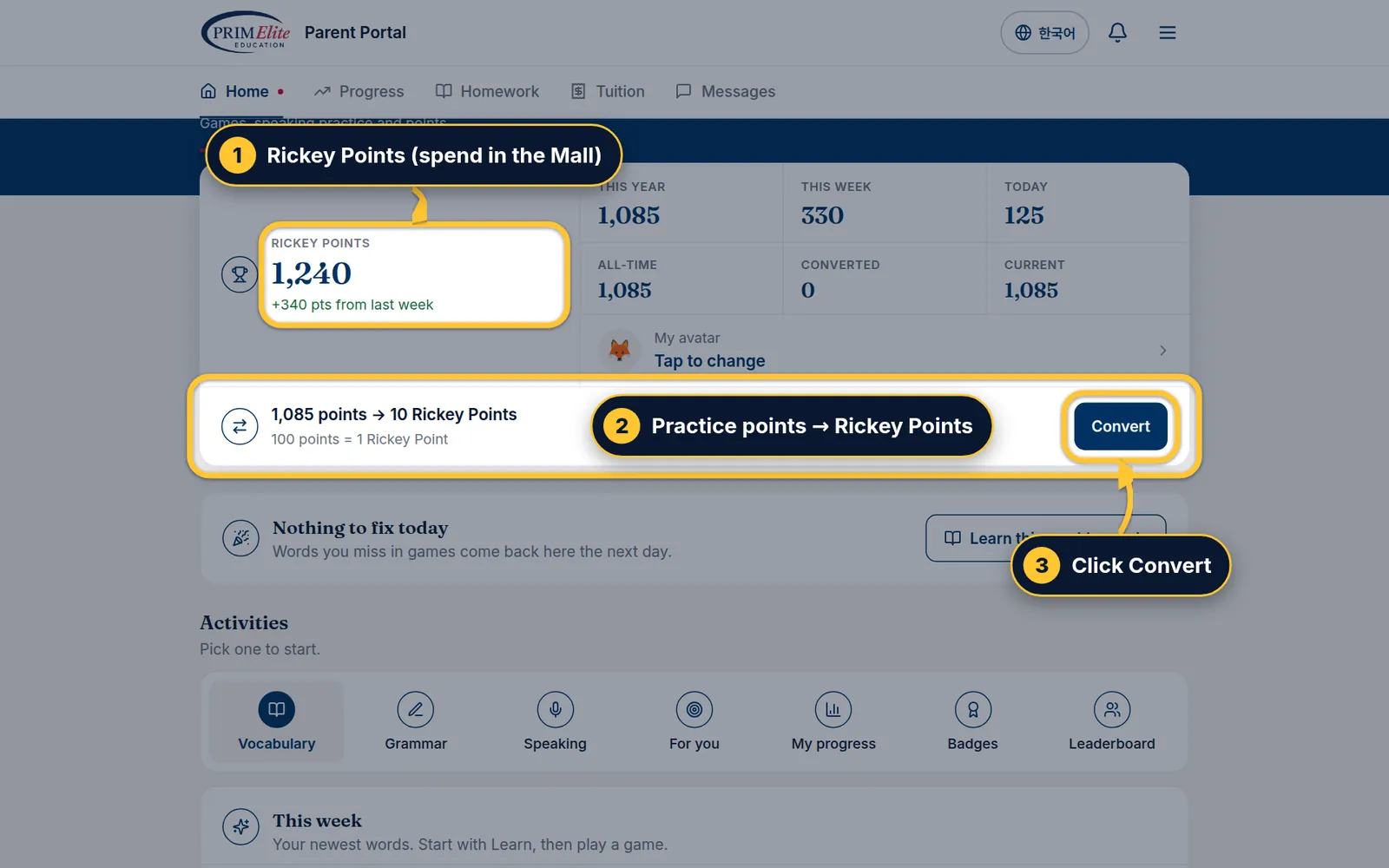
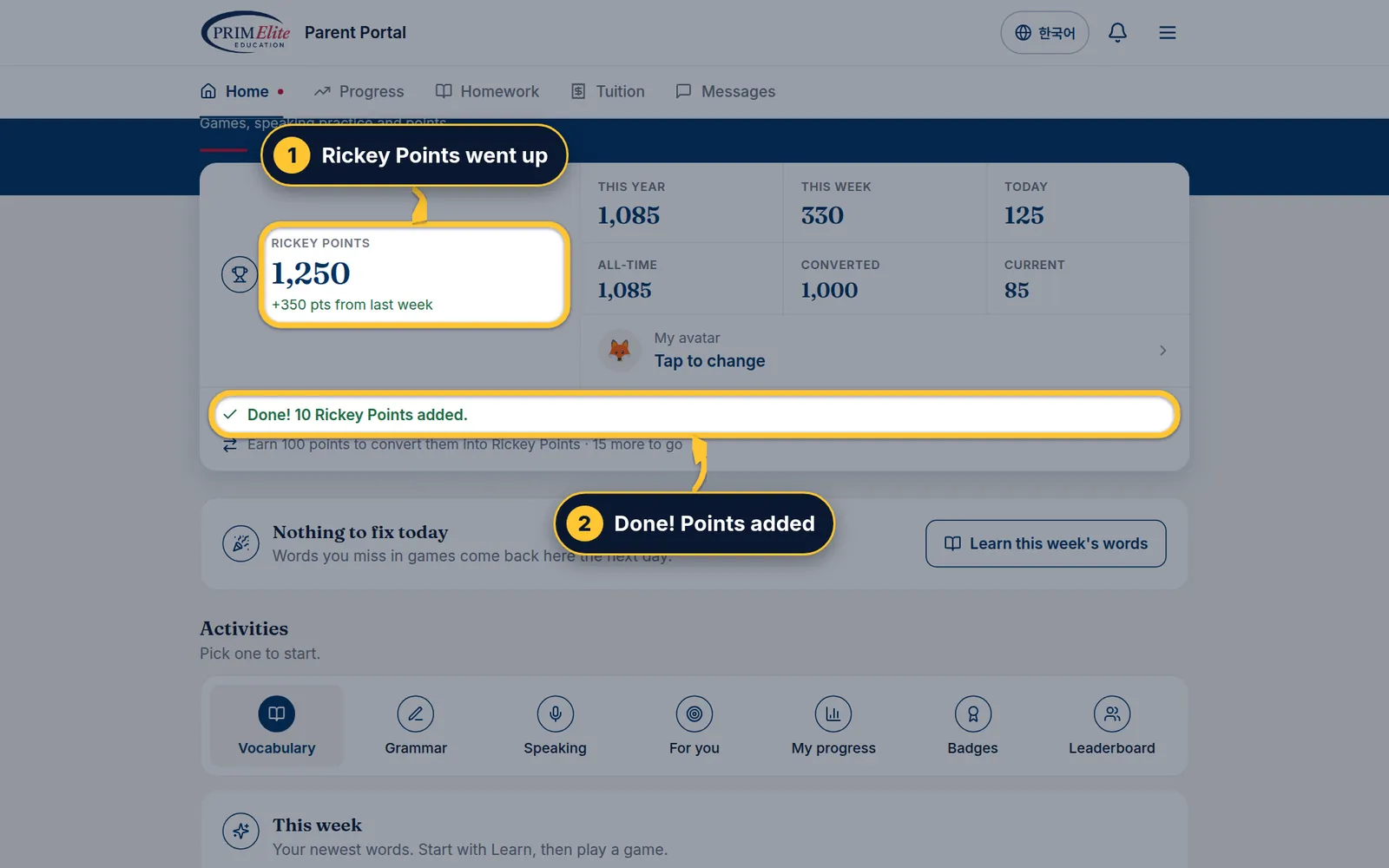
1Rickey Points: what your child can spend in the Mall.
2 Practice points from games and speaking turn into Rickey Points: 100 practice points = 1 Rickey Point.
3 Click Convert. The button appears only while the Rewards Mall is open and there are at least 100 points.
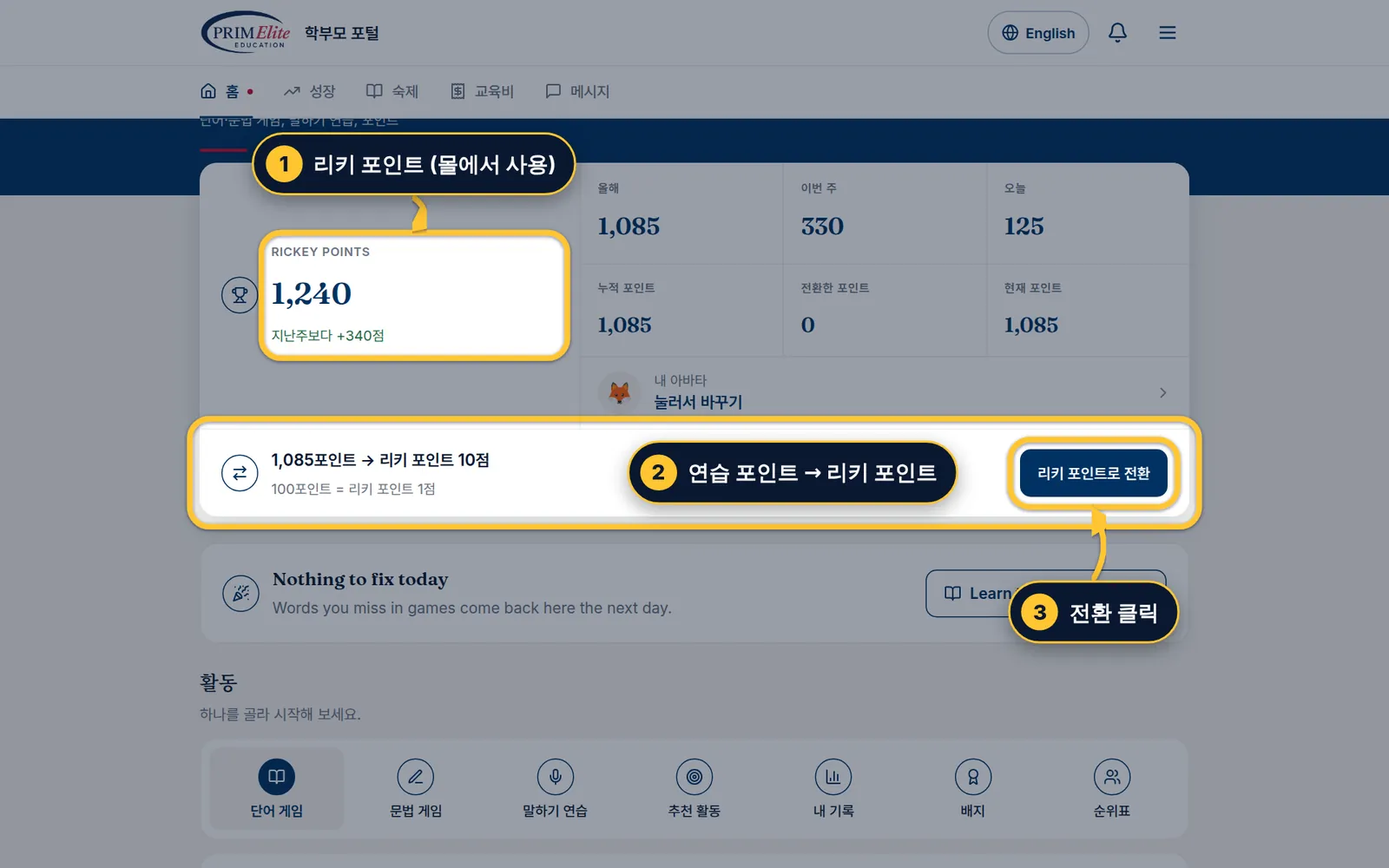
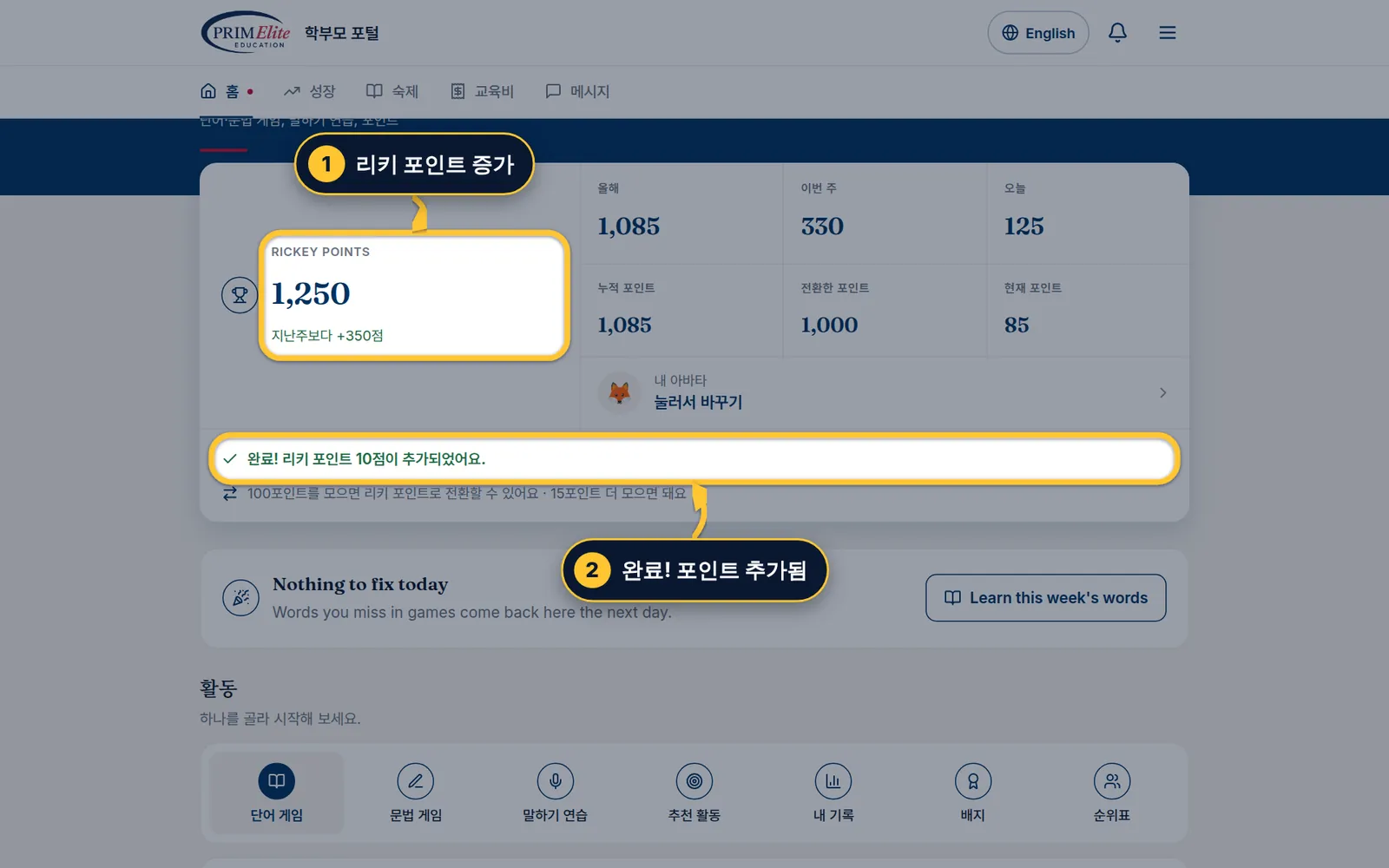
1리키 포인트: 리워드 몰에서 쓸 수 있는 포인트
2 게임과 말하기로 모은 연습 포인트를 바꿀 수 있어요: 연습 포인트 100점 = 리키 포인트 1점
3리키 포인트로 전환을 클릭하세요. 리워드 몰이 열려 있고 100점 이상일 때만 버튼이 보여요.
Step 2/32/3단계Confirm확인
1 Check the numbers, then tap Yes, convert. Points under 100 stay for next time.
1 숫자를 확인하고 전환하기를 누르세요. 100점이 안 되는 나머지는 다음에 쓸 수 있게 남아요.
1 Check the numbers, then click Yes, convert. Points under 100 stay for next time.
1 숫자를 확인하고 전환하기를 클릭하세요. 100점이 안 되는 나머지는 다음에 쓸 수 있게 남아요.
Step 3/33/3단계Done완료
1 Rickey Points go up right away.
2 You see Done!. The practice totals (This year, This week, Today) do not go down.
1 리키 포인트가 바로 올라가요.
2완료! 메시지가 나와요. 올해·이번 주·오늘 연습 포인트는 줄어들지 않아요.
4
Part 4 of 44개 중 4번째
Spend them in the Rewards Mall리워드 몰에서 쓰기
Choose a reward with Rickey Points. Your child picks it up at the academy.리키 포인트로 선물을 고르면 학원에서 받아 가요.
Step 1/71/7단계Open the Mall몰 열기
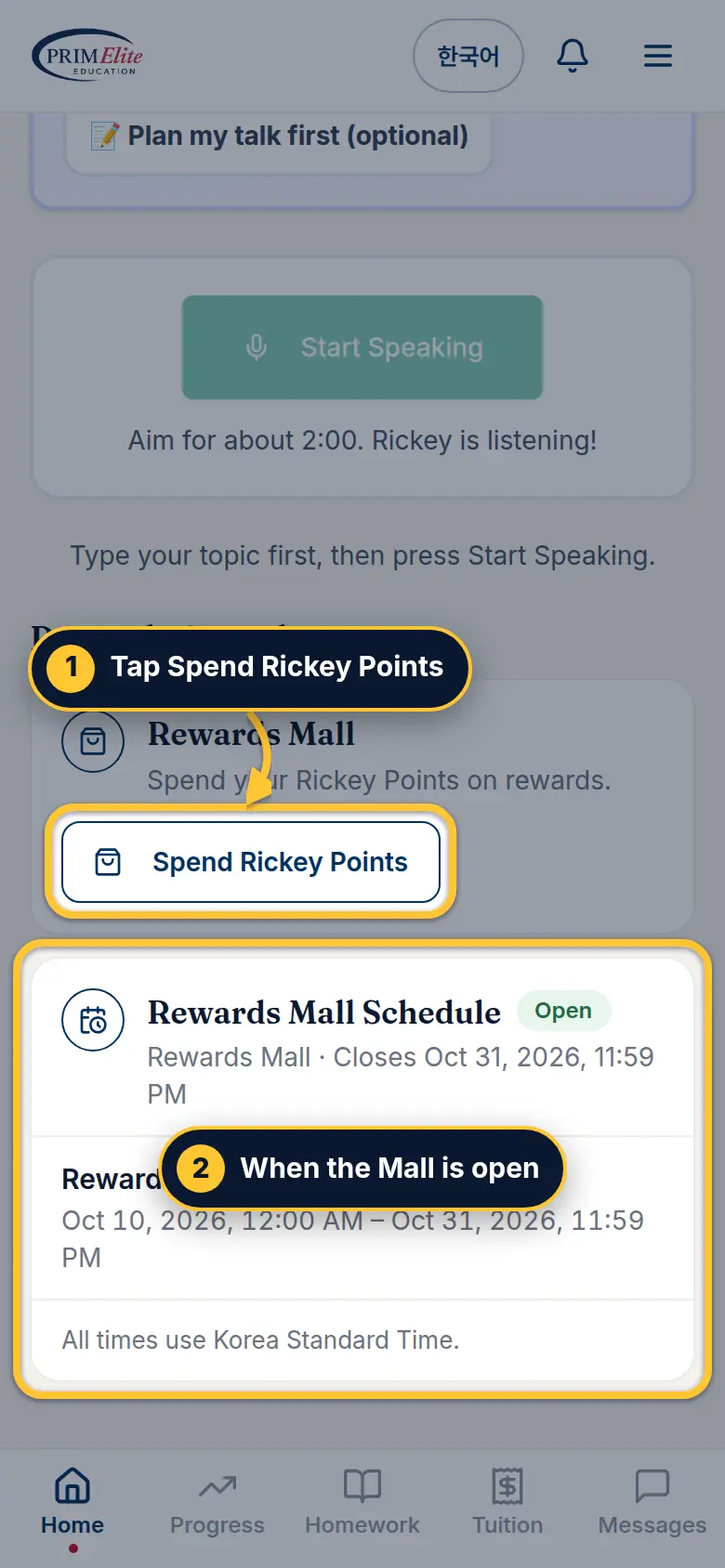
1 In the Student Zone, scroll down to Rewards & academy and tap Spend Rickey Points. The Mall opens already signed in as your child.
2 The schedule shows when the Mall is open (Korea time).
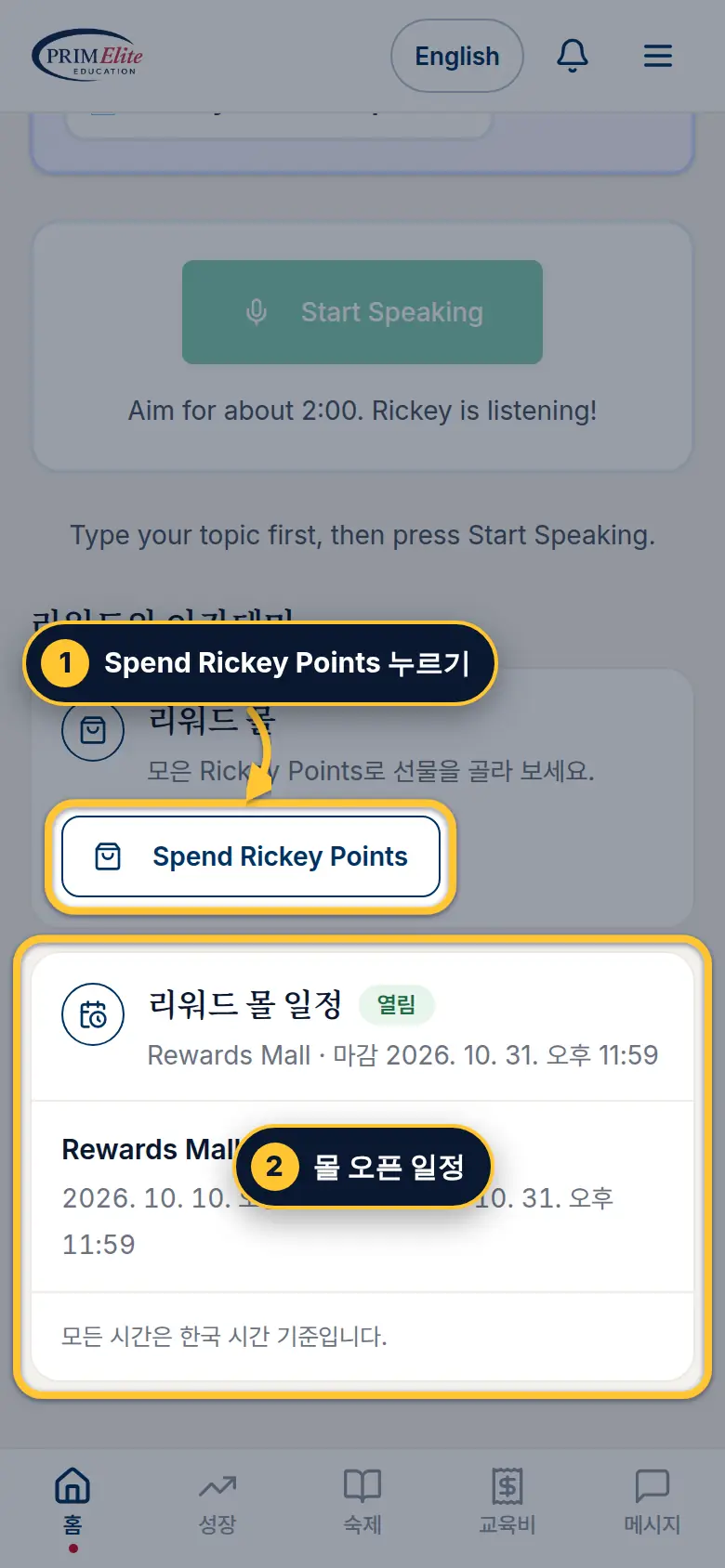
1 학생 공간에서 아래로 내려 리워드와 아카데미의 Spend Rickey Points를 누르세요. 아이 이름으로 로그인된 채로 몰이 열려요.
2 일정 카드에서 몰이 열리는 기간(한국 시간)을 볼 수 있어요.
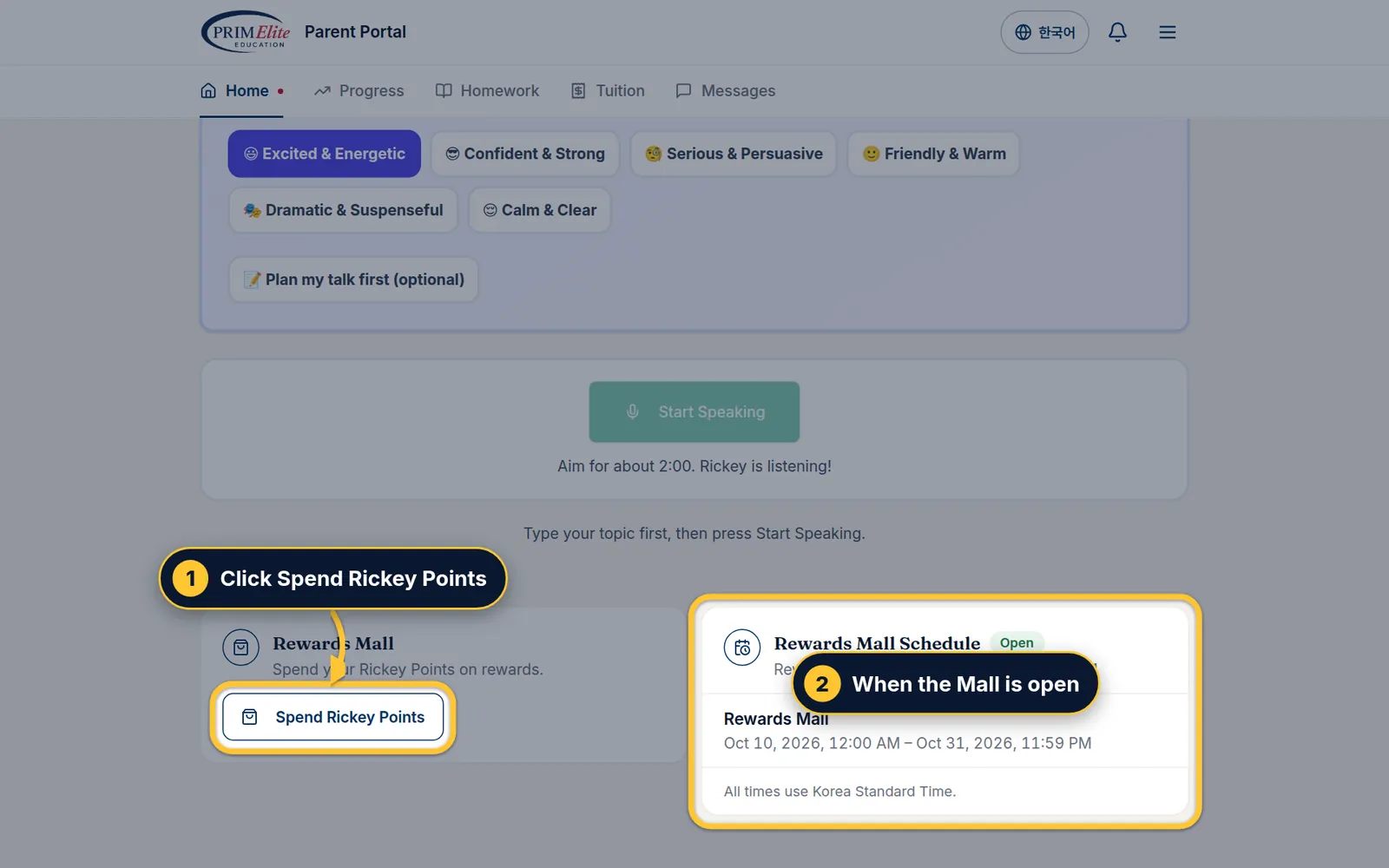
1 In the Student Zone, scroll down to Rewards & academy and click Spend Rickey Points. The Mall opens already signed in as your child.
2 The schedule shows when the Mall is open (Korea time).
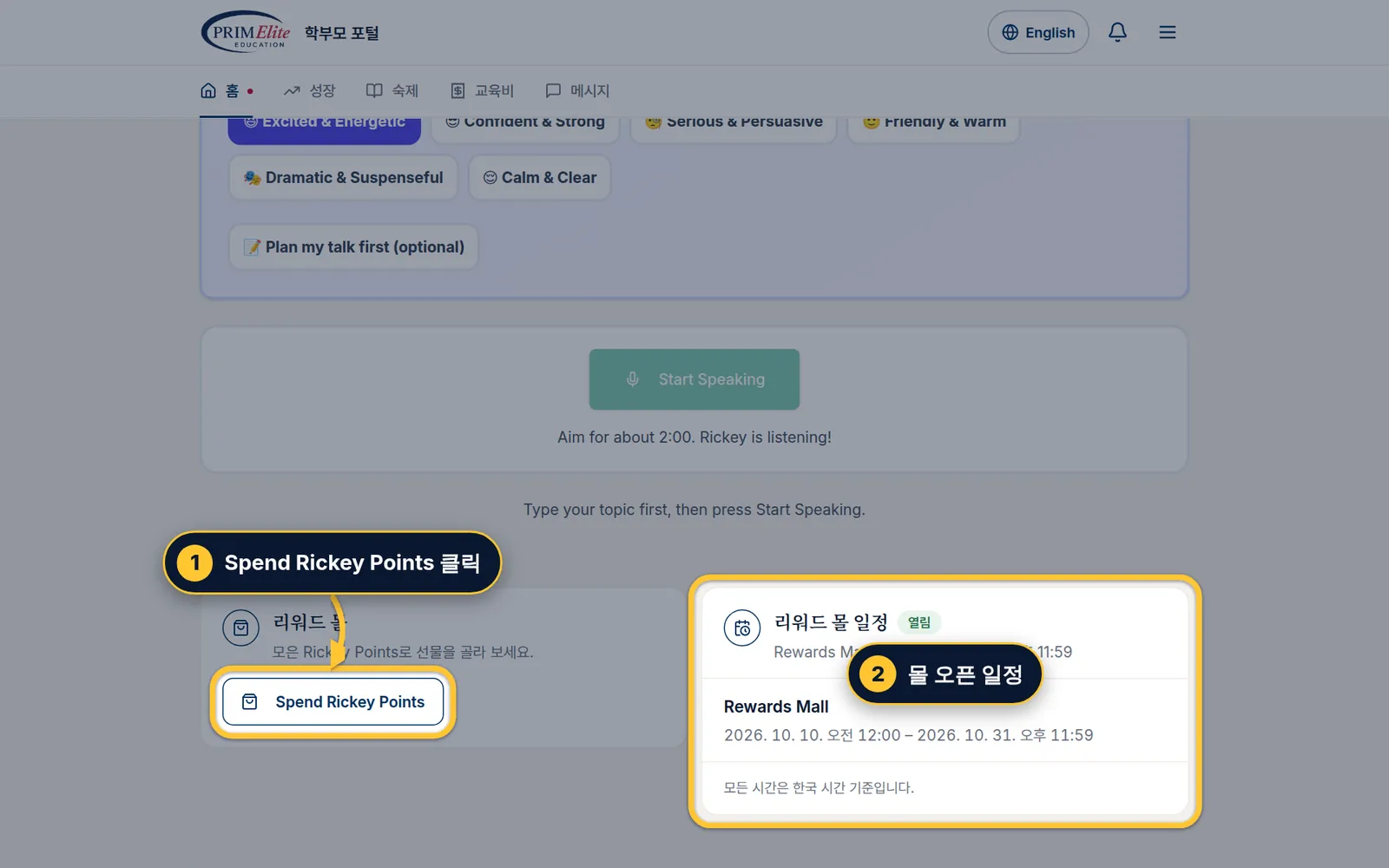
1 학생 공간에서 아래로 내려 리워드와 아카데미의 Spend Rickey Points를 클릭하세요. 아이 이름으로 로그인된 채로 몰이 열려요.
2 일정 카드에서 몰이 열리는 기간(한국 시간)을 볼 수 있어요.
Step 2/72/7단계The Mall's front page몰 첫 화면
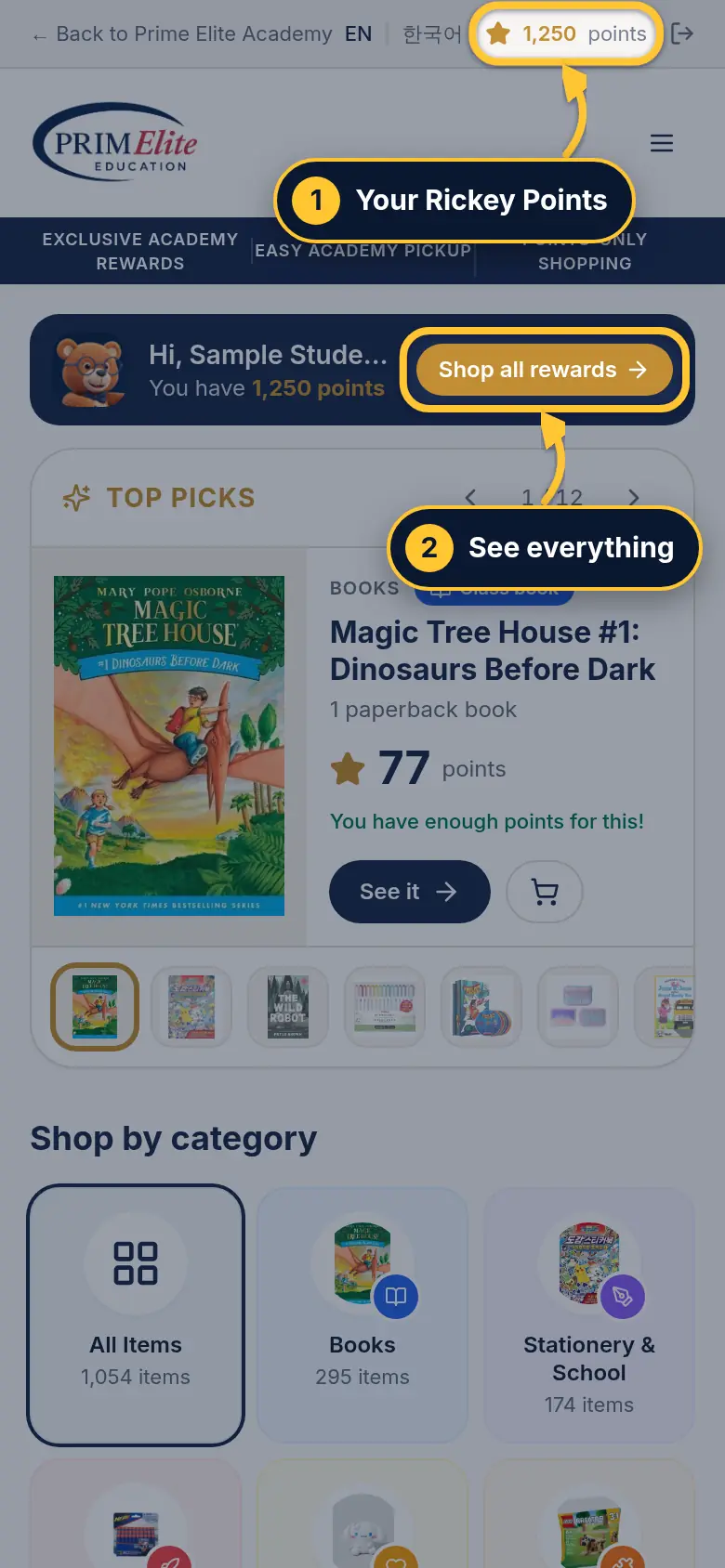
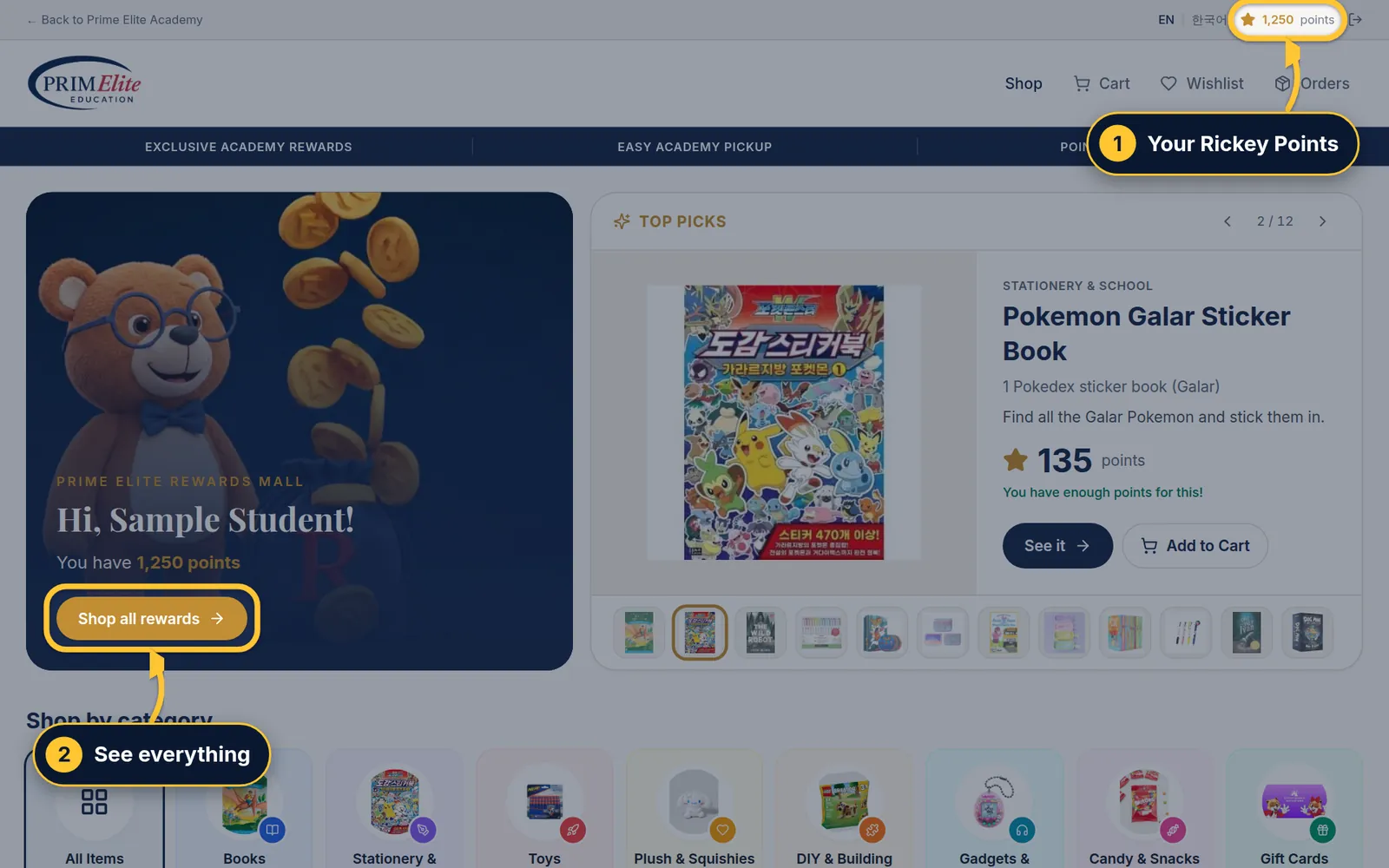
1 Your child's Rickey Points are at the top.
2Shop all rewards shows everything. Top picks are just below.
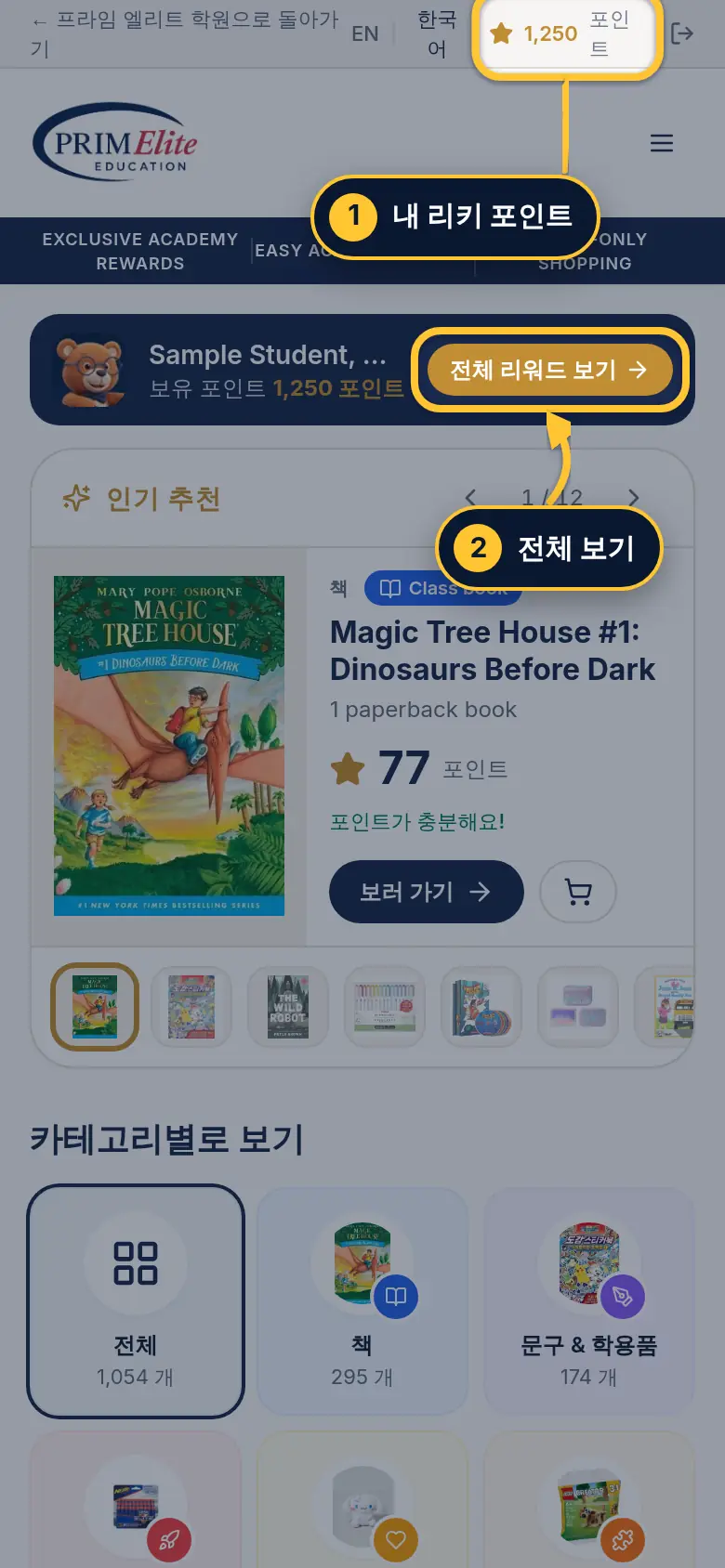
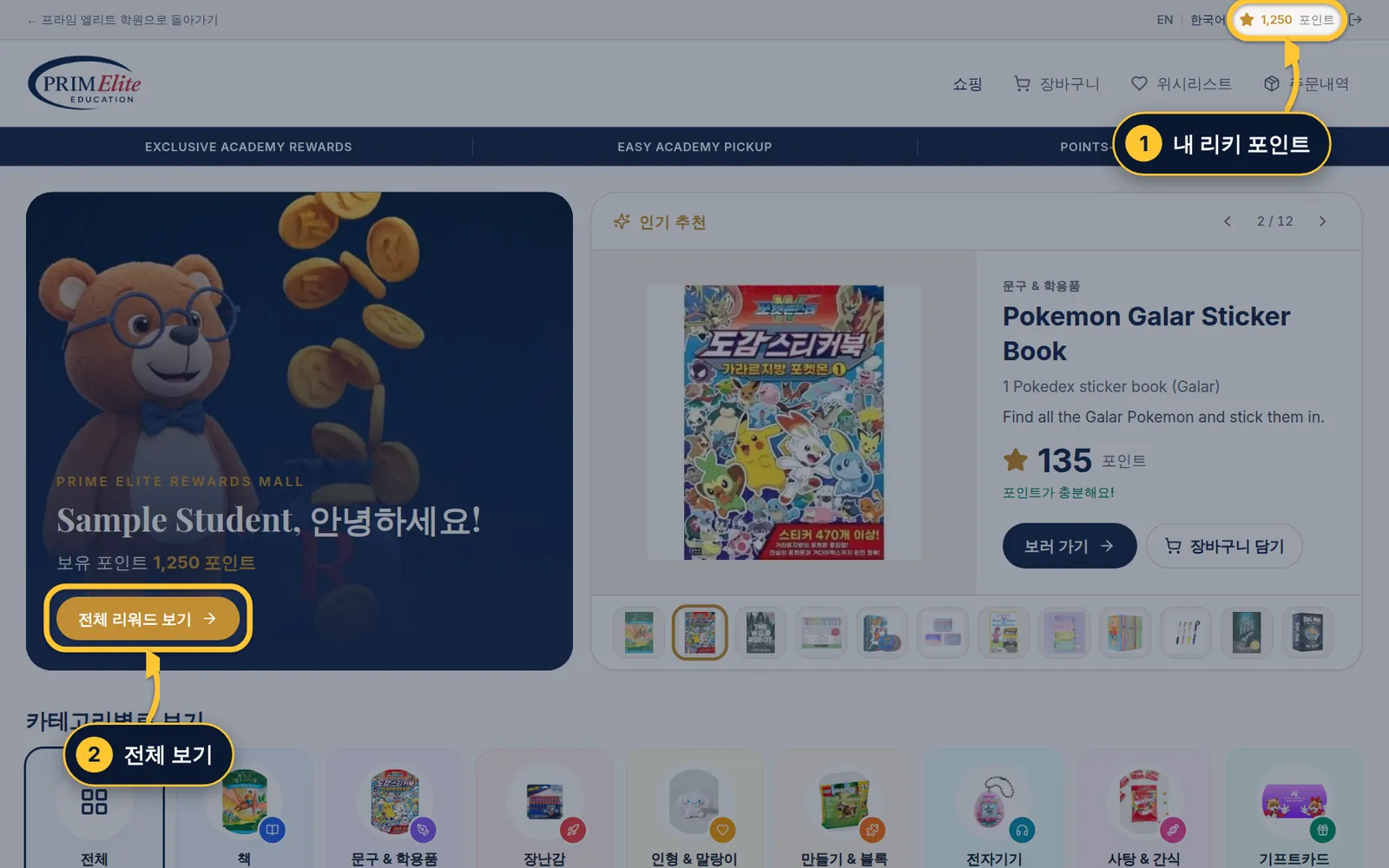
1 위쪽에 아이의 리키 포인트가 보여요.
2전체 리워드 보기로 모든 상품을 봐요. 바로 아래에 인기 추천이 있어요.
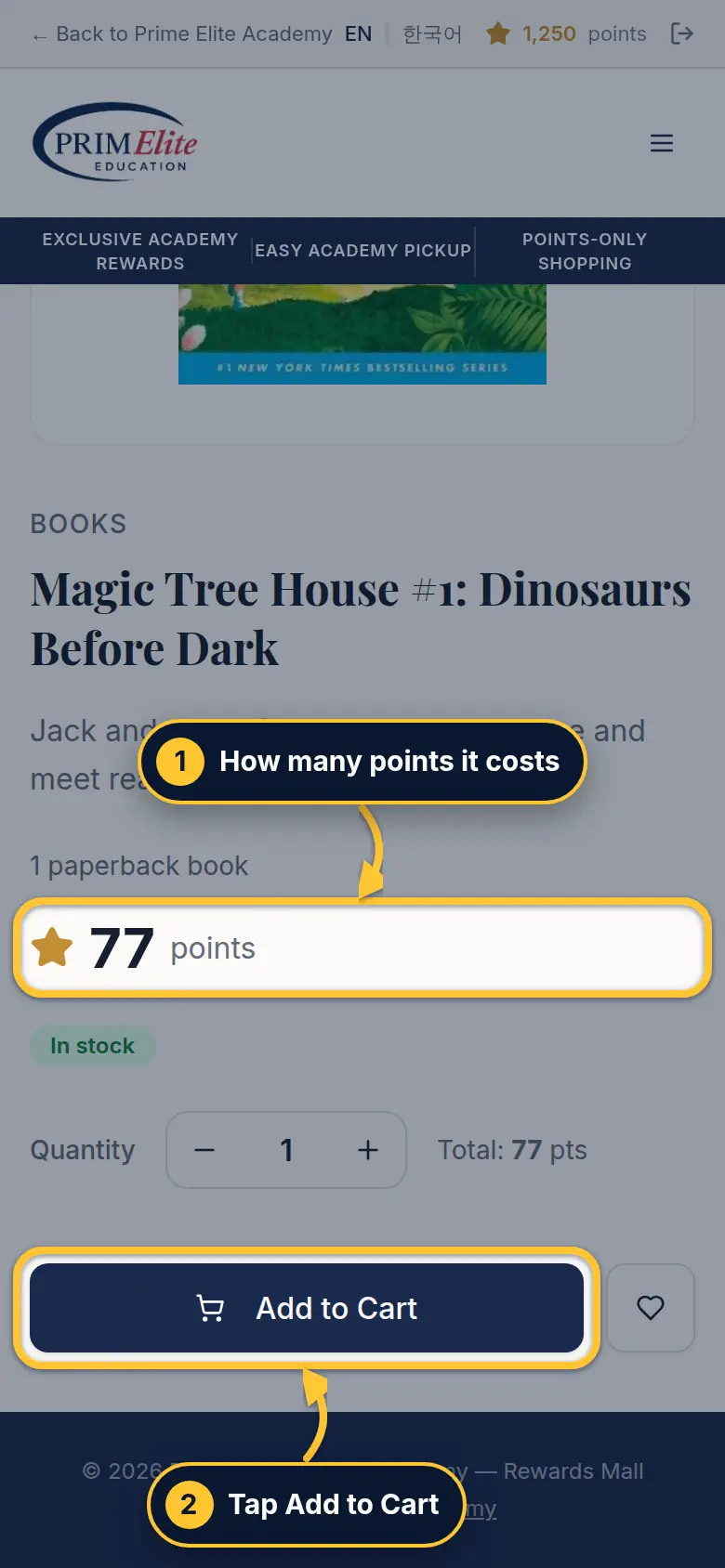
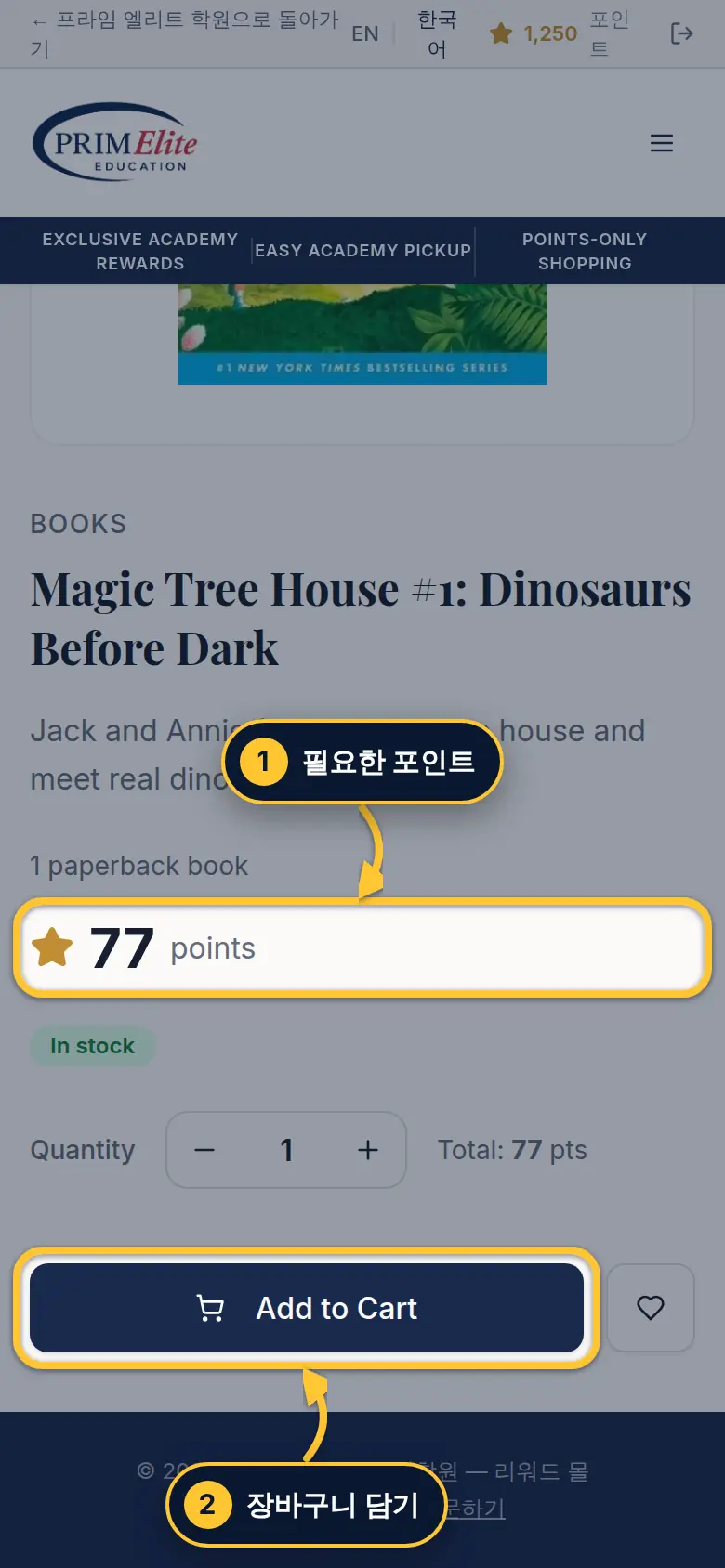
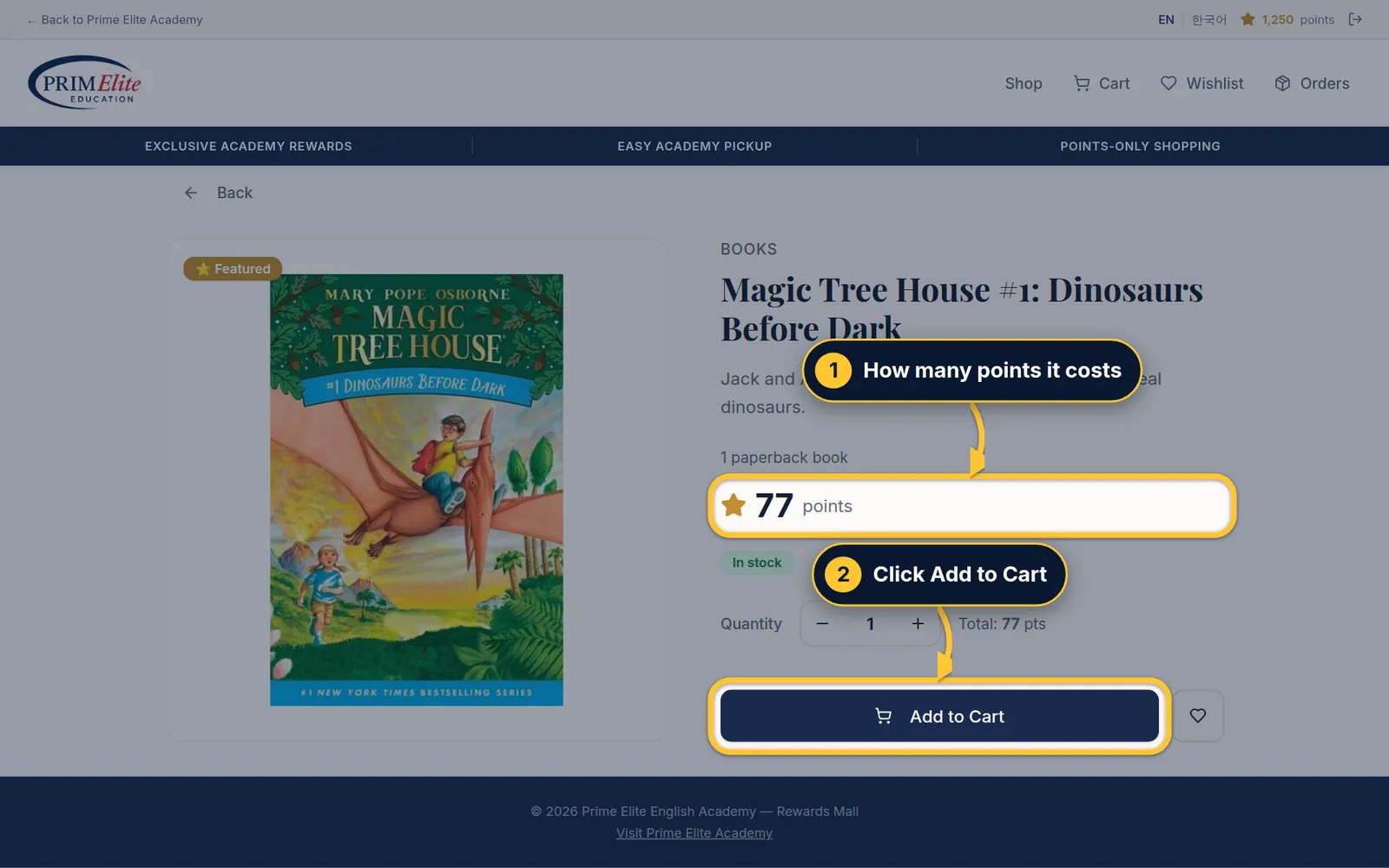
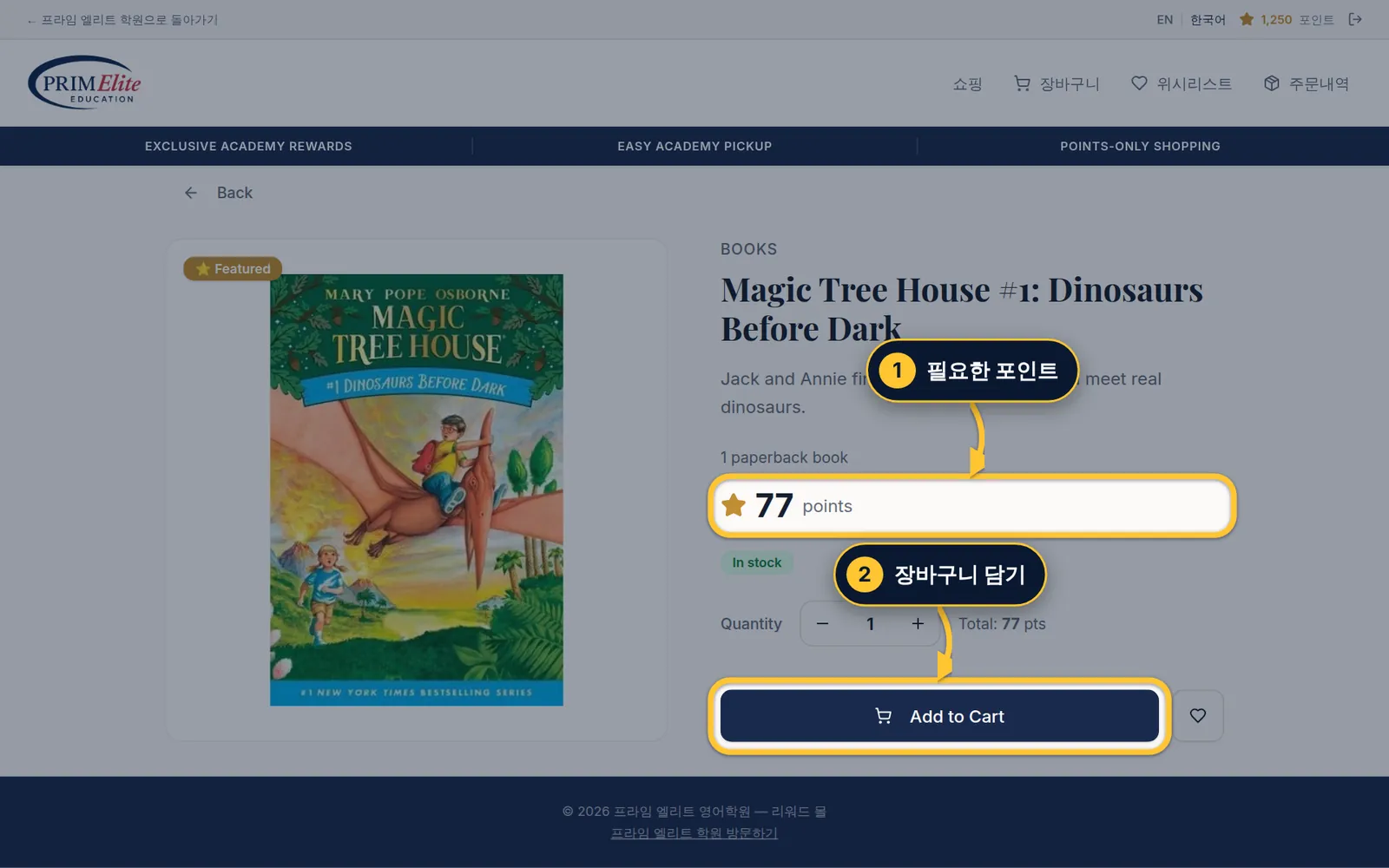
Step 3/73/7단계Add to cart장바구니 담기
1 The price in points.
2 Tap Add to Cart.
1 필요한 포인트예요.
2Add to Cart(장바구니 담기)를 누르세요.
1 The price in points.
2 Click Add to Cart.
1 필요한 포인트예요.
2Add to Cart(장바구니 담기)를 클릭하세요.
Step 4/74/7단계The cart장바구니
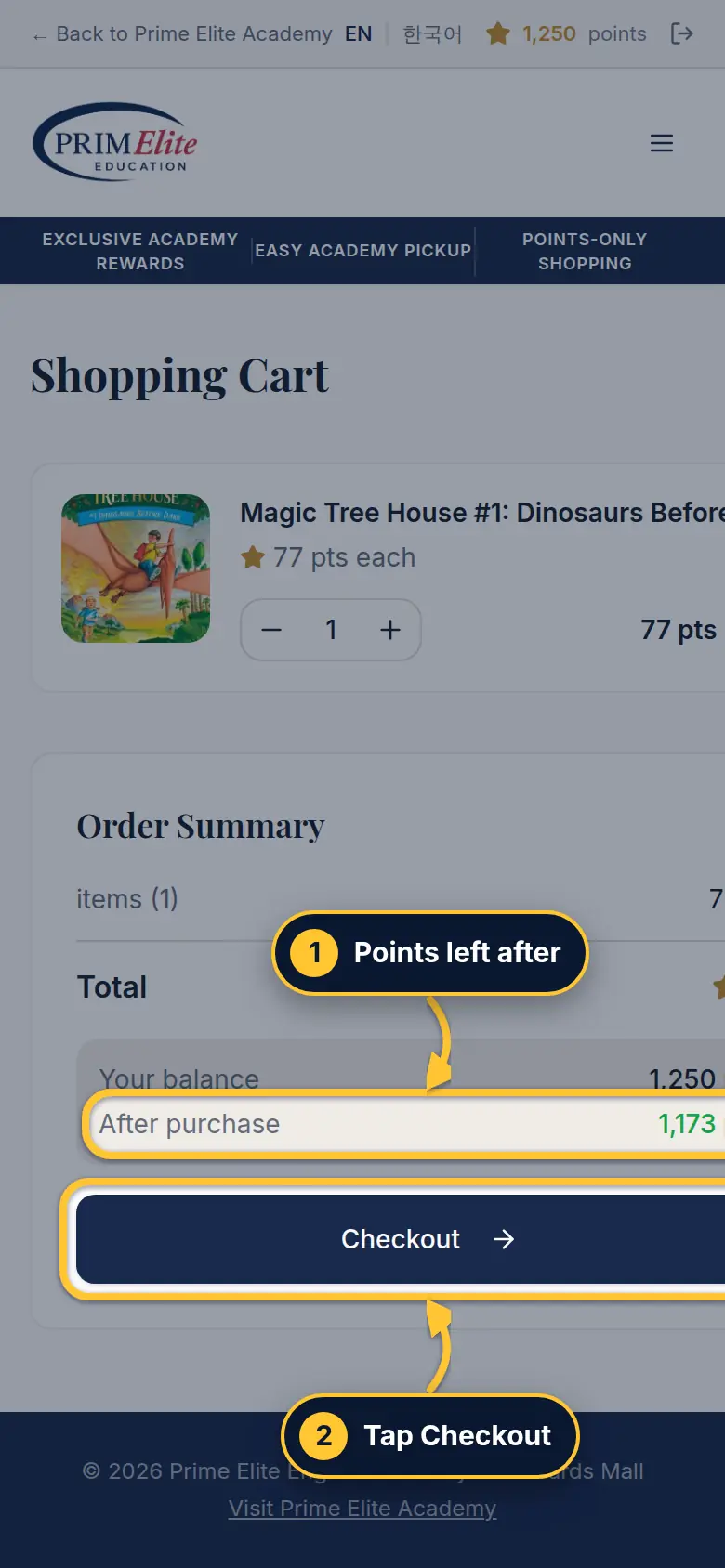
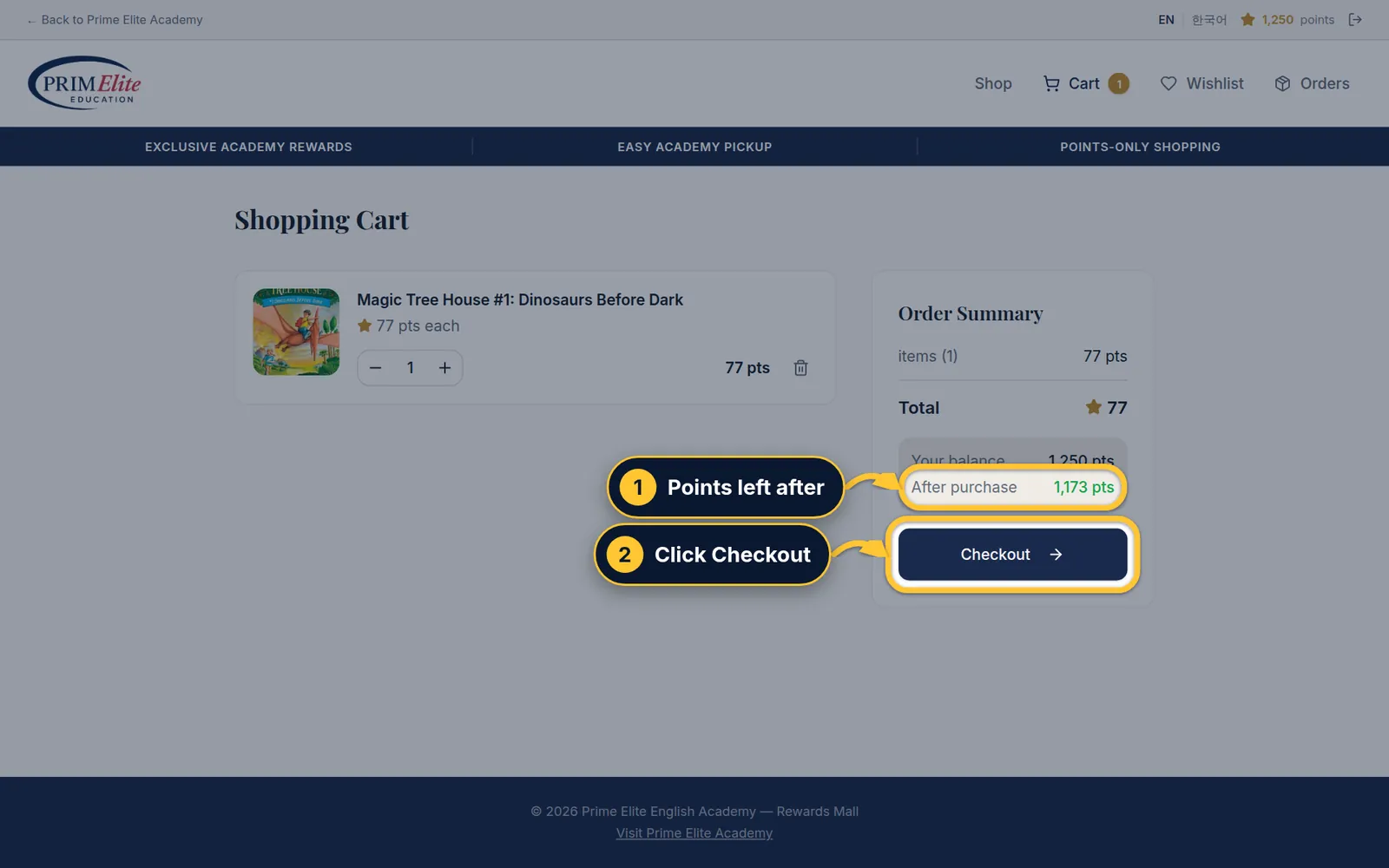
1 Check how many points will be left.
2 Tap Checkout.
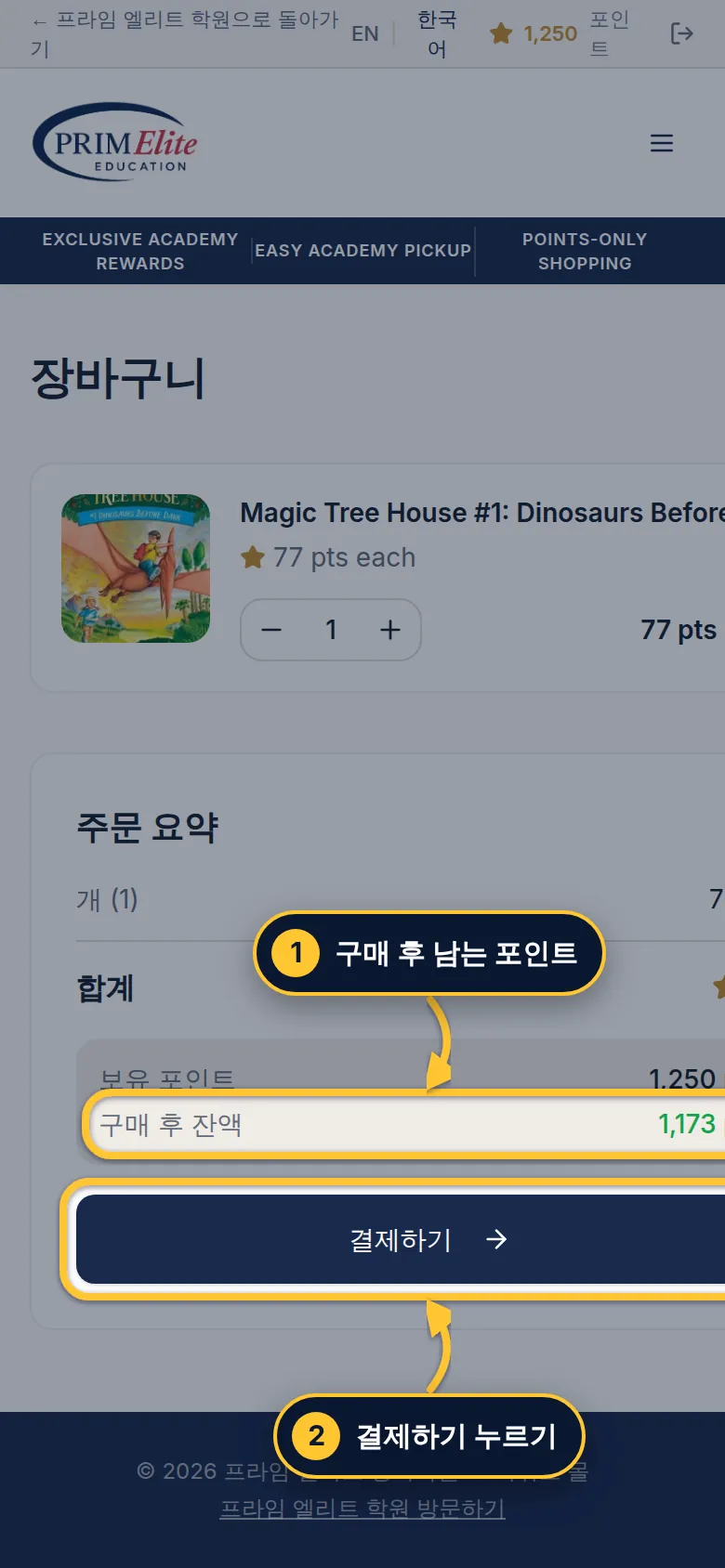
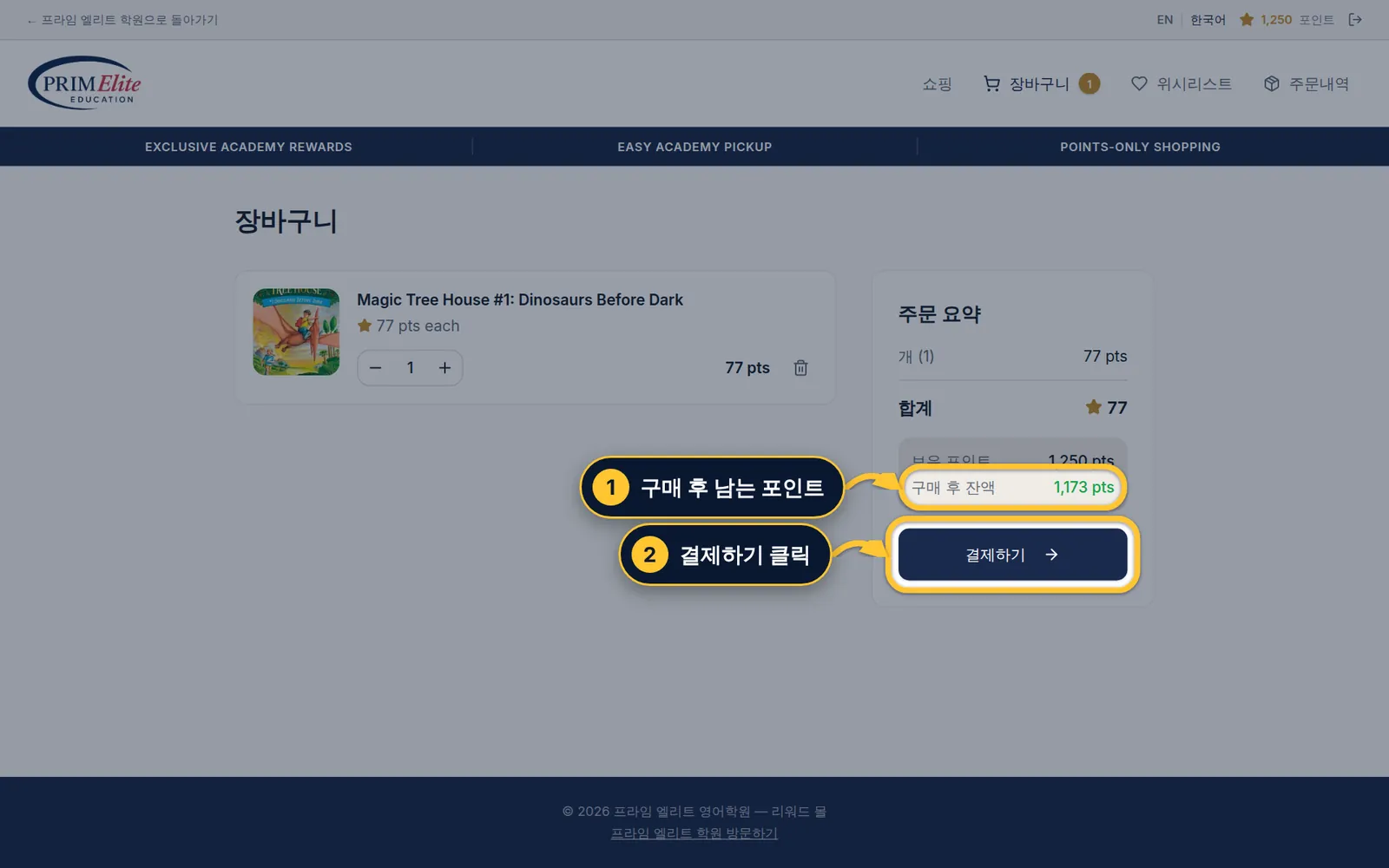
1 구매 후 남는 포인트를 확인해요.
2결제하기를 누르세요.
1 Check how many points will be left.
2 Click Checkout.
1 구매 후 남는 포인트를 확인해요.
2결제하기를 클릭하세요.
Step 5/75/7단계Confirm the order주문 확정
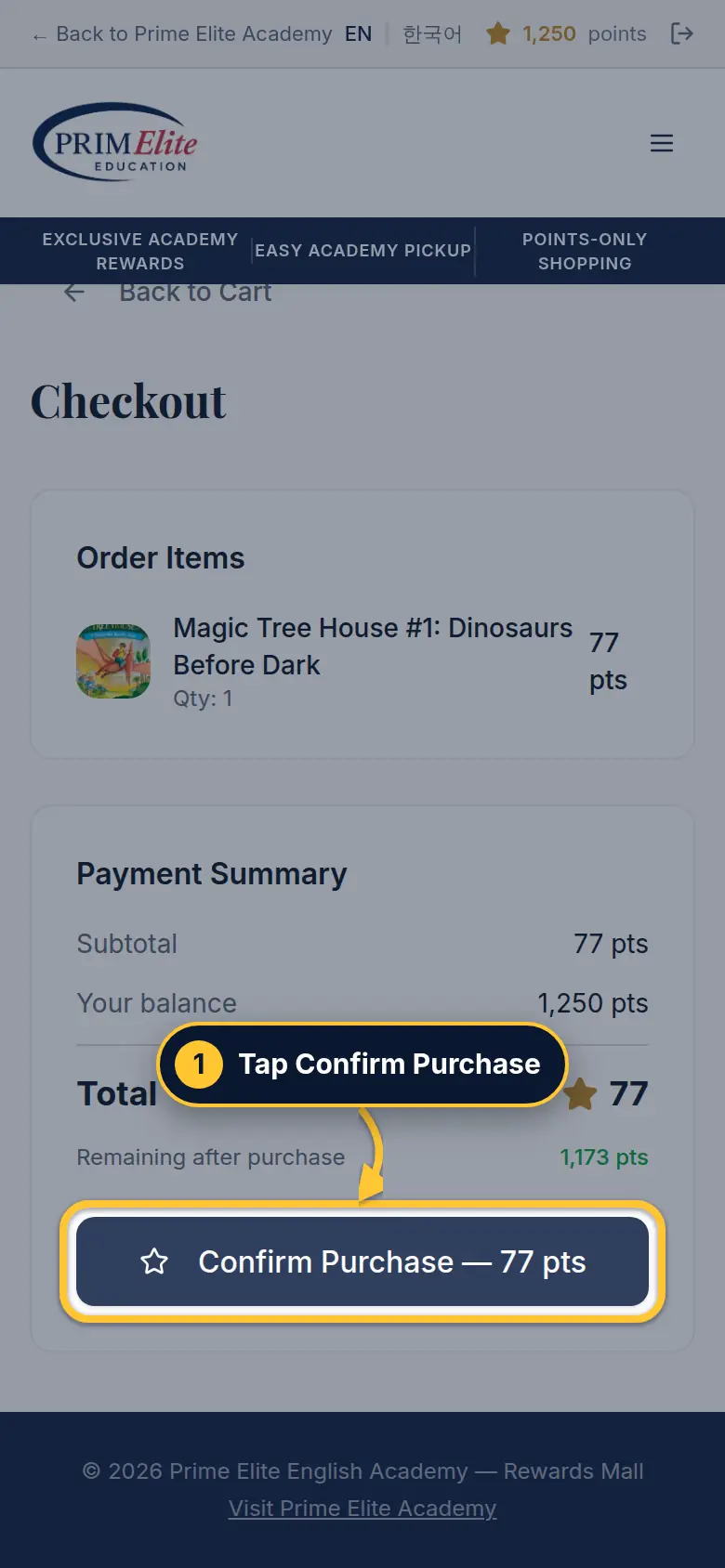
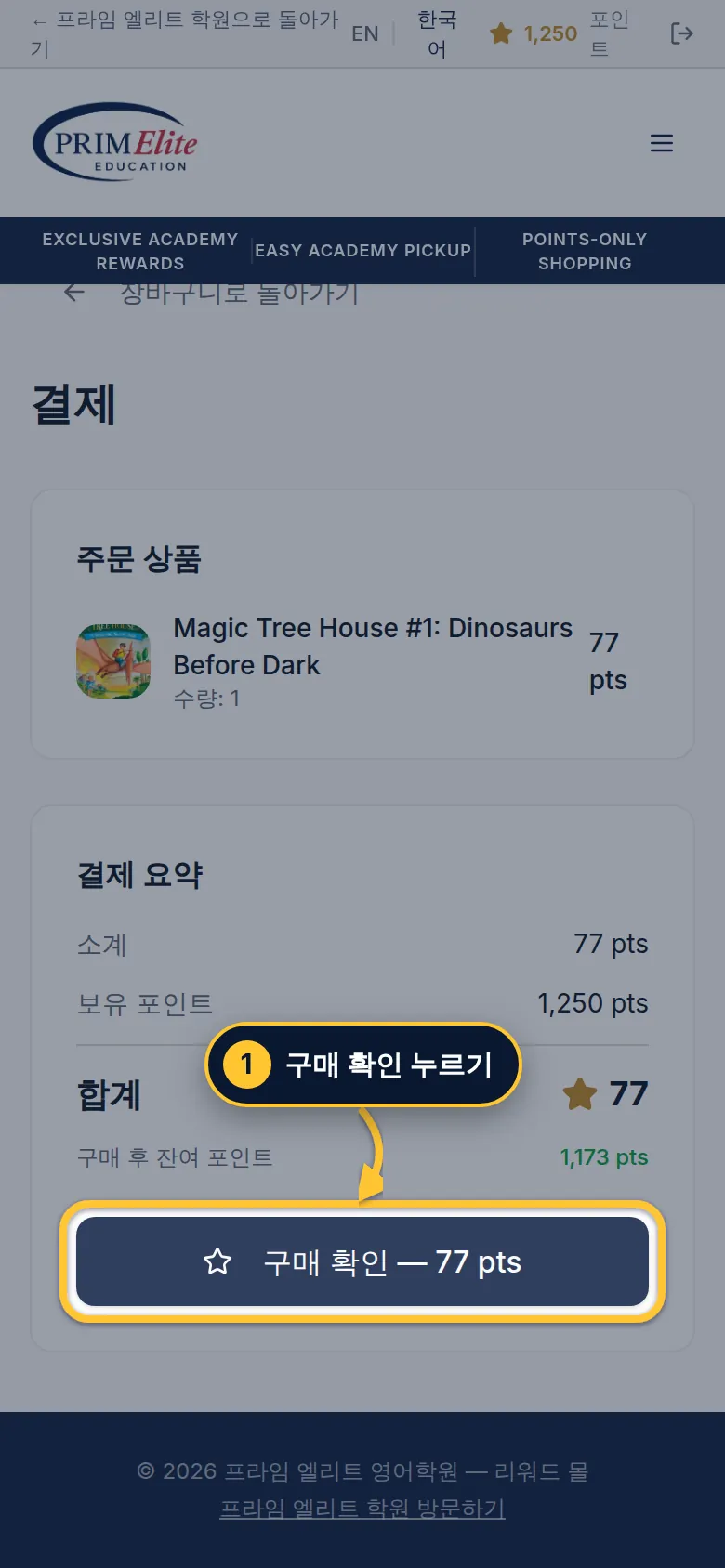
1 Tap Confirm Purchase. The points come off right away.
1구매 확인을 누르세요. 포인트가 바로 차감돼요.
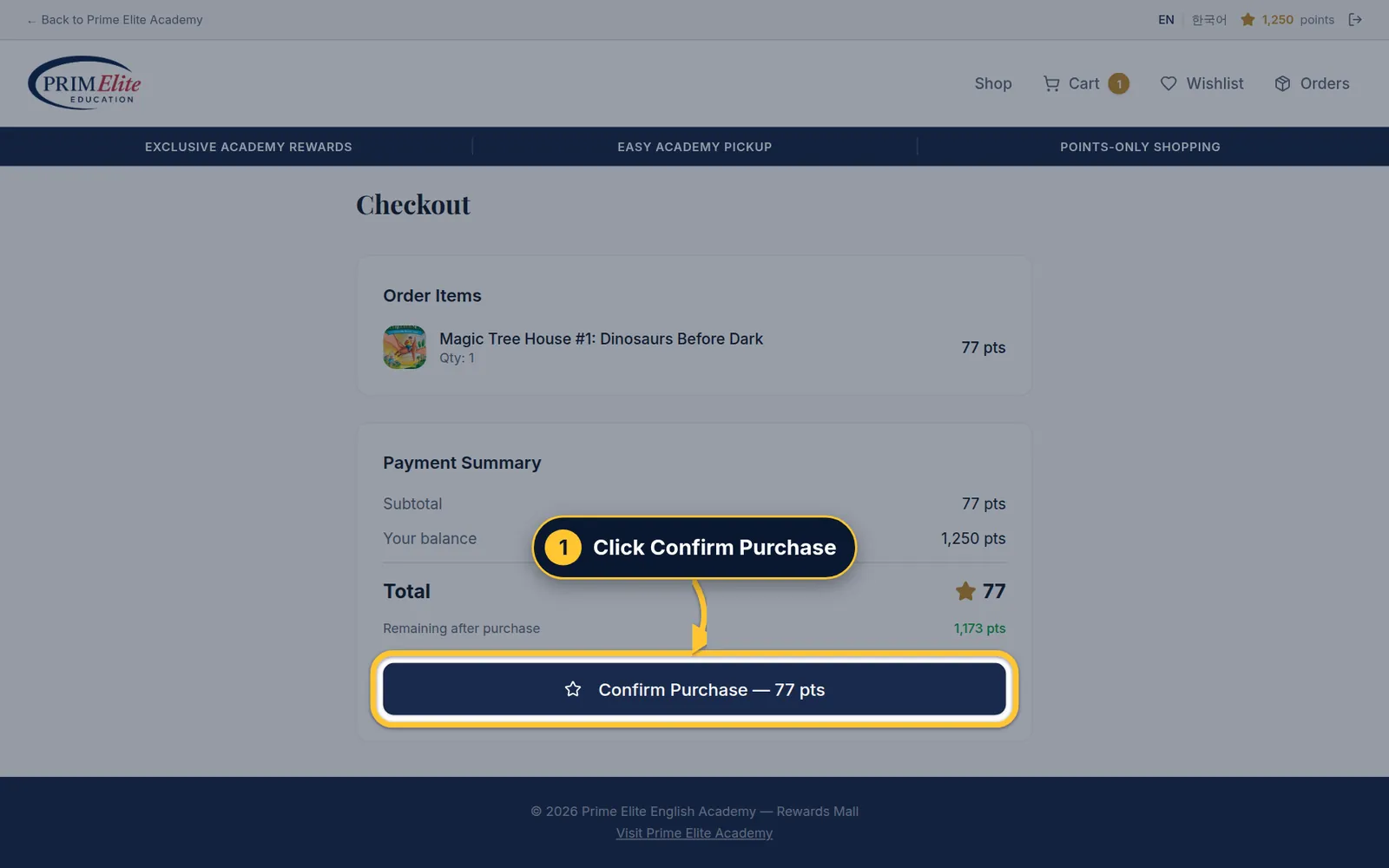
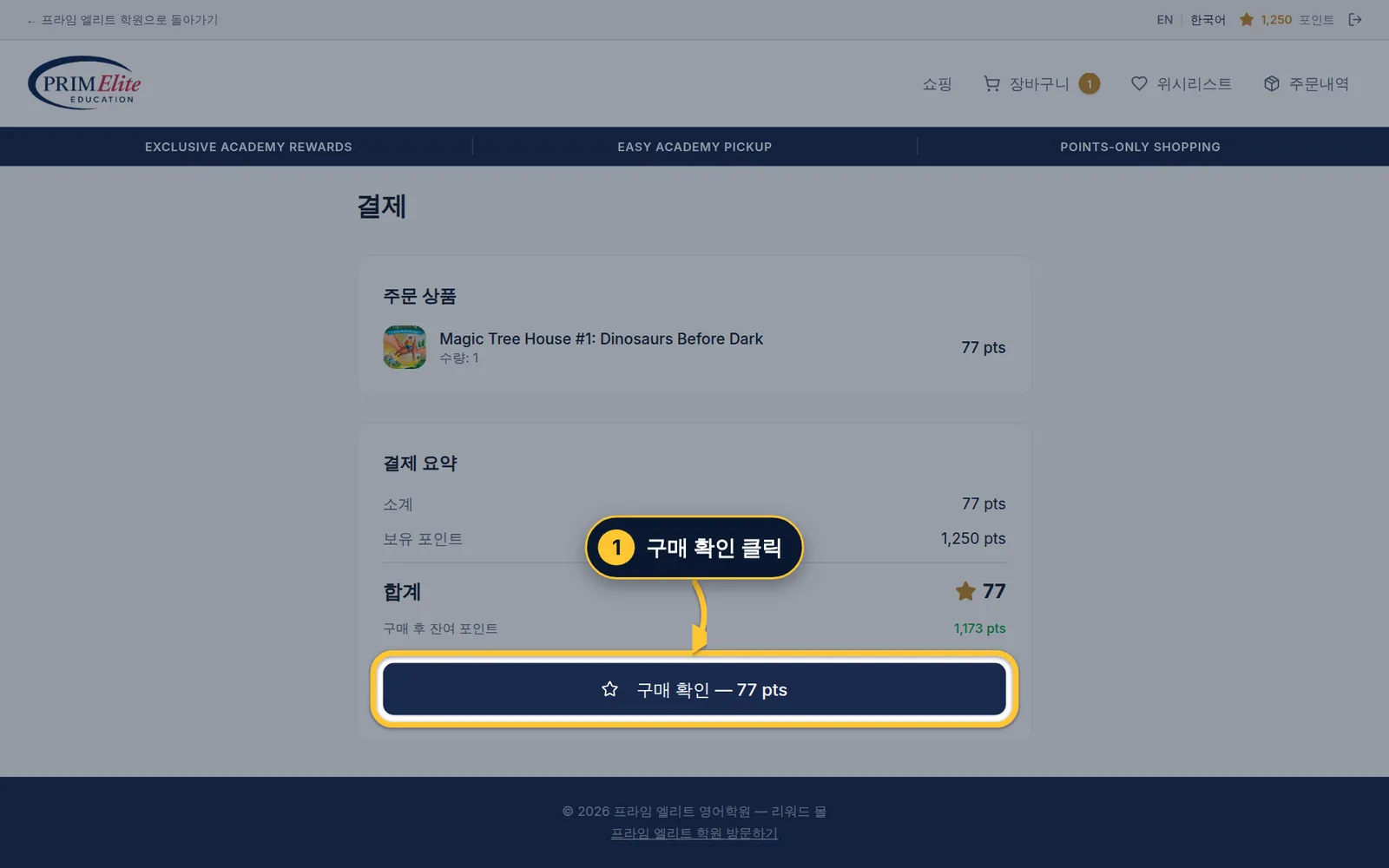
1 Click Confirm Purchase. The points come off right away.
1구매 확인을 클릭하세요. 포인트가 바로 차감돼요.
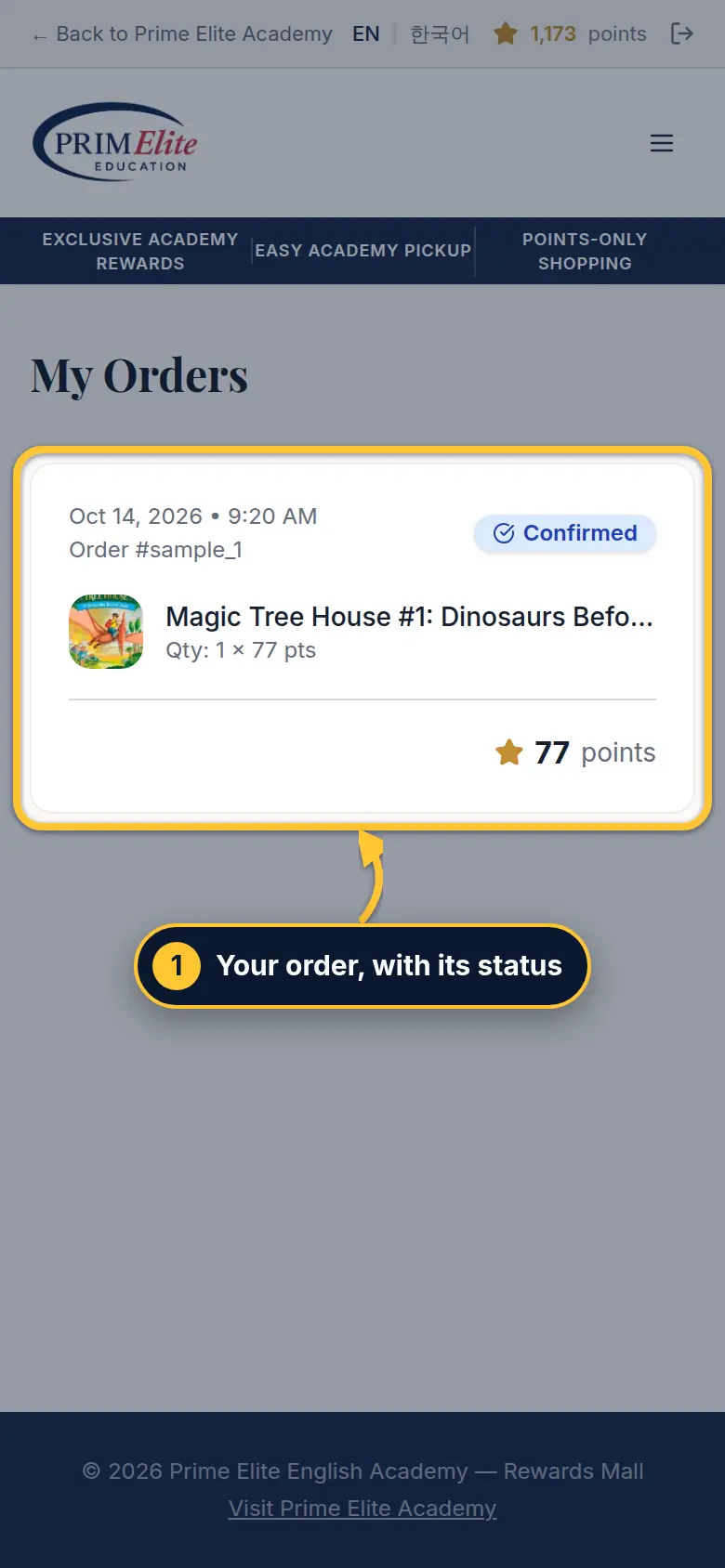
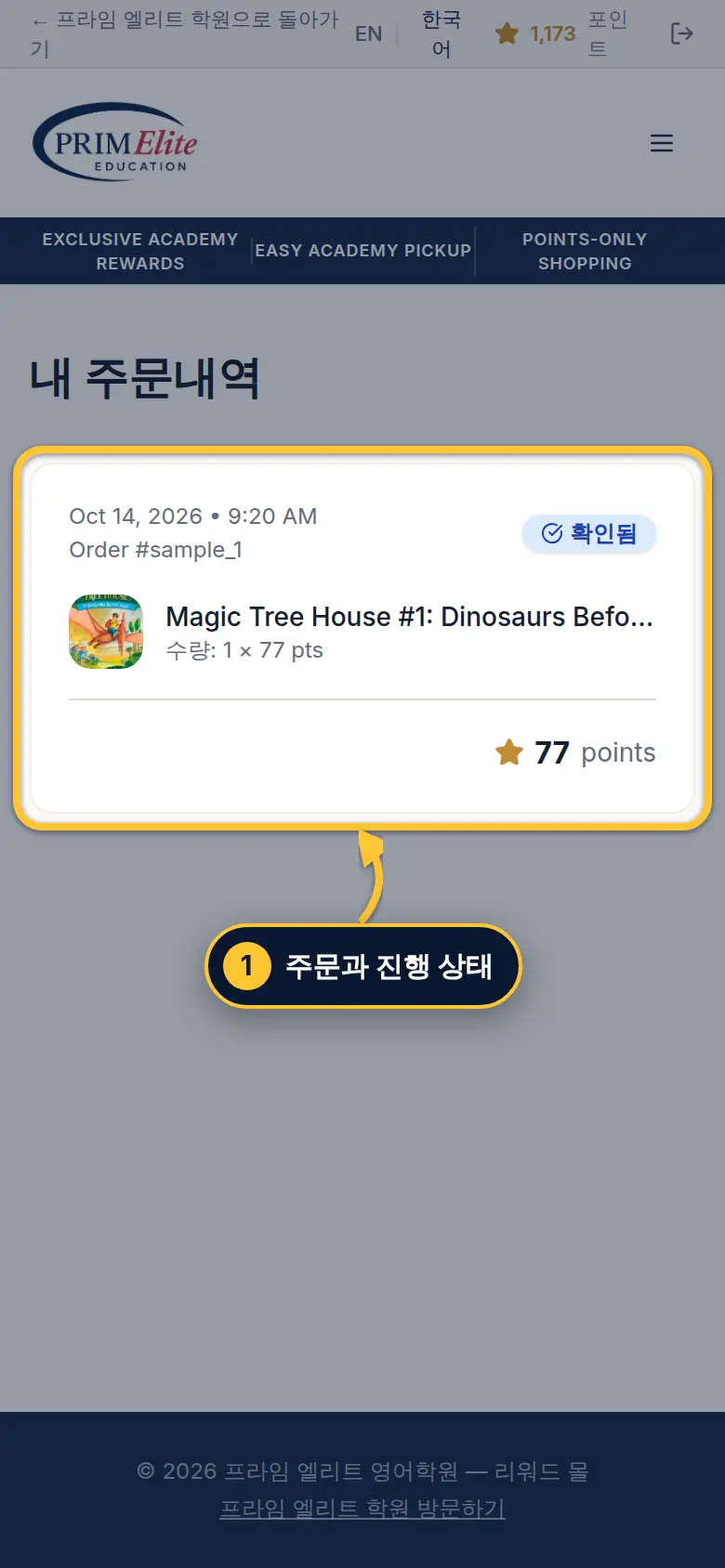
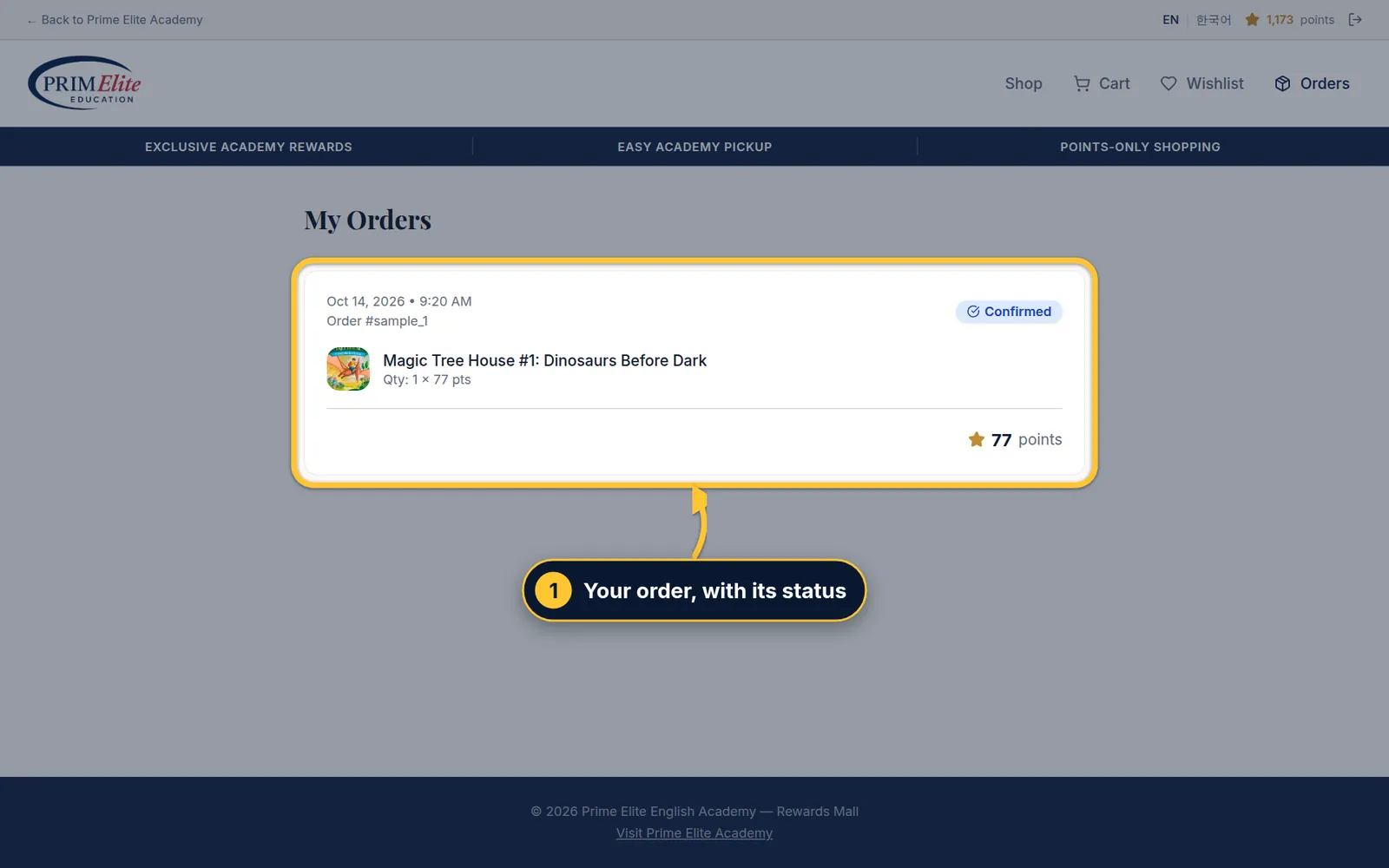
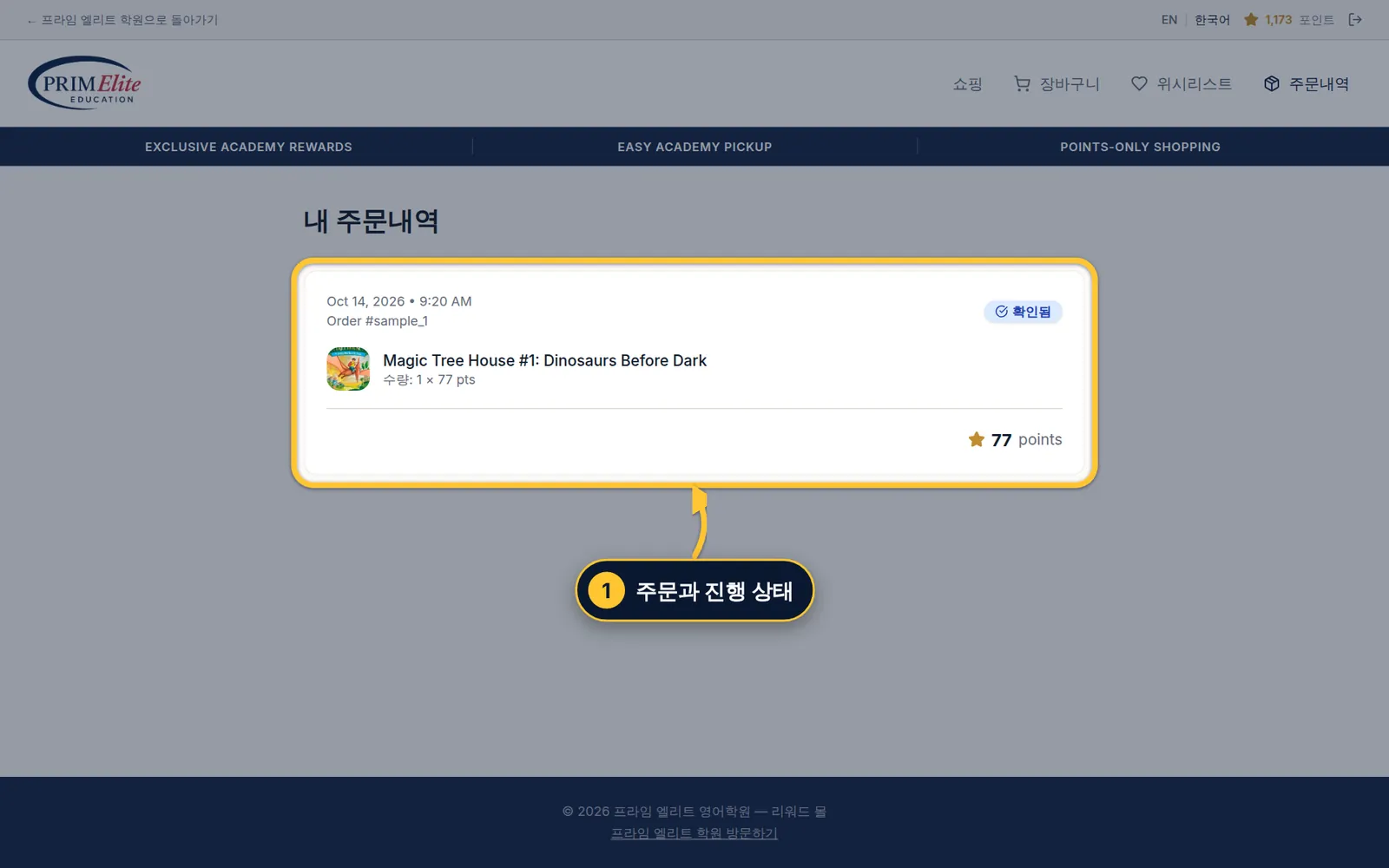
Step 6/76/7단계Find your orders주문 내역 찾기
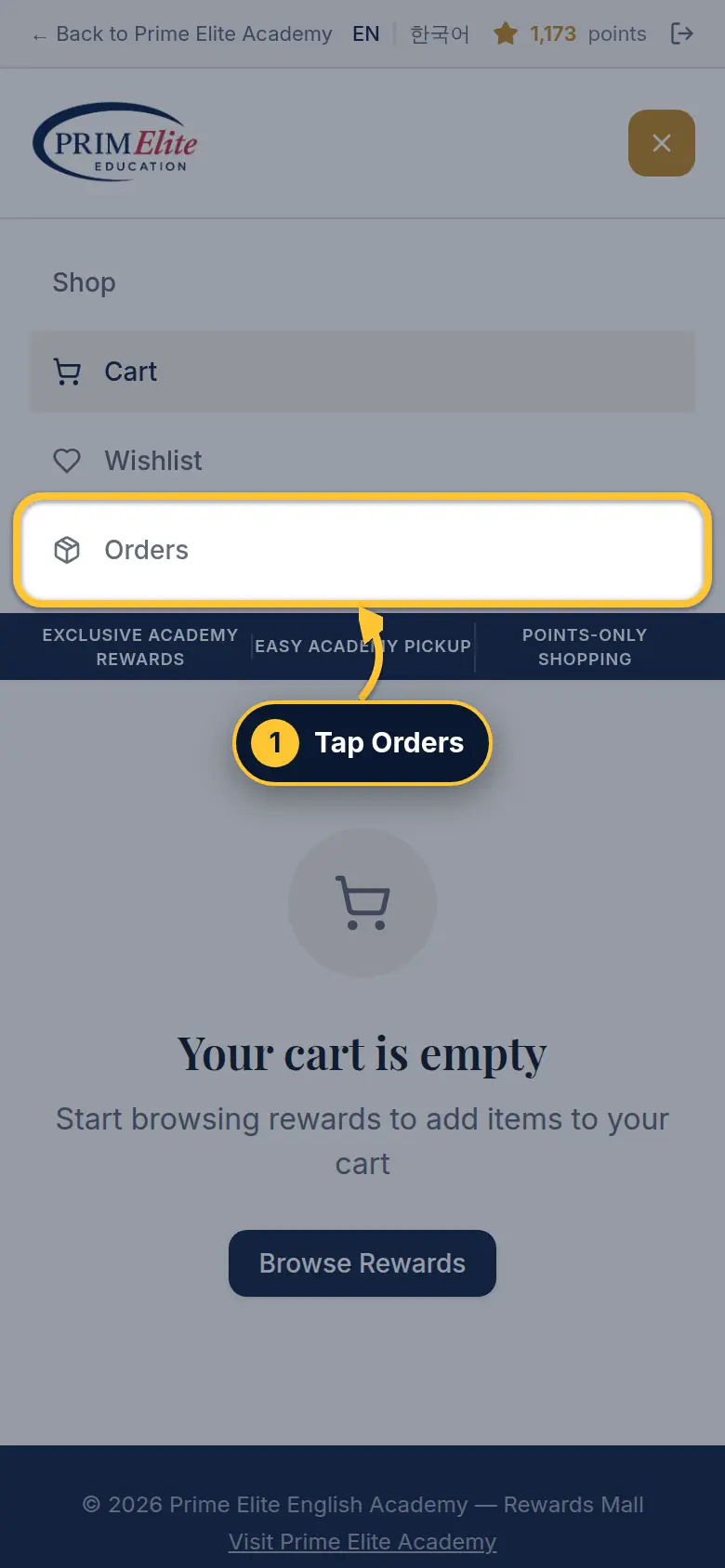
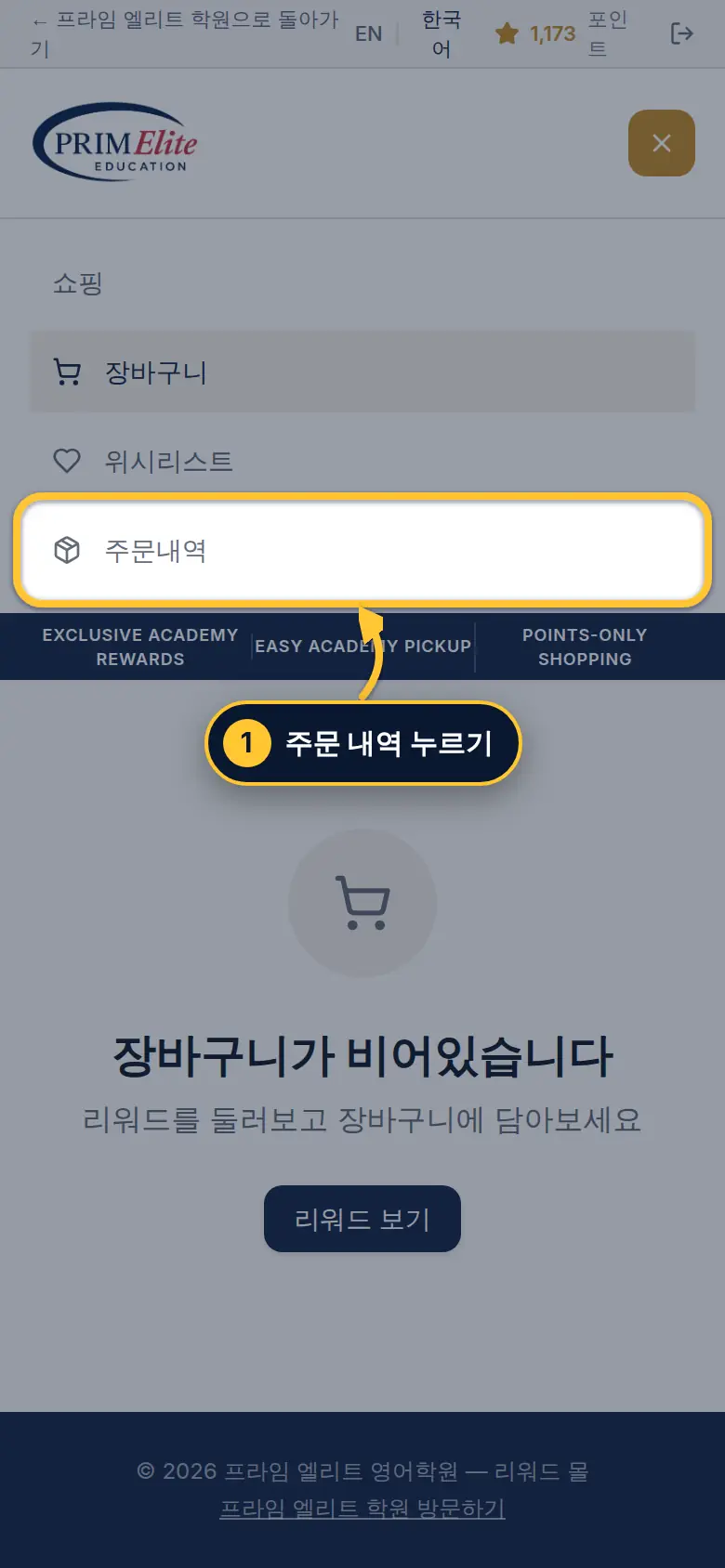
1 To see orders later, open the menu (☰) and tap Orders.
1 주문 내역은 메뉴(☰)에서 주문내역을 누르면 볼 수 있어요.
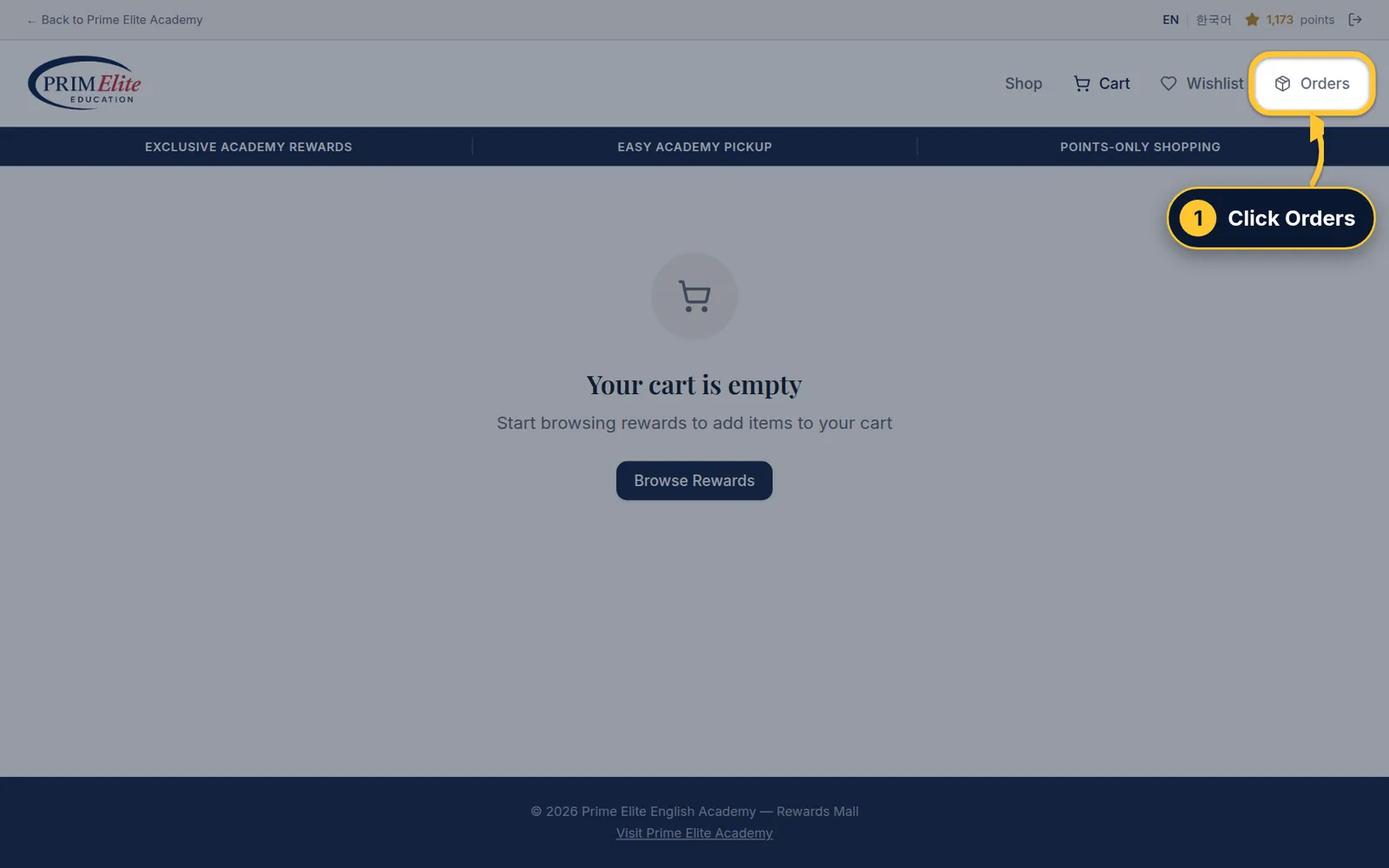
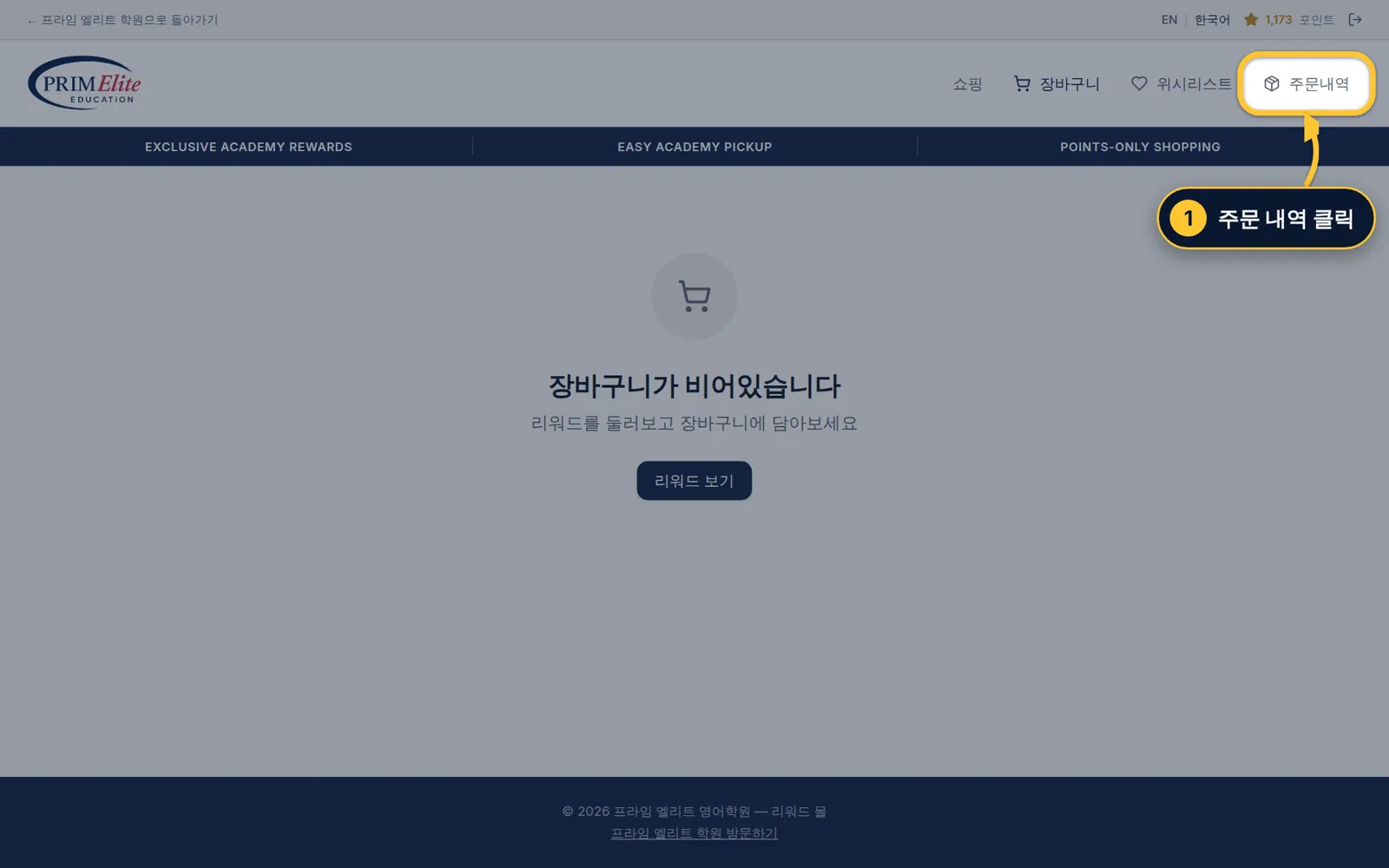
1 To see orders later, click Orders at the top right.
1 주문 내역은 오른쪽 위의 주문내역을 클릭하면 볼 수 있어요.
Step 7/77/7단계Order status주문 상태
1 Each order shows its status. The academy gets it ready and hands it to your child at the academy.
1 주문마다 진행 상태가 나와요. 학원에서 준비해서 학원에서 아이에게 전달해요.
?
Help도움말
Forgot your password?비밀번호를 잊으셨나요?
Contact the academy (02-3478-9304) and we will reset it.학원(02-3478-9304)으로 연락 주시면 다시 설정해 드려요.
“Your login has expired”“로그인이 만료되었습니다”
Tap Log in again and sign in as before.다시 로그인을 누르고 처음처럼 로그인하세요.
Click Log in again and sign in as before.다시 로그인을 클릭하고 처음처럼 로그인하세요.
Opening the Rewards Mall리워드 몰 열기
Always use Spend Rickey Points in the Student Zone, so the Mall knows who your child is.항상 학생 공간의 Spend Rickey Points로 들어가세요. 그래야 몰이 아이를 알아봐요.
Mall closed?몰이 닫혀 있나요?
Converting points and ordering work only while the Mall is open. The dates are on the Rewards Mall Schedule card.포인트 전환과 주문은 몰이 열려 있을 때만 돼요. 날짜는 리워드 몰 일정 카드에 있어요.